OpenGL Extensions Viewer- Your GPU’s Capabilities
For developers, tech enthusiasts, and anyone curious about the inner workings of their computer’s graphics hardware, understanding your system’s OpenGL support is essential. The OpenGL Extensions Viewer is a powerful, free diagnostic utility designed to provide this exact insight. By delivering detailed reports on your graphics card’s capabilities, it helps you ensure compatibility with demanding applications, games, and development tools. This guide explores everything you need to know about this indispensable tool, from its core features to how to use it effectively.
What is OpenGL Extensions Viewer?
OpenGL Extensions Viewer is a reliable software application that provides users with detailed information about their system’s support for the OpenGL, Vulkan, and Direct3D graphics APIs . It’s a diagnostic utility that scans your graphics card and outputs real-time data, such as supported extensions, version compliance, and renderer information. It is a go-to solution for quickly evaluating a machine’s graphics capabilities .
A Tool for Professionals and Enthusiasts
The software is primarily designed for technical professionals, including game developers, 3D artists, and software engineers, who need to verify their hardware supports the specific features required by their applications. However, it is equally useful for general users who want to understand the performance capabilities of their GPU or troubleshoot compatibility issues with graphics-intensive software. Its ability to report on other graphics APIs like Vulkan and DirectX offers a complete overview of your hardware’s potential .
Key Features and Functionality
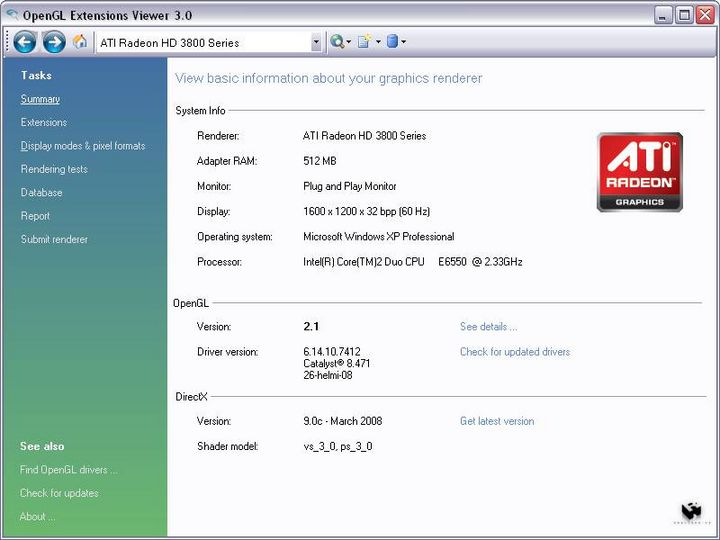
The application organizes complex graphics data into a structured, easy-to-navigate interface. Once launched, it automatically detects the installed GPU and displays its version, vendor string, and renderer ID . The main features are designed to provide a comprehensive picture of your graphics stack.
Detailed Extension Reporting
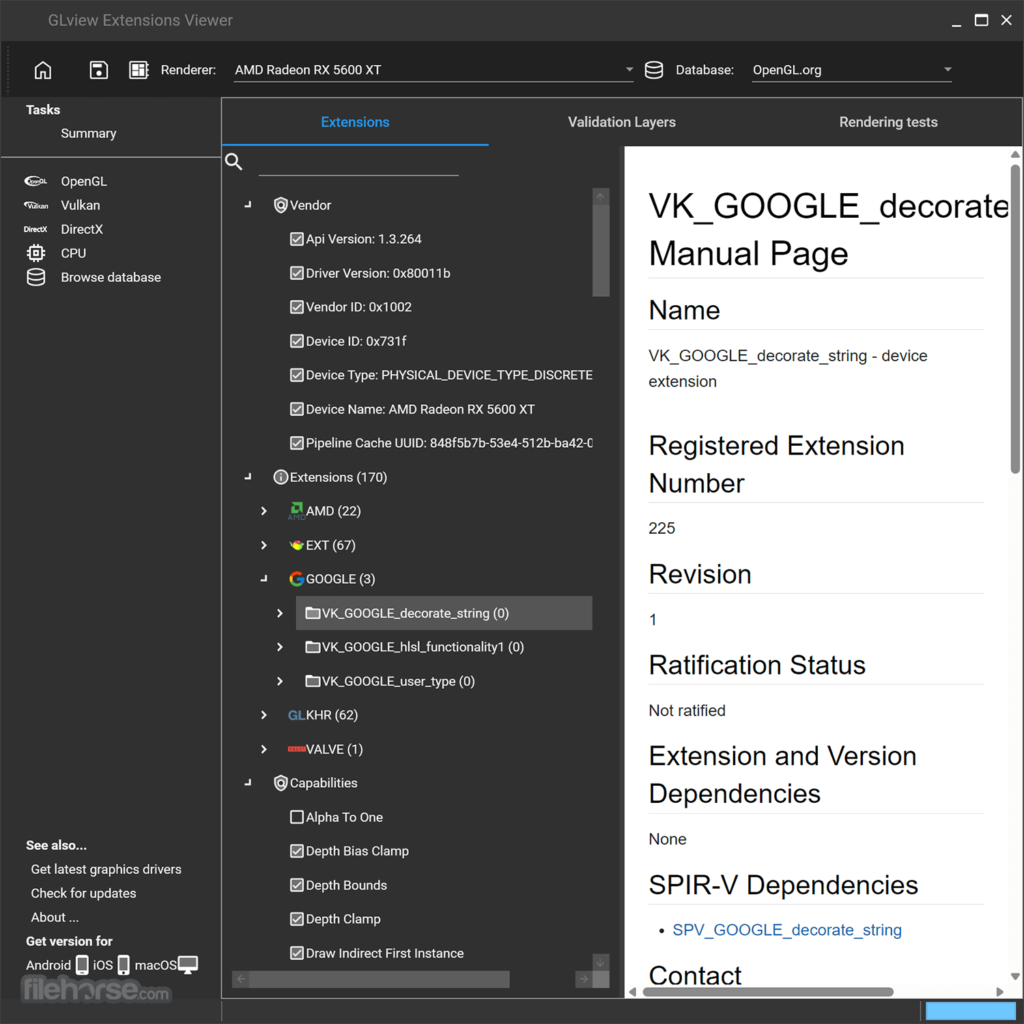
One of the most valuable features is the categorized list of supported extensions. OpenGL extensions are additional functionalities beyond the core specification, implemented by hardware vendors to enhance performance or introduce new features. The viewer allows for quick navigation and sorting of these extensions, making it easy to verify if a specific capability is supported. Each extension entry links directly to its official specification, offering in-depth technical definitions for deeper inspection . This helps developers and users confirm whether their graphics card meets the requirements of a specific program .
Rendering Tests and Shader Visualization
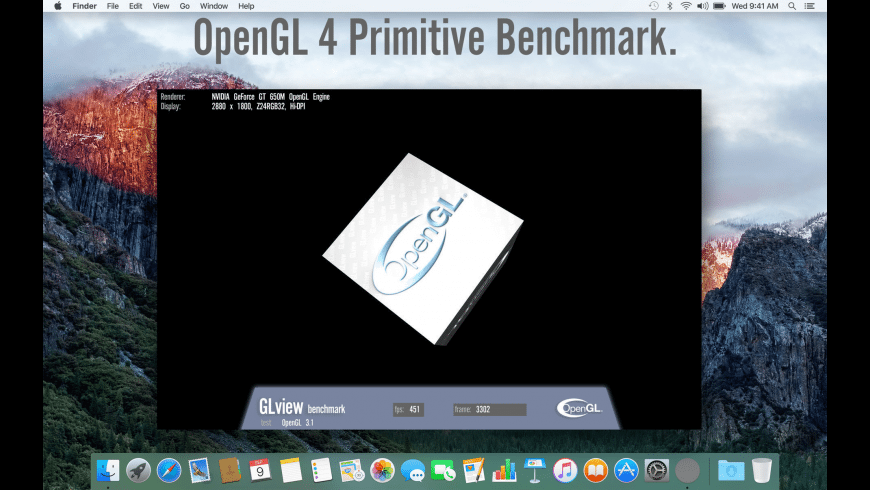
OpenGL Extensions Viewer goes beyond static reporting by offering real-time rendering tests. These tests validate shader behavior by visualizing capabilities like tessellation, geometry shaders, and texture mapping. The rendering section provides a basic preview that helps assess how certain features perform under the current GPU driver. This is useful for identifying graphical artifacts or discrepancies in driver behavior . The tool also includes built-in benchmarking options to test GPU performance under OpenGL calls, with results that can be exported or compared across different driver versions.
How to Use OpenGL Extensions Viewer
Using the tool is straightforward. After downloading and installing the software on your Windows, Mac, or Android device, simply launch it to see a comprehensive report on your graphics hardware .
Checking Your OpenGL Version
The primary use case for many users is to determine the exact version of OpenGL installed on their system. This is often necessary when installing software that requires a specific OpenGL version. The viewer displays this information clearly on the main interface . According to user reviews, it is a “great program for people who want to find out their computer’s specs” due to its straightforward reporting . Its clean appearance and focused functionality make it a popular choice for this purpose.
Using the Rendering Tests
For a deeper dive into your GPU’s performance, the “Rendering” section allows you to run tests for various OpenGL versions. This is particularly useful for developers who need to test specific features or users who want to benchmark their hardware. The application supports shader rendering previews to visualize how your hardware handles different rendering contexts and profile versions . You can also see how your graphics card handles different core and compatibility contexts, providing detailed insight into the capabilities of your graphics stack .
Advantages and Limitations
Like any tool, OpenGL Extensions Viewer has its strengths and weaknesses. Understanding these can help you decide if it’s the right utility for your needs.
Pros
- Detailed and Categorized Information: Provides in-depth, well-organized reports on GPU extensions, support, and specifications .
- Free to Use: The application is completely free, making it accessible to everyone .
- Cross-Platform Availability: Available on Windows, macOS, Android, and iOS, allowing you to check capabilities across different devices .
- Direct Links to Specifications: Makes it easy to research specific extensions in detail .
- Built-in Rendering Tests: Includes tools to preview and test shader behavior and performance .
Cons
- No Editing Tools: It is a diagnostic tool only. It does not include features for editing, optimizing, or managing graphics assets .
- Installation Required: The Windows version requires installation rather than being a portable executable, which some users find to be a minor inconvenience .
Platform Availability and Versions
A significant advantage of OpenGL Extensions Viewer is its availability across multiple platforms. The tool, also known as GLview, has evolved over time. While the CNET listing refers to version 6.4.4 for Windows , the software now goes by GLview, which has been updated to version 7.4.1 as of late 2025 .
- Windows: The utility is compatible with Windows XP through Windows 11 . The latest GLview versions feature a redesigned user interface, shader rewrites, and widescreen support .
- Mac: Available on the Mac App Store for macOS, supporting OpenGL and Metal .
- Android and iOS: Mobile versions (GLview Extensions Viewer) are available on Google Play and the App Store, providing insight into OpenGL ES and Vulkan support for mobile devices .
Frequently Asked Questions (FAQs)
1. What exactly does OpenGL Extensions Viewer do?
It is a free diagnostic utility that scans your system’s graphics card and displays detailed information about its OpenGL support, including the version, renderer, and a complete list of supported extensions. It also offers rendering tests to visualize shader behavior and performance .
2. Who should use OpenGL Extensions Viewer?
The tool is invaluable for developers, 3D artists, and technical professionals who need to verify hardware capabilities for their software. It is also very useful for general users who want to know if their GPU supports the features required by a specific game or application .
3. Is OpenGL Extensions Viewer completely free?
Yes, the application is free to download and use. It can be found on various software distribution platforms and official app stores .
4. On what platforms is the software available?
The tool is available for Windows, macOS, Android, and iOS. This allows users to assess graphics capabilities on desktops, laptops, and mobile devices .
5. Can I use OpenGL Extensions Viewer to improve my game’s performance?
No, the tool is for diagnostics and information gathering only. It does not include optimization features or performance tweaking tools. Its primary function is to report what your hardware supports and how it behaves, not to change it .
Conclusion
OpenGL Extensions Viewer stands as an essential utility for anyone who needs to understand their system’s graphics capabilities. Whether you are a developer ensuring compatibility with your latest project, a gamer troubleshooting performance issues, or a tech enthusiast curious about your hardware, this tool delivers clear, organized, and in-depth information. With its cross-platform support and a focus on providing accurate, detailed reports, it is a reliable solution for demystifying the complexities of OpenGL and other graphics APIs. The fact that it’s free and continuously updated makes it a valuable addition to any user’s toolkit.



