SG TCP Optimizer- Unlock Your Internet’s Full Potential
Is your internet connection feeling sluggish? Do web pages take forever to load, or do you experience frustrating lag while gaming or streaming? Before you blame your Internet Service Provider (ISP), the issue might be with how your Windows PC handles network traffic. The SG TCP Optimizer is a free, powerful utility designed to address precisely these problems by fine-tuning the hidden network settings in your Windows Registry .
What is the SG TCP Optimizer?
The SG TCP Optimizer is a free, lightweight Windows program that provides an intuitive interface for tuning and optimizing your internet connection . Created by the networking experts at SpeedGuide.net, this tool simplifies the often complex process of tweaking your system’s TCP/IP parameters . It’s designed to work with a wide range of connection types—from high-speed fiber and cable to DSL and even older dial-up services .
How Does It Work?
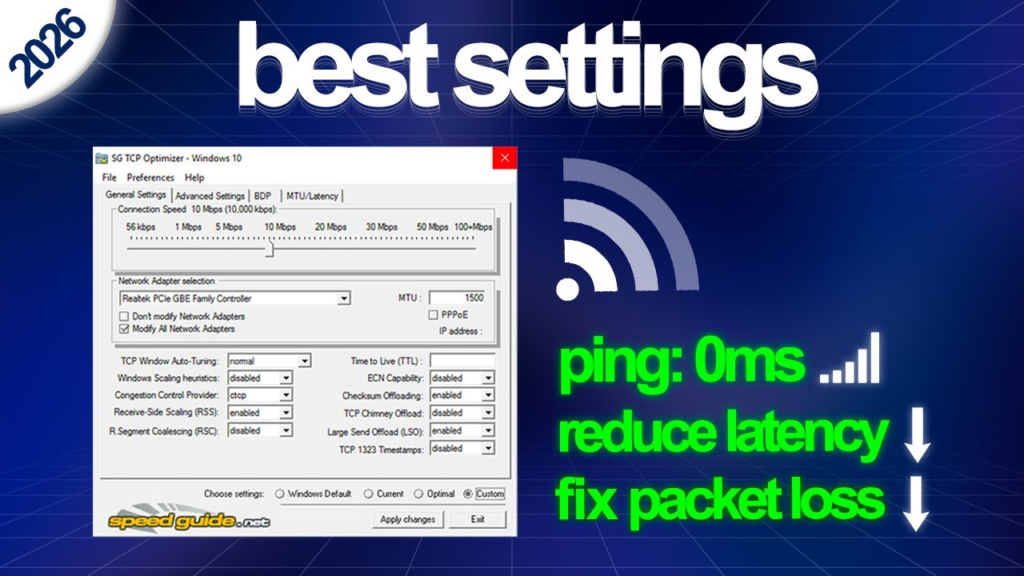
The program works by analyzing your system and connection to recommend and apply the most effective settings, such as:
- MTU (Maximum Transmission Unit): Determines the largest packet size your connection can handle. Finding the optimal value can significantly reduce fragmentation and boost efficiency .
- TCP Window (RWIN): Defines the amount of data your computer can receive without waiting for an acknowledgment. Getting this right is crucial for high-speed, low-latency connections .
By adjusting these and other critical parameters like TTL (Time to Live) and QoS (Quality of Service) settings, the TCP Optimizer helps ensure your system isn’t a bottleneck for your internet speed .
Key Features and Benefits
User-Friendly for All Skill Levels
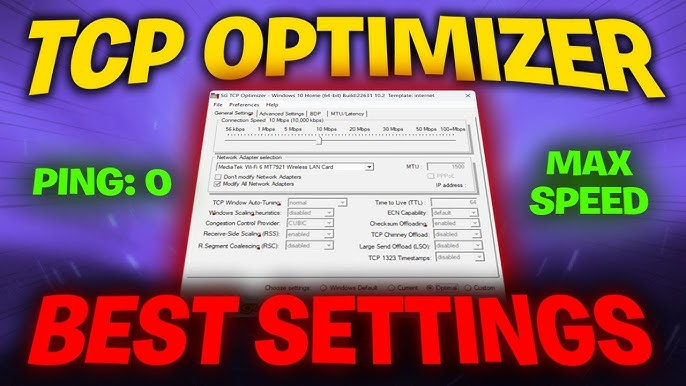
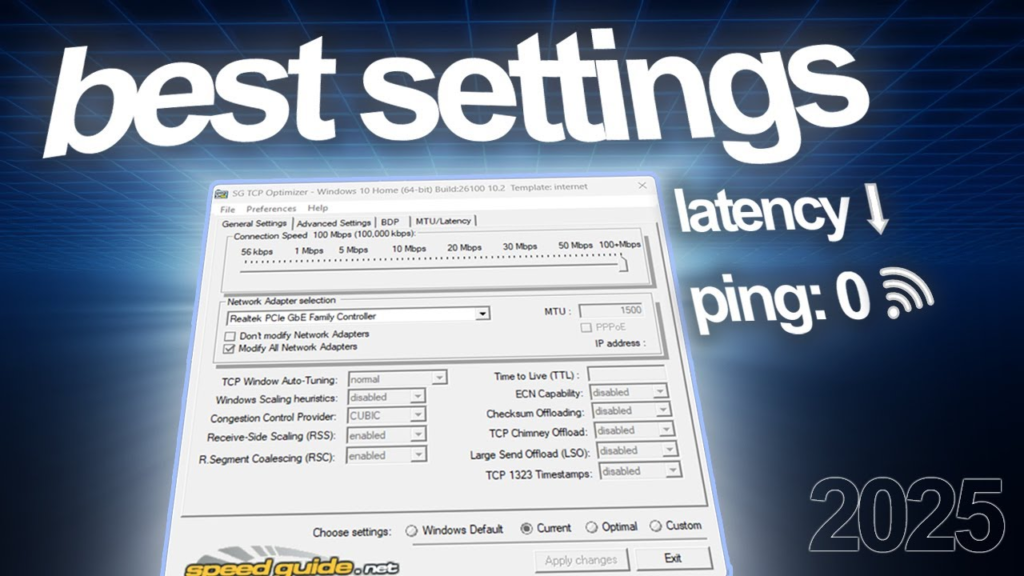
One of the tool’s biggest strengths is its accessibility. It offers a simple “Optimal” setting that applies a set of recommended adjustments with a single click, making it easy for novices to get a potential performance boost . For advanced users, an “Advanced” mode allows for granular, manual control over every parameter .
Powerful Diagnostics and Tools
The optimizer is more than just a tweaker. It includes a suite of diagnostic tools, such as a latency tester for checking ping to multiple hosts and an MTU/Latency tool to find the largest possible packet size for your connection .
Safe and Portable
The SG TCP Optimizer is a portable executable, meaning it requires no installation. You can simply download and run it . More importantly, it automatically creates a backup of your original settings, allowing you to revert all changes with a single click if you encounter any issues .
Real-World User Experiences
Over the years, many users have reported significant improvements. One forum user described their speed jumping from 600 Mbps to nearly 1 Gbps after using the optimizer . Others have reported improvements in gaming ping times and a noticeable speed boost while browsing and streaming . However, as with any system tweaking tool, it’s important to note that results can vary, and incorrect manual adjustments can potentially cause network instability .
Conclusion
For anyone looking to get the most out of their internet connection, the SG TCP Optimizer is an essential, free tool. It stands as a testament to the principle that sometimes, the best performance upgrade doesn’t come from buying new hardware, but from intelligently configuring the software you already have.
Frequently Asked Questions (FAQs)
1. Is the SG TCP Optimizer really free?
Yes, the program is completely free to download and use. It has been for years and has been downloaded millions of times from the official source and other major download portals .
2. Is it safe to use?
Yes, when used correctly, it is a safe and legal tool often recommended by ISPs for troubleshooting . The program has built-in safety features, like automatically creating a backup of your original settings, allowing you to easily revert changes .
3. Will it work with my internet connection?
The optimizer works with virtually all connection types, including Cable, DSL, Satellite, Fiber, and even Dial-up and commercial leased lines . However, users with very slow or older connections may not see as dramatic an improvement .
4. Do I need to be a computer expert to use it?
Not at all. The program is designed for both novices and experts. Beginners can simply run the program, select their connection speed, click “Optimal,” and apply the changes .
5. What’s the difference between the “Optimal” and “Custom” settings?
The “Optimal” setting automatically applies a safe set of recommended tweaks based on your connection type. The “Custom” setting allows advanced users to manually adjust every single TCP/IP parameter .
6. My internet speed is already what I pay for. Should I still use it?
If you are already receiving your full advertised speed and have no issues, using the optimizer may not yield a noticeable difference. It is most beneficial for users who are not getting the performance they expect .



