ACID Pro – The Legendary Loop Based DAW Still Making Waves in 2026
Introduction
Digital audio workstations (DAWs) have revolutionized music production, placing professional-grade tools within reach of anyone with a computer. Among the pioneers that shaped this landscape stands ACID Pro—a name that has become synonymous with loop-based music creation.
First introduced in the late 1990s, ACID Pro redefined how musicians and producers approached composition. Instead of requiring traditional musical training or complex recording setups, it offered an intuitive drag-and-drop approach that made song creation accessible to a wider audience. Today, under the stewardship of MAGIX, ACID Pro continues to evolve, maintaining its reputation while adapting to modern production demands.
This comprehensive guide explores everything you need to know about ACID Pro: its core strengths, its place in today’s DAW market, practical considerations for potential users, and how it stacks up against the competition. Whether you’re a curious beginner exploring music production or a seasoned producer considering a new tool, understanding ACID Pro’s unique value proposition can help inform your creative decisions .
What Makes ACID Pro Unique in the DAW Landscape
The Legacy of Loop-Based Composition
ACID Pro occupies a special place in music software history as the first DAW to popularize loop-based composition on a mass scale . Before ACID arrived, creating music with loops was a cumbersome process requiring tedious manual tempo matching and pitch adjustment. ACID’s groundbreaking “ACID-ized” loop technology changed everything by embedding tempo and pitch information directly into audio files, allowing them to automatically sync with any project’s key and tempo.
This innovation was so significant that “ACID-ized” became an industry standard—with loop libraries expected to support this format for seamless integration . The concept of painting loops onto a timeline, watching them automatically adapt to your project, and building arrangements without complex audio engineering skills democratized music production in ways previously unimaginable.
The Core Workflow: Drag, Drop, and Create
The defining characteristic of ACID Pro remains its remarkably intuitive workflow. Users can browse through thousands of included loops, select promising sounds, and simply drag them into the project timeline. The software handles the technical heavy lifting—automatically matching tempo, adjusting pitch, and ensuring everything stays in sync .
This approach offers several distinct advantages:
Speed of composition: Ideas can move from concept to arrangement remarkably quickly. Rather than wrestling with technical constraints, producers can focus on creative choices—layering rhythms, building tension, and crafting arrangements.
Accessibility for non-musicians: Traditional music production often requires instrumental proficiency or music theory knowledge. ACID Pro’s loop-based approach allows anyone with an ear for arrangement to create compelling music.
Genre flexibility: The same workflow supports everything from electronic dance music to hip-hop beats, cinematic scoring to experimental sound design .
Beyond Loops: Professional-Grade Features
While loops remain its foundation, modern ACID Pro has evolved into a full-featured DAW capable of handling professional production demands. The software now includes:
Multitrack recording: Capture multiple audio sources simultaneously, making it suitable for recording bands, vocals, or live performances .
MIDI sequencing: Create and edit MIDI data to control virtual instruments and external hardware. This opens up vast possibilities beyond loop-based composition .
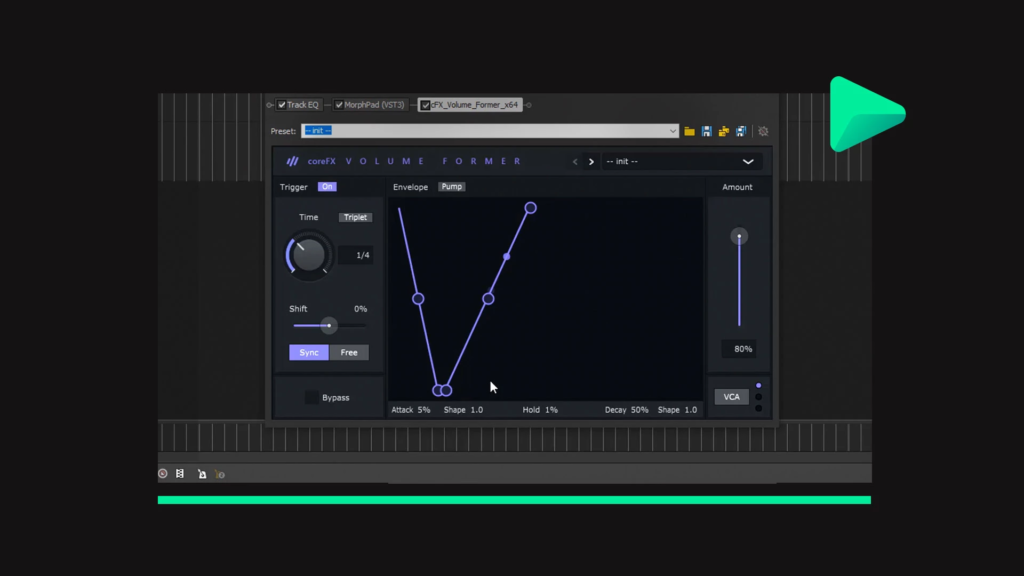
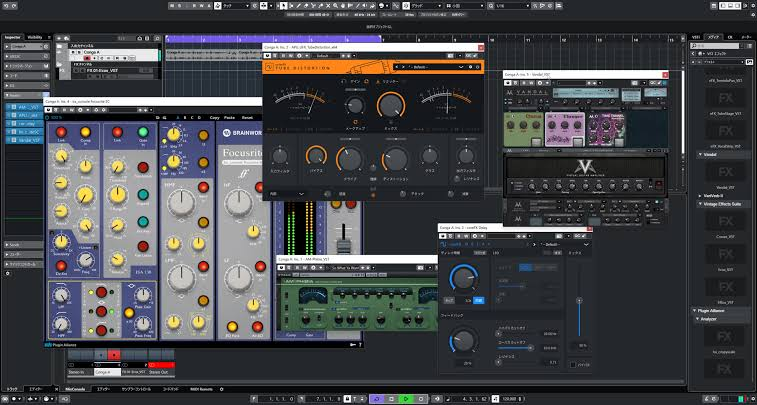
VST instrument and effect support: Integrate thousands of third-party plugins, from synthesizers to studio-quality effects processors .
Professional mixing console: The comprehensive mixing environment includes EQ, compression, panning, bussing, and effects routing capabilities comparable to dedicated mixing platforms .
Video scoring capabilities: The ability to synchronize audio with video makes ACID Pro suitable for film scoring, video production, and multimedia projects .
The MIDI Playable Chopper: A Remixing Powerhouse
One of the standout features in recent versions is the MIDI Playable Chopper—a tool that transforms audio manipulation into a creative performance . Users can slice, stutter, and rearrange loops in real-time, turning ordinary audio into fresh rhythmic material. This feature bridges the gap between studio production and live performance, allowing producers to create dynamic, evolving arrangements with minimal effort.
Understanding the ACID Pro Experience: What Users Actually Say
The Strengths That Keep Users Coming Back
Despite the emergence of numerous competitors, ACID Pro maintains a loyal user base. Reviews consistently highlight several strengths:
Superior Loop Handling: Even after decades, ACID Pro excels at what it pioneered—loop-based composition. Users praise the intuitive drag-and-drop interface, automatic tempo and pitch matching, and the ability to quickly sketch ideas .
Accessible Learning Curve: For those new to music production or transitioning from other creative software, ACID Pro’s interface is remarkably approachable. The workflow feels natural, with menus and tools organized logically rather than overwhelming users with technical complexity .
Comprehensive Included Content: Modern versions ship with substantial loop libraries, virtual instruments, and effects—reducing the immediate need for third-party purchases. Some users appreciate the value of having professional-quality tools ready to use out of the box .
Quality Output: When the software runs smoothly, the results are impressive. Users have produced professionally-released albums, commercial soundtracks, and broadcast-quality audio using ACID Pro .
The Challenges and Criticisms
No software is without its drawbacks, and ACID Pro has faced consistent criticism over the years:
Stability Issues: Perhaps the most frequently mentioned complaint relates to reliability. Users report crashes, freezes, and performance degradation with complex projects. This has been an ongoing issue across multiple versions, frustrating producers who rely on stability for creative workflow .
Outdated Interface: While functional, the user interface has drawn criticism for appearing dated compared to competitors. The visual design—including color schemes and layout—hasn’t kept pace with modern UI trends .
Limited Advanced MIDI Capabilities: For producers heavily involved in complex MIDI programming, softsynth sound design, or intricate sequencing, ACID Pro can feel restrictive compared to tools like Ableton Live or FL Studio .
Transitional Development History: The software has changed hands multiple times—from Sonic Foundry to Sony to MAGIX—creating periods of inconsistent development. While recent versions show renewed attention, some users feel the platform still lags behind more continuously-developed competitors .
Price Point Concerns: Some reviewers note that competing DAWs offer comparable features at lower price points, making ACID Pro’s value proposition less compelling—unless purchased during promotional periods .
Technical Considerations: System Requirements and Compatibility
Running ACID Pro Successfully
For potential users, understanding system requirements is essential for a smooth experience. The minimum and recommended specifications include :
- Operating System: 64-bit Windows 11 or Windows 10 (Windows 7/8 support for legacy versions)
- Processor: Minimum 1 GHz, multicore recommended for better performance
- RAM: Minimum 1GB, but 8GB strongly recommended for complex projects
- Storage: 700MB for program installation, plus up to 16GB for included instruments and loops
- Display: Onboard graphics with resolution of 1024 x 768 or higher
Supported File Formats
ACID Pro supports a comprehensive range of file formats :
Audio Import: AA3, AIFF, FLAC, MP3, OGG, PCA, SND, W64, WAV, WMA
Video Import/Export: AVI, WMV
Image Import: BMP, GIF, JPEG, PNG
Project/Data Formats: ACD, ACD-ZIP, GROOVE, MID, SMF, RMI, CDA, SFA
Comparing ACID Pro: How It Stacks Up Against Competitors
The Modern DAW Landscape
Today’s producers face an embarrassment of riches when choosing a DAW. Each platform offers distinct strengths, and understanding where ACID Pro fits can help determine if it’s the right choice .
Ableton Live: The most direct competitor in loop-based production. Live’s Session View offers non-linear composition and performance capabilities that ACID Pro lacks. However, Live comes with a steeper learning curve and higher price point for the full version .
FL Studio: Popular among electronic music producers, FL Studio excels at step sequencing and pattern-based composition. It’s known for its piano roll and lifetime free updates, but some find its workflow less intuitive than ACID Pro for certain tasks .
Cakewalk by BandLab: A full-featured professional DAW now available for free, Cakewalk offers comprehensive recording and mixing capabilities. It lacks ACID Pro’s specialized loop handling but provides broad functionality at an unbeatable price.
GarageBand: Apple’s free offering provides accessible loop-based creation with a polished interface. While simpler than ACID Pro, it’s an excellent entry point for Mac users .
Who Should Choose ACID Pro?
Given its particular strengths and weaknesses, ACID Pro is best suited for:
Loop-focused producers: Those whose workflow revolves around arranging and manipulating loops will find ACID Pro’s core capabilities unmatched in efficiency .
Video creators: The integration of audio and video makes ACID Pro valuable for content creators, video editors, and multimedia producers .
Beginners seeking accessibility: The relatively gentle learning curve makes ACID Pro an attractive entry point for new producers who might feel overwhelmed by more complex DAWs .
Sony Vegas/MAGIX users: Those already using MAGIX video editing software will find a familiar interface and workflow, reducing the learning curve .
Who Might Look Elsewhere
Conversely, ACID Pro may not be the best choice for:
Hardware-dependent producers: Those who rely heavily on external MIDI hardware, complex synth setups, or extensive routing may find limitations .
Stability-critical professionals: Producers working on mission-critical projects or tight deadlines might prefer more consistently stable platforms .
Deep MIDI composers: Those focused on complex MIDI programming, orchestral scoring, or intricate sound design may prefer dedicated tools .
Practical Tips for Getting Started with ACID Pro
Making the Most of the Software
For those considering ACID Pro, these practical tips can help ensure a positive experience:
Start with the included content: Before purchasing third-party libraries, explore the extensive loops and instruments included with the software. Many users find the built-in content sufficient for significant projects .
Manage project size carefully: Given reports of stability issues with large projects, consider breaking complex productions into smaller sessions. Save frequently and maintain project backups .
Update to the latest version: The 64-bit version offers improved stability and performance over earlier iterations. Ensure you’re running the most recent release for optimal reliability .
Utilize the video integration: For multimedia projects, explore the video scoring features—they offer capabilities not found in many competing DAWs .
Consider educational pricing: If eligible, education versions offer significant savings while providing full functionality .
The Evolution and Future of ACID Pro
From Sonic Foundry to MAGIX
Understanding ACID Pro’s journey provides context for its current state. Originally developed by Sonic Foundry, the software pioneered loop-based composition in the late 1990s. Sony acquired Sonic Foundry’s creative software division, continuing development through multiple versions. More recently, MAGIX took over stewardship, bringing renewed investment and development attention .
This transition period created challenges—users reported inconsistent quality during ownership changes—but recent versions show signs of renewed focus and development energy .
What’s New in Version 11
The latest version represents MAGIX’s continued commitment to the platform, offering :
- Enhanced plugin integration: Improved compatibility and performance with VST instruments and effects
- New built-in effects: Additional creative and mastering tools included with the software
- Performance enhancements: Optimizations for modern systems
- Continued loop library expansion: Updated content reflecting contemporary genres and styles
The Road Ahead
While ACID Pro no longer dominates the DAW market as it once did, it maintains a distinct niche. The software’s future likely depends on continued development investment and the platform’s ability to modernize while preserving its unique strengths. For devoted users and new adopters alike, the balance between maintaining the beloved workflow and evolving to meet modern expectations will determine ACID Pro’s longevity.
Frequently Asked Questions
Is ACID Pro suitable for beginners in music production?
Yes, ACID Pro is widely considered one of the most beginner-friendly professional DAWs available. Its drag-and-drop loop workflow allows newcomers to create music without needing instrumental proficiency or extensive technical knowledge. However, the software’s more advanced features—including multitrack recording and mixing—provide room for growth as skills develop .
What are the main alternatives to ACID Pro?
The most commonly compared alternatives include Ableton Live for loop-based production, FL Studio for electronic music composition, Cakewalk by BandLab for professional recording, and GarageBand for accessible creation. Each offers different strengths, with Ableton Live being the closest competitor in loop-focused workflows .
Does ACID Pro work on Mac computers?
No, ACID Pro is exclusively available for Windows operating systems. Mac users requiring similar functionality should explore alternatives like Ableton Live, GarageBand, Logic Pro, or FL Studio (which offers Mac support). While ACID Pro has been Windows-only throughout its history, some users run it on Macs via virtualization or Boot Camp .
Why does ACID Pro crash frequently for some users?
Crashing and stability issues represent the most common complaint about ACID Pro. Several factors can contribute: complex projects with many tracks, extensive third-party plugin usage, system resource limitations, or software bugs. While the 64-bit version offers improved stability, users often recommend saving frequently, managing project complexity, and ensuring systems meet or exceed recommended specifications .
What should I consider before purchasing ACID Pro?
Evaluate your primary production needs first. If loop-based composition is central to your workflow, ACID Pro excels. However, consider stability concerns, the slightly dated interface, and limitations in advanced MIDI capabilities. Compare with alternatives like Ableton Live and check promotional pricing, as the software is often available at reduced rates. Also, ensure your Windows system meets requirements, particularly regarding processing power and RAM for complex projects .
Conclusion
ACID Pro stands as a testament to enduring software design—a platform that pioneered loop-based music production and continues to serve a dedicated user base. Its intuitive drag-and-drop workflow, automatic tempo and pitch matching, and accessible approach to composition remain compelling advantages in a crowded field.
Yet the software also demonstrates how legacy products must evolve to stay relevant. Stability concerns, interface aging, and competition from more continuously-developed platforms present significant challenges. For those whose workflow aligns with ACID Pro’s strengths—particularly loop-focused producers, video creators, and those seeking an accessible entry point—the software remains a powerful tool.
The recent acquisition by MAGIX and continued development investment suggest ACID Pro isn’t fading into history. Instead, it continues adapting, maintaining its unique identity while incorporating modern production capabilities. For new producers discovering the platform and veterans returning to an old favorite, ACID Pro offers a distinctive approach to music creation—one that prioritizes creative flow over technical complexity.
Whether it’s the right tool ultimately depends on individual needs, workflow preferences, and tolerance for its particular quirks. But for those who embrace its approach, ACID Pro remains a capable partner in musical creativity—a legend that continues making waves in an ever-evolving industry.