
PGN ChessBook- A Comprehensive Free Tool for Chess Study
For chess players looking to analyze games, build opening knowledge, or study classic matches, having the right software is essential. PGN ChessBook is a free Windows application designed to handle these tasks with ease, offering a user-friendly way to manage and analyze chess games in the standard Portable Game Notation (PGN) format . This guide explores the features and benefits of this valuable tool for players of all levels.
What is PGN ChessBook?
PGN ChessBook is a free, open-source chess database and PGN viewer developed specifically for the Windows operating system, with version 1.2 confirmed compatible with Windows 10. The software is designed to help chess enthusiasts import, view, edit, and analyze games stored in the .pgn format—the standard for recording chess games. Its popularity is evident from its over 10,000 downloads on platforms like SourceForge, indicating a strong user base within the chess community.
The core of its analysis power comes from its integration of the powerful, open-source Stockfish chess engine. This allows users to get high-level, computer-assisted analysis of their games, helping to identify mistakes and discover better moves . The interface is designed to be intuitive, making it accessible for both beginners learning the game and seasoned players looking to deepen their knowledge.
Key Features and How to Use Them
PGN ChessBook is equipped with a variety of features that make it more than just a basic viewer. Its functionalities are designed to support the entire workflow of a chess student.
Managing Your Game Database
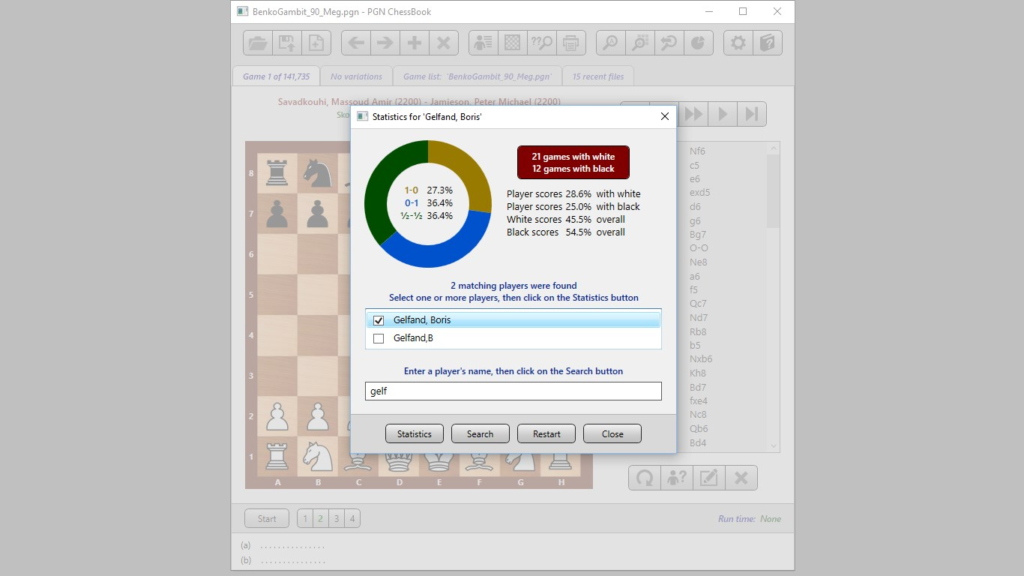
The software excels at managing collections of games. Users can load multiple PGN files simultaneously to create a large, searchable database. This makes it easy to study a particular opening or the games of a specific player. The software’s ability to handle large databases is particularly useful for creating and navigating opening trees, a common method for repertoire building .
Advanced Analysis with Stockfish
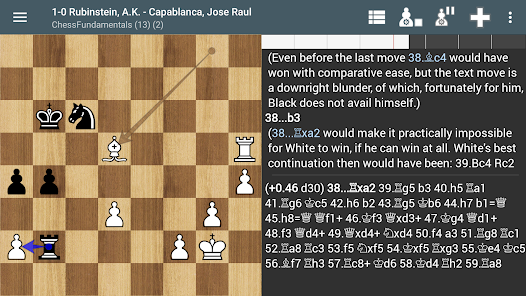
The integration of the Stockfish engine is a standout feature. It allows for in-depth, real-time analysis of any position on the board. The software can automatically detect blunders and mistakes in your play and suggest improvements. This feature is essential for learning from your own games and understanding where you went wrong .
Editing and Annotation
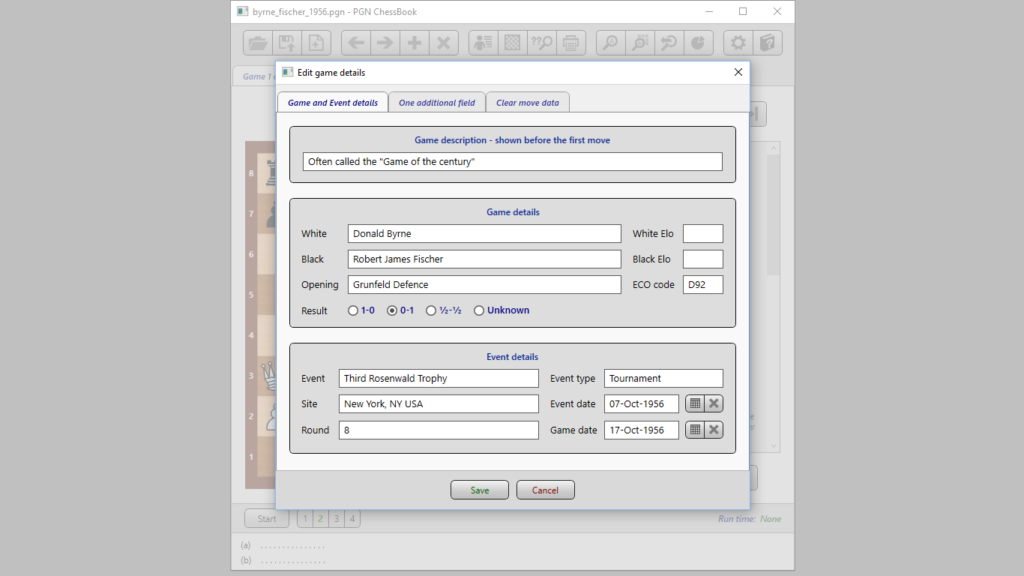
PGN ChessBook provides a full PGN editor. Users can add comments, variations, and annotations to any game . This functionality is crucial for studying and creating personal notes on games, which can be exported as a PDF for offline study or sharing.
Creating Opening Books
A powerful use of PGN ChessBook is for building a personal opening book. By loading a collection of games in your preferred openings, the software helps you identify patterns, the most common moves, and their success rates . This allows you to create a tailored training tool to practice and memorize your chosen repertoire .
Printing and Exporting
For those who prefer to study from physical copies, PGN ChessBook includes a practical print function. Users can print out games with an option to include positional diagrams on any moves they choose. This feature, highlighted by users on forums, is seen as a significant advantage over some other chess software . Furthermore, analyzed and annotated games can be exported to PDF files, making them easy to share, archive, or print .
Pros and Cons of PGN ChessBook
Pros:
- Free and Open-Source: A cost-effective solution offering powerful features without a subscription fee.
- Powerful Engine Integration: Built-in Stockfish engine provides world-class analysis and feedback.
- User-Friendly Interface: Designed to be accessible for players of all levels .
- Excellent for Annotation and Study: Robust features for adding comments and variations to games .
- Great Print and Export Options: Allows for creating printable games with diagrams and PDF exports .
Cons:
- Limited to Windows: The application is only available for Windows 10, which excludes Mac and mobile users .
- Primarily a PGN Tool: Its core focus is on PGN files; it may not offer all the functionality of commercial databases like ChessBase, but it serves as an excellent, free alternative.
Frequently Asked Questions (FAQs)
1. What is PGN and why is it important?
PGN stands for Portable Game Notation. It is a standard text-based format for recording chess games. It is the most universally accepted format for sharing and storing games online, making it essential for any chess software .
2. Is PGN ChessBook completely free?
Yes, the software is free and open-source. There are no hidden costs, subscriptions, or “freemium” features that restrict access to its core tools like analysis and annotation .
3. Does PGN ChessBook work on Mac or Linux?
No, PGN ChessBook is developed as a Windows application. For other operating systems, alternatives like SCID vs. PC (open-source) or ChessX are recommended .
4. What makes the analysis in PGN ChessBook powerful?
The software uses the open-source Stockfish chess engine, which is one of the strongest chess engines in the world. It can analyze positions deeply, identify blunders, and suggest the best moves, providing valuable feedback for improvement .
5. How can I create my own opening book for practice?
You can create a practice book by loading your games or a collection of games from a specific opening into PGN ChessBook. The software will help you organize the moves, and you can then use the data to build a “spaced repetition” quiz to memorize the lines. Some players also recommend standalone apps for this specific purpose, but PGN ChessBook provides a solid foundation for building the initial repertoire .
Conclusion
PGN ChessBook stands out as a highly capable and completely free tool for any chess enthusiast. Its strength lies in its integration of a powerful engine with a user-friendly interface for managing, analyzing, and annotating games. For players committed to improving their game through serious study, this software provides a robust and accessible platform. It remains a valuable resource for the chess community, especially for those using Windows 10.



