YouTube Playlist Downloader Review-
Read our comprehensive review of YouTube Playlist Downloader. Discover its features for downloading entire playlists, fast speeds, and offline viewing.
Introduction: The Need for Offline Video Access
In an age of constant connectivity, there are still many situations where internet access is limited or unavailable. Whether you’re a teacher preparing for a classroom without Wi-Fi, a traveler wanting to watch videos on a long flight, or a content creator needing to archive your own work, the ability to download videos for offline viewing is invaluable. YouTube Playlist Downloader is a free software application designed to meet this need. This review explores its features, performance, and who it’s best suited for.

What is YouTube Playlist Downloader?
YouTube Playlist Downloader is a free Windows application that allows users to download videos and music from YouTube directly to their computers. Its standout feature is the ability to handle entire playlists with ease, making it a powerful tool for anyone who wants to save multiple videos at once.
The software supports a variety of video and audio formats, including MP4, MP3, FLV, WebM, and 3GP, ensuring compatibility with a wide range of devices. It is designed with a clean, user-friendly interface that simplifies the download process.
Key Features of YouTube Playlist Downloader
Playlist and Batch Downloading
The primary feature of the software is its ability to download entire playlists. You simply copy and paste the URL of a YouTube playlist into the application, and it will automatically queue up all the videos in that playlist for download. You can also choose to download individual videos instead of the entire playlist.
Fast Download Speeds
The software includes a built-in download accelerator that can make use of your full internet bandwidth, allowing you to download videos up to four times faster than standard downloads. This is especially useful when downloading large files or multiple videos.
Versatile Format Support
YouTube Playlist Downloader supports several common video and audio formats, allowing you to choose the one that best suits your needs:
- Video Formats: MP4, FLV, WebM, 3GP
- Audio Format: MP3
Pause and Resume
A useful feature is the ability to pause and resume downloads. This is convenient if you need to stop a download temporarily and resume it later without starting over.
User-Friendly Interface
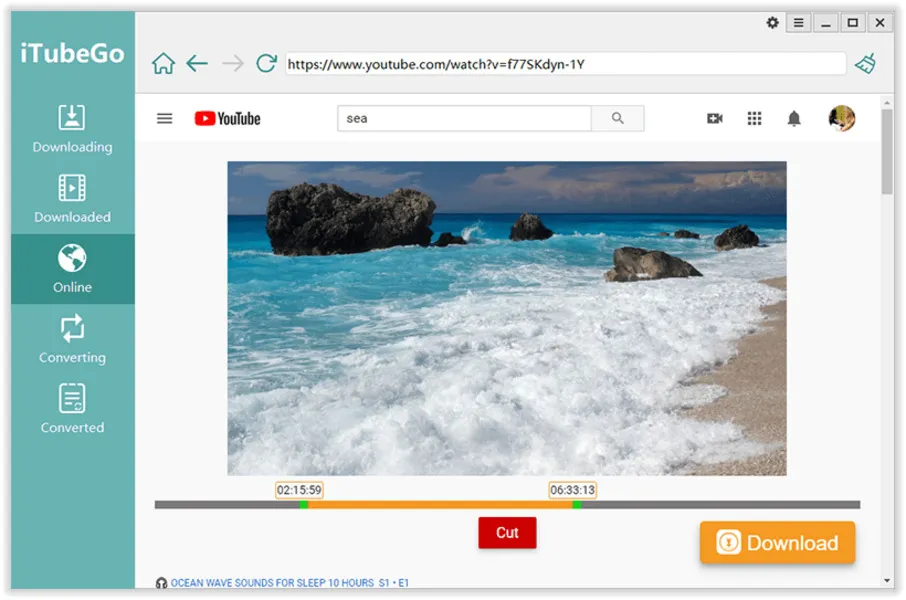
The software features a clean and straightforward interface. A progress bar shows the status of each download, making it easy to see what has been completed and what is still in progress.
Who Is YouTube Playlist Downloader For?
- Students and Educators: For downloading educational videos for offline viewing in classrooms.
- Travelers: To download videos and music for entertainment during trips.
- Content Creators: To archive their own videos from YouTube.
- Anyone with Limited Internet: For anyone who wants to enjoy YouTube content without a constant internet connection.
Important Legal Note
It is crucial to understand the legal implications of downloading YouTube videos. YouTube’s Terms of Service generally prohibit downloading videos unless a download button or link is provided by YouTube. You should only download content for which you have permission. This software is designed for downloading content for personal, offline use, and should not be used to distribute copyrighted material.
Frequently Asked Questions (FAQs)
1. Is YouTube Playlist Downloader free to use?
Yes, YouTube Playlist Downloader is a free application for Windows.
2. Can I download an entire YouTube playlist?
Yes, the software’s primary feature is the ability to download entire playlists with a single click.
3. What video formats does it support?
It supports MP4, FLV, WebM, and 3GP video formats, as well as MP3 for audio downloads.
4. Is it legal to download videos from YouTube?
Downloading videos from YouTube may violate YouTube’s Terms of Service. You should only download content for which you have permission or that is in the public domain.
5. Does the software work on Mac?
YouTube Playlist Downloader is a Windows application. It is not available for macOS.
Conclusion: A Reliable Tool for Offline Viewing
YouTube Playlist Downloader is a reliable and efficient tool for anyone who needs to save videos from YouTube for offline access. Its ability to download entire playlists, combined with its fast download speeds and user-friendly interface, makes it a standout choice in its category. While you should always be mindful of the legal and ethical implications of downloading content, for personal, legitimate use, this software is a valuable and practical solution.



