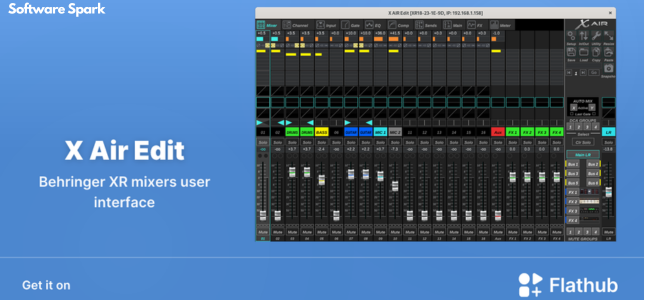
X AIR Edit Review- BEHRINGER Digital Mixers
Read our comprehensive review of X AIR Edit, the free software for controlling BEHRINGER X AIR digital mixers. Discover its features for mixing, processing, and remote control.
Introduction: The Power of Digital Mixing
In modern audio production, digital mixers have revolutionized how sound is captured and processed. BEHRINGER’s X AIR series (X18, XR18, XR16, XR12) is a popular choice for musicians, sound engineers, and live performers, offering professional-grade mixing capabilities in a compact, portable package. X AIR Edit is the free companion software that unlocks the full potential of these mixers. This review explores what X AIR Edit is, what it does, and who it’s for.
What is X AIR Edit?
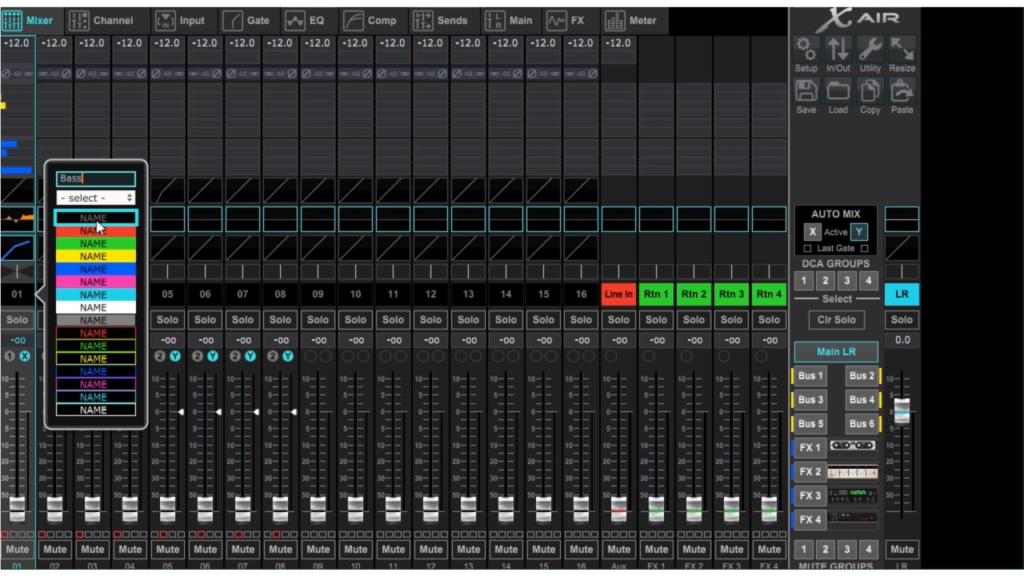
X AIR Edit is a free Windows utility tool designed specifically for controlling BEHRINGER’s X AIR digital mixers, including the X18, XR18, XR16, and XR12 models. It serves as a comprehensive remote control interface, allowing users to manage mixing, processing, and effects directly from their computer.
The software provides a user-friendly interface that simplifies the management of complex audio settings, making it accessible for both beginners and seasoned audio engineers. It essentially turns your Windows computer into a powerful control surface for your mixer.
Key Features of X AIR Edit
Remote Control Capabilities
A primary feature of X AIR Edit is its ability to control your mixer remotely. This is especially valuable in live performance settings, where you can adjust audio levels, effects, and routing from a distance, allowing for sound checks and adjustments without needing to be physically at the mixer.
Comprehensive Channel Management
The software provides detailed control over every channel on your mixer.
- Mixing: Adjust levels, panning, and mute status for each channel.
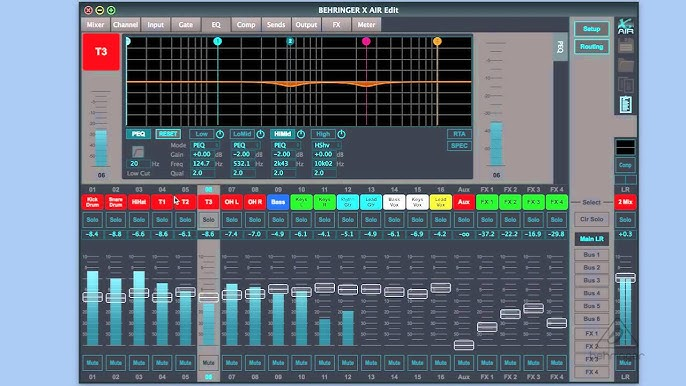
- Processing: Manage EQ, dynamics (compression, gating), and other processing tools.
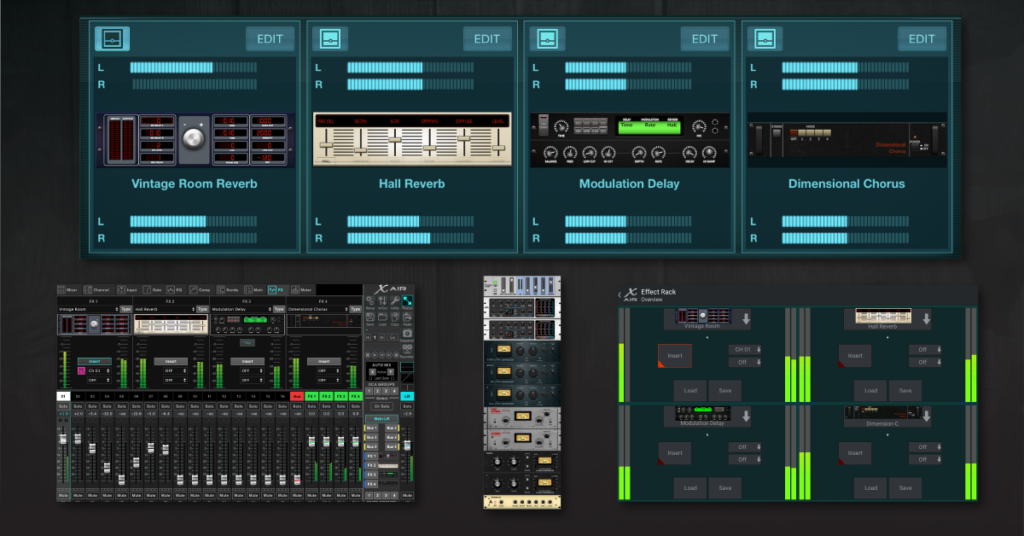
- Effects: Control the built-in effects and sends.
- Routing: Configure signal routing and bus assignments.
Visual Feedback
X AIR Edit offers detailed visual feedback for each mixer function. This includes:
- Level Meters: Visual representation of signal levels.
- EQ Displays: Graphical representation of equalization curves.
- Dynamic Displays: Visual feedback for compression and gating.
User-Friendly Interface
The software is designed with a clean, intuitive interface that makes it easier to navigate the complexities of a digital mixer. Its layout is designed to be familiar and accessible.
Benefits of Using X AIR Edit
- Free to Use: The software is available at no cost, making it an excellent value for X AIR mixer owners.
- Increased Flexibility: Remote control enhances live performance capabilities.
- Simplified Workflow: The user-friendly interface streamlines the mixing process.
- Accessible for All Skill Levels: Whether you are a beginner or a pro, the software is easy to learn and use.
Who Is X AIR Edit For?
- Musicians and Performers: For managing live sound from the stage.
- Sound Engineers: For detailed mixing and processing.
- Recording Studios: For controlling digital mixers in a studio environment.
- Anyone Using a BEHRINGER X AIR Mixer: It is an essential companion for any X AIR owner.
Frequently Asked Questions (FAQs)
1. Is X AIR Edit free?
Yes, X AIR Edit is completely free to download and use for owners of BEHRINGER X AIR mixers.
2. What BEHRINGER mixers are compatible with X AIR Edit?
It is compatible with the X18, XR18, XR16, and XR12 digital mixers.
3. Can I control my mixer remotely with X AIR Edit?
Yes, the software provides remote control capabilities, allowing you to adjust mixer settings from a distance.
4. Is X AIR Edit available for Mac?
X AIR Edit is primarily a Windows application. BEHRINGER also offers apps for iOS and Android.
5. Do I need a license to use X AIR Edit?
No, the software is free and does not require a license.
Conclusion: An Essential Tool for X AIR Users
X AIR Edit is an essential and powerful tool for anyone using a BEHRINGER X AIR digital mixer. Its intuitive interface, comprehensive control features, and remote capabilities make it an invaluable asset for musicians, sound engineers, and performers. The fact that it is free makes it an even more compelling proposition. If you own an X AIR mixer, X AIR Edit is a must-have companion.



