SSH SFTP Library for .NET – A Comprehensive Guide to Secure File Transfers
In the world of software development, the ability to transfer files securely is non-negotiable. Whether you are building a web application that needs to exchange data with a third-party server, a desktop tool that handles sensitive documents, or a mobile app that syncs user files, the security and reliability of your file transfer mechanism are paramount. The File Transfer Protocol (FTP) is a classic solution, but it is notoriously insecure, sending data and credentials in plain text.
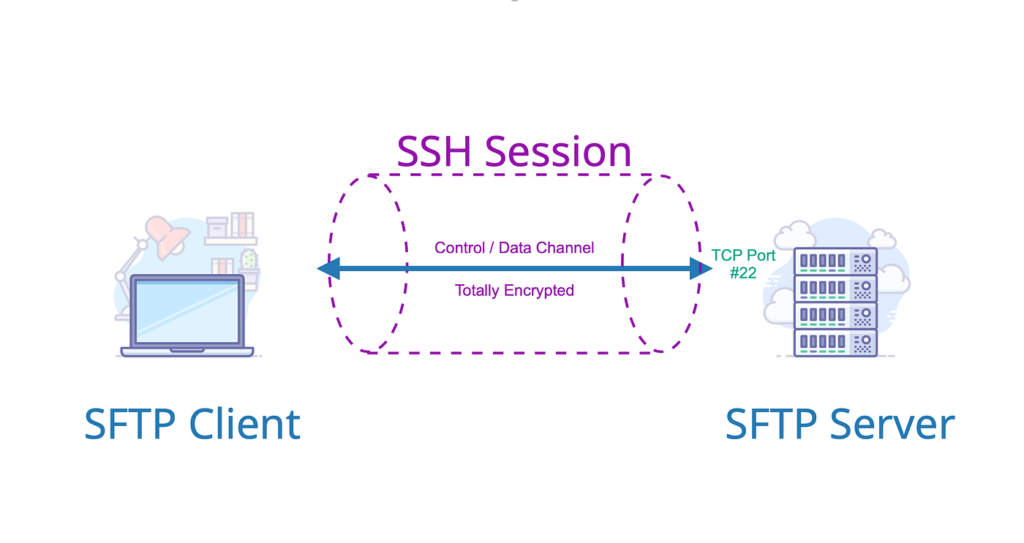
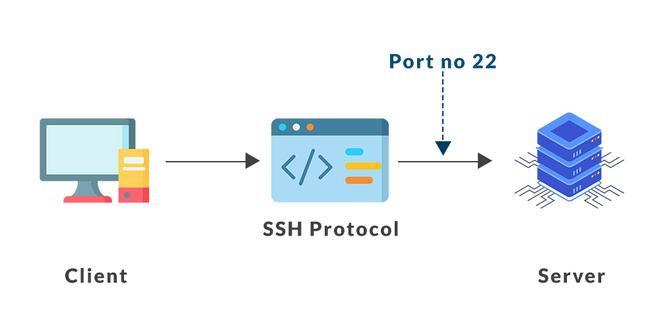
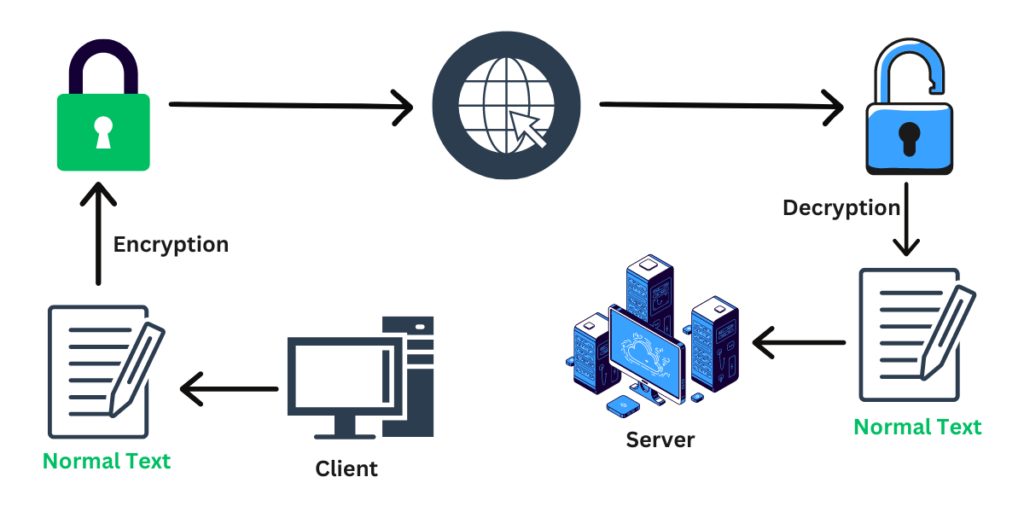
This is where the SSH File Transfer Protocol (SFTP) comes in. SFTP is a secure alternative that operates over the SSH (Secure Shell) protocol, encrypting both your commands and your data. SSH SFTP Library for .NET is a robust and comprehensive software development kit designed to integrate this secure file transfer capability into your .NET applications with minimal effort.
Developed by a specialist provider, this library offers a fast, unified, and feature-rich solution for handling FTP, FTPS (FTP over SSL), and SFTP. This guide provides a detailed overview of this powerful tool, exploring its features, integration possibilities, and practical applications.
Software Overview
SSH SFTP Library for .NET is a software development component that allows developers to add secure file transfer capabilities to their .NET applications. It is designed to be fast, comprehensive, and easy to use, enabling complex file transfer operations with just a few lines of code.
The library is built to work seamlessly with the .NET Framework, supporting a wide range of application types, including ASP.NET web applications, MVC projects, Windows Forms desktop applications, Console applications, and even cross-platform mobile development for Android and iOS. It provides a unified API (Application Programming Interface) for working with different secure file transfer protocols, making it easier to switch between FTP, FTPS, and SFTP as needed.
The component is designed with modern security and performance standards in mind, supporting IPv6, UTF-8 encoding, and the latest SSH and SFTP protocol versions.
Main Features with Detailed Descriptions
1. Comprehensive Protocol Support
The SSH SFTP Library for .NET is not just an SFTP component; it offers a unified API for three key file transfer protocols.
- FTP (File Transfer Protocol): The classic, albeit insecure, standard for file transfer.
- FTPS (FTP over SSL): FTP secured with SSL/TLS encryption.
- SFTP (SSH File Transfer Protocol): A secure file transfer protocol that runs over the SSH channel.
This unified approach allows you to build a single solution that can interact with a variety of servers, choosing the most appropriate protocol for your security needs.
2. Extensive Transfer Options and Control
The library provides a comprehensive set of features for managing file transfers, giving developers granular control over the process.
- Transfer Progress Monitoring: You can track the progress of uploads and downloads, providing real-time feedback to users.
- Automated Transfer Resume: The library can automatically resume interrupted transfers, ensuring data integrity and saving time on large files.
- Transfer Speed Limiting: You can throttle the bandwidth used for file transfers, preventing them from overwhelming your network.
- Upload and Download to/from Memory or Disk: Files can be transferred directly to and from memory streams, offering flexibility for handling data without writing to physical storage.
- Stream Support: The library allows you to read from and write to remote files on the fly, enabling efficient processing of large datasets.
3. File and Folder Management
Beyond simple file transfer, the library includes powerful file system management capabilities.
- Creating and Deleting Files and Folders: Full remote file system management is supported.
- Uploading and Downloading Using Patterns: You can use wildcards (
*.txt) or regular expressions (regex) to upload or download batches of files. - Deleting Folders Recursively: You can delete entire directory structures with a single command.
4. Advanced Security and Compliance
The library is built with modern security standards in mind.
- FIPS 140-2 Compliant Mode: A mode that ensures compliance with the Federal Information Processing Standard (FIPS) 140-2, a strict standard for cryptographic modules, required for many government and enterprise applications.
- ZLIB Compression: Support for ZLIB compression to reduce bandwidth usage during transfers.
- Support for SSH v2 and SFTP v3/v4: The library supports the latest and most secure protocol versions.
5. Broad .NET Framework and Project Support
The library is designed to integrate into a wide range of .NET-based projects.
- ASP.NET: For web applications and web APIs.
- MVC: For Model-View-Controller web applications.
- Windows Forms and WPF: For desktop applications.
- Console: For command-line utilities and services.
- Android and iOS: For cross-platform mobile application development.
- Services: For building robust backend services, including SSIS, SQL CLR, and PowerShell integration.
System Requirements
The SSH SFTP Library for .NET has minimal system requirements, as it is a development library rather than an end-user application.
| Requirement Category | Minimum Specification |
|---|---|
| Operating System | Windows 7, 8, 10, Server |
| Development Environment | .NET Framework (supported versions) |
How to Install the SSH SFTP Library for .NET
Installation is a developer-focused process, involving integrating the library into your .NET project.
Step 1: Download the Library
Go to the trusted download page (such as the CNET link provided). Click the “Download Now” button and save the file to your computer.
Step 2: Scan the File
Before opening, it is good practice to scan the downloaded file with your antivirus software to ensure it is safe.
Step 3: Run the Installer
Double-click the downloaded file to run the installer. If Windows asks for permission to run the program, click “Yes” or “Allow.”
Step 4: Accept the License Agreement
Read the license agreement and click “I Agree” to proceed.
Step 5: Choose Installation Folder
You can keep the default installation folder or choose a custom location. Click “Next” or “Install.”
Step 6: Wait for the Installation
The installation process will copy the necessary files to your computer.
Step 7: Add a Reference to Your Project
In your Visual Studio project, right-click on “References,” select “Add Reference,” and browse to the installed library files to add the component to your project.
Step 8: Start Coding
You can now import the library’s namespace and begin using its classes to implement secure file transfers.
Pros and Cons Table
To provide a balanced view, here are the strengths and weaknesses of the SSH SFTP Library for .NET.
| Pros (Advantages) | Cons (Disadvantages) |
|---|---|
| Comprehensive feature set: A rich collection of file transfer and management tools. | Not free: This is a commercial library, not a free tool. |
| Unified API: Supports FTP, FTPS, and SFTP with a single interface. | Niche audience: Designed specifically for .NET developers, not end-users. |
| High security: Supports FIPS 140-2 compliance, SSH v2, and SFTP v3/v4. | Requires development knowledge: Not a standalone application. |
| Flexible integration: Works with ASP.NET, MVC, Windows Forms, Android, iOS, and more. | |
| Powerful file management: Pattern-based transfers, recursive operations, and stream support. |
Practical Use Cases and Benefits
Use Case 1: A Secure File Upload System for a Web Application
Scenario: You are building an enterprise web application where users need to upload sensitive documents.
Benefit: You integrate the SFTP library to handle these uploads. The library’s secure protocol ensures the documents are encrypted during transfer. You can also monitor progress and validate the upload.
Use Case 2: Automating Backups in a Console Application
Scenario: You need to automatically back up critical application data to a remote secure server every night.
Benefit: You create a console application using the library. The automated transfer resume ensures that even if the process is interrupted, it will continue where it left off, guaranteeing a complete backup.
Use Case 3: Processing Data from a Remote Server in a Mobile App
Scenario: You are developing a cross-platform mobile app that needs to download and process data files from a remote SFTP server.
Benefit: The library’s support for Android and iOS allows you to implement this securely and efficiently across both mobile platforms.
Frequently Asked Questions (FAQ)
1. Is this library compatible with my .NET project type?
Yes, the library is compatible with a wide range of project types, including ASP.NET, MVC, Windows Forms, WPF, Console, Android, iOS, and more.
2. What is the difference between SFTP, FTP, and FTPS?
- FTP (File Transfer Protocol): The standard, but insecure, protocol.
- FTPS (FTP over SSL): FTP secured with SSL/TLS encryption.
- SFTP (SSH File Transfer Protocol): A secure protocol that runs over the SSH channel, providing a different and more secure architecture than FTPS.
3. Does this library support transferring files to and from memory?
Yes, the library allows you to upload files directly from memory streams and download files into memory streams, offering flexibility for handling data without writing to disk.
4. What is FIPS 140-2 compliance?
FIPS 140-2 is a U.S. government standard for cryptographic modules. It sets strict requirements for hardware and software that handle encryption. The library’s FIPS 140-2 compliant mode ensures it meets these standards, making it suitable for government and enterprise applications.
5. Does the library support automated transfer resume?
Yes, the library includes a feature for automated transfer resume. If a transfer is interrupted, it can automatically resume from the point of failure, saving time and ensuring data integrity.
Conclusion
The SSH SFTP Library for .NET is a powerful and essential tool for any .NET developer who needs to integrate secure file transfer capabilities into their applications. Its comprehensive feature set, unified API, and support for modern security standards make it a reliable choice for handling sensitive data.
While it is a commercial product, its value to a development team is significant. It simplifies what can be a complex and error-prone aspect of software development, providing a fast, secure, and well-documented solution. If your work involves building applications that need to talk to FTP or SFTP servers, this library is an excellent investment in your development toolkit.
Download the SSH SFTP Library for .NET today and streamline your secure file transfer development.



