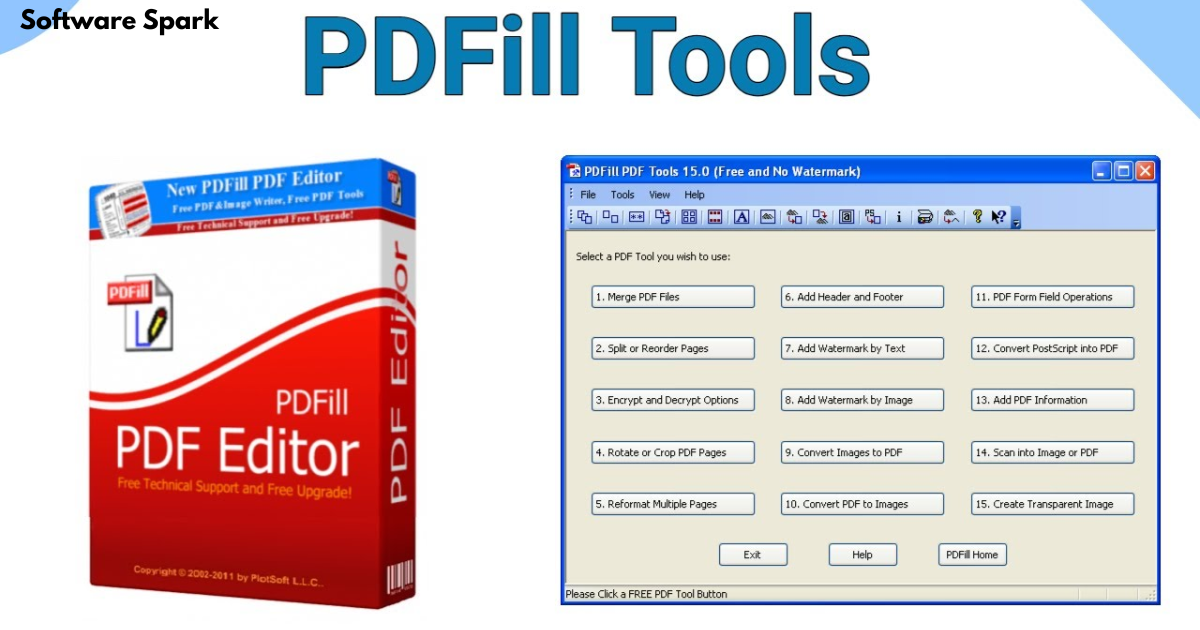
PDFill Free PDF Tools- A Reliable Workhorse for Everyday PDF Tasks
PDF documents are a staple of modern business and personal communication. Yet, managing them can often feel cumbersome. Whether you need to merge multiple reports, split a large file, or simply add a watermark for branding, having the right tool is essential. While many professional PDF editors come with a hefty price tag, free alternatives often lack depth. This is where PDFill Free PDF Tools steps in. It is a comprehensive, no-cost suite designed for Windows users who need to perform a wide range of document control tasks without the complexity or cost of high-end software.
This article provides a detailed review of PDFill Free PDF Tools, exploring its features, performance, and pros and cons to help you determine if it’s the right solution for your document management needs.
What is PDFill Free PDF Tools?
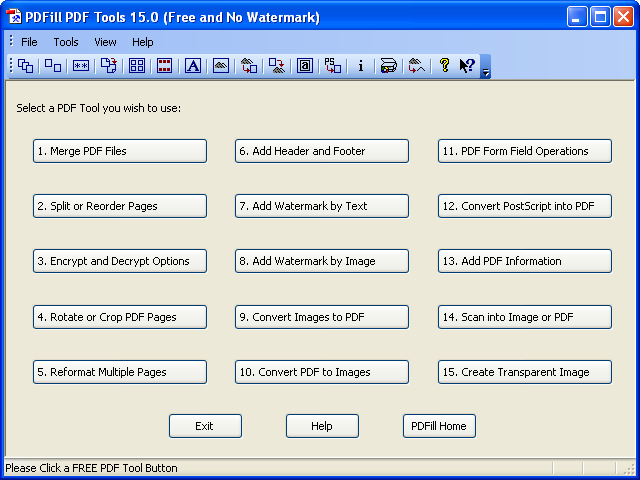
PDFill Free PDF Tools is a versatile software suite for Windows that centralizes a broad array of PDF utilities. Unlike a full-fledged PDF editor that allows you to modify the text and images within a document, PDFill focuses on page-level operations and document management. It is a powerhouse for handling the structural aspects of PDF files, making it ideal for tasks like combining documents, reorganizing pages, and adding security.
The suite is designed as a collection of standalone tools, each dedicated to a specific function, rather than a single, integrated application. This approach makes it straightforward to find and use the exact tool you need without wading through complex menus. It’s a lightweight and efficient solution for routine, repeatable document chores that teams and individuals often perform daily.
Key Features and Functions
PDFill Free PDF Tools is packed with features that cover almost every common PDF task. The suite’s functionality can be broadly categorized into several core areas.
Essential Page Management
The foundational tools in PDFill are all about managing the structure of your PDF documents:
- Merge and Combine: This tool allows you to combine two or more PDF files into a single, unified document. This is invaluable for creating comprehensive reports from multiple sources.
- Split, Extract, and Reorder: You can split a large PDF into smaller files, extract specific pages to create a new document, or reorder pages within a file. This is perfect for isolating chapters or removing unnecessary pages.
- Rotate and Crop: The suite enables you to permanently rotate pages by 90, 180, or 270 degrees. You can also crop pages to modify their margins, which is useful for standardizing document layouts for printing or viewing.
Security and Branding
Protecting your documents and maintaining a consistent brand identity is simple with PDFill:
- Encrypt and Decrypt: You can add password protection and set permissions for a PDF using 40-bit or 128-bit encryption. This is essential for securing sensitive information. The decrypt function allows you to remove this protection from a file you have the password for.
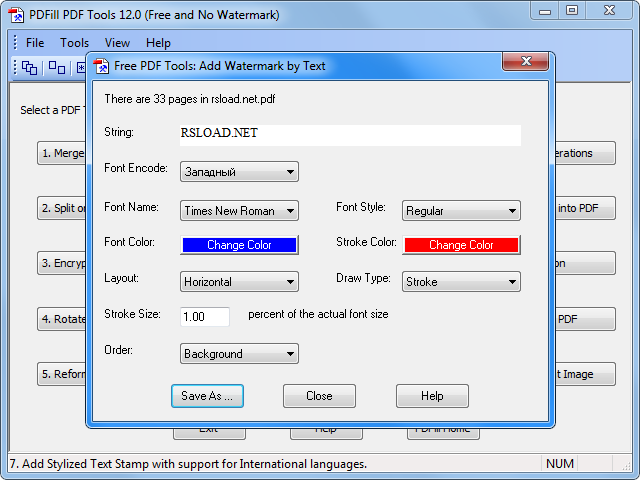
- Add Headers, Footers, and Watermarks: The suite allows you to add consistent information like page numbers, dates, and document titles to the margins of your PDFs. You can also stamp documents with a text or image watermark, which is crucial for branding or marking files as “Draft” or “Confidential”.
File Conversion
PDFill makes converting files to and from the PDF format remarkably easy:
- Convert Images to PDF: You can convert a variety of image formats (BMP, JPG, GIF, PNG, TIFF, WMF) into a single PDF file. This is extremely useful for creating a PDF portfolio of photos or scanned documents.
- Convert PDF to Images: Conversely, you can convert a multi-page PDF into a series of individual images (JPG, PNG, BMP, TIFF). This is handy for extracting a single page as an image or for using PDF content in presentations.
- Convert PostScript to PDF: This tool translates legacy PostScript files into the more universal PDF format.
Performance and User Experience
When it comes to performance, PDFill excels at delivering fast, predictable results. Operations like merging, splitting, and converting execute quickly and reliably, even with moderately sized files. Many users with long experience praise its reliability and efficiency, noting it “just works like it’s supposed to work”.
However, the user interface is a notable point of contention. Most users and reviews agree that the interface looks dated and is reminiscent of software from the Windows 95 or XP era, describing it as clunky, basic, or “not the most beautiful out there”. While functional, the lack of a modern aesthetic can make it feel less intuitive for new users. The suite uses a separate launcher for each tool, which some users find inconvenient compared to modern, unified interfaces.
Pros and Cons
Based on extensive user feedback and analysis, here is a summary of the key advantages and disadvantages of using PDFill Free PDF Tools.
What Users Like (Pros)
- Completely Free with Comprehensive Features: The most significant advantage is that it’s genuinely free for personal and commercial use, offering a broad range of tools that would otherwise cost money. Users frequently mention they “can’t argue with the $0 price tag”.
- Fast and Reliable Workflows: The tools are designed for quick execution and predictable output, making it ideal for batch jobs and routine tasks. Users consistently note the suite is “quick,” “accurate,” and “does what it says on the tin”.
- Versatile Toolset: It covers a vast array of common PDF needs, from merging and splitting to adding watermarks and converting file formats. Long-time users appreciate that it has “tools I couldn’t find anywhere else”.
- No Online or Cloud Dependence: The software works 100% offline, which is a critical advantage for users with security concerns or unreliable internet connections. This also means you are not limited by file size restrictions common with online PDF tools.
Potential Drawbacks (Cons)
- Dated User Interface: This is the most frequently cited drawback. The interface is not modern and the menus are not intuitive for everyone. One reviewer noted that the “interface looks like it was made for Windows 95, but hey, it works”.
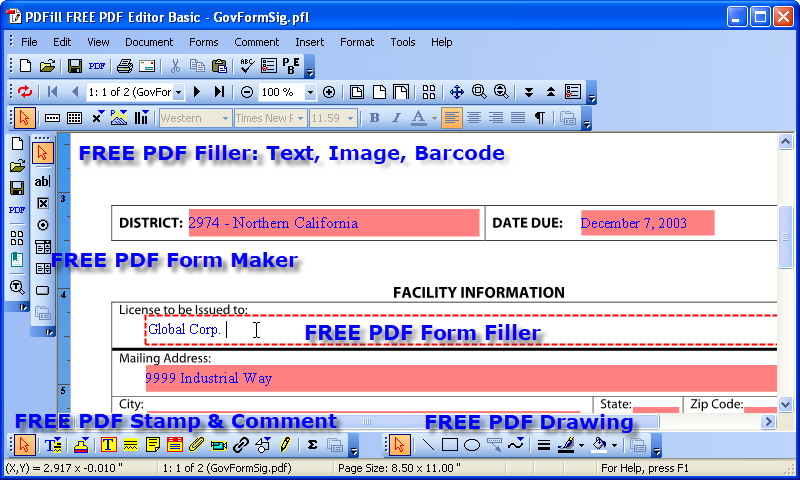
- Not a Full Content Editor: PDFill is not designed for deep text and image editing. If you need to change the content of a paragraph or edit a complex layout, you’ll need a dedicated editor like Adobe Acrobat. However, its “PDF Editor Basic” tool fills some of this gap for simpler tasks.
- No Cloud Integration: It lacks native integration with cloud storage services (like Dropbox or OneDrive) or real-time collaboration tools, which is a limitation in today’s highly connected work environments.
Is PDFill Free PDF Tools Right for You?
PDFill Free PDF Tools is a perfect choice for certain types of users and work scenarios.
You should consider PDFill if you:
- Need to perform routine page-level tasks like merging, splitting, or rotating PDFs regularly.
- Work in an environment with sensitive data and cannot use online-only PDF tools.
- Are looking for a cost-effective solution and are willing to trade a modern interface for powerful functionality.
- Prefer a lightweight software that is quick to launch and doesn’t consume significant system resources.
However, you might want to look at alternatives (like PDF-XChange Editor or Sejda Desktop) if you:
- Need to extensively edit the text or images within a PDF.
- Prefer a modern, intuitive, and unified user interface.
- Require advanced features like Optical Character Recognition (OCR) to make scanned documents searchable.
- Need cloud integration and collaboration features for a team environment.
Frequently Asked Questions (FAQs)
1. Is PDFill Free PDF Tools truly free for commercial use?
Yes, the “PDFill Free PDF Tools” is available at no cost for both personal and commercial use. This is a significant benefit, making it attractive for businesses and freelancers .
2. Can I edit the text inside a PDF with this tool?
The “PDFill Free PDF Tools” suite focuses primarily on page management and conversion. For basic text editing, filling forms, and adding annotations, you can use the “PDFill Free PDF Editor Basic” tool, which is a separate but similarly named product from the same developer .
3. What operating systems are compatible with PDFill?
PDFill is a Windows-based application. The official site lists compatibility with Windows 11, Windows 10, Windows 8, Windows 7, and Windows Server versions, though some older versions may work on Windows XP and Vista .
4. Is there a PDFill version that works online in a web browser?
No, PDFill is a desktop software suite that you download and install on your computer. It operates completely offline, which is a key feature for users who prefer local software over web-based alternatives .
5. Does PDFill have a watermark on the output for the free version?
No, unlike many “free” PDF tools, the basic page management and conversion tools in PDFill (the suite discussed here) do not add a watermark. However, the separate “PDFill PDF Editor Professional” will place a watermark on output during its trial period .
Conclusion
PDFill Free PDF Tools is a dependable and powerful software suite that has stood the test of time. Despite its dated interface, it remains a go-to choice for millions of users who require reliable, no-cost tools for core PDF tasks like merging, splitting, converting, and securing documents. Its offline functionality and broad feature set make it an incredibly valuable “workhorse” for busy professionals and teams who value efficiency and predictable results over flashy design. If your workflow involves frequent document administration and you need a practical, cost-free solution, PDFill Free PDF Tools is certainly worth a download.



