Media Preview- Fix Your Broken Video Thumbnails
Are you tired of seeing generic, blank icons for your video files? If you have a collection of movies, TV shows, or personal videos in formats like MKV, FLV, or RMVB, you’ve likely encountered this frustrating issue. Media Preview is a free Windows utility designed to fix exactly this problem by restoring thumbnail previews for unsupported or broken media file types, making your media library visually manageable again .
What is Media Preview?
Media Preview is a lightweight Windows application that integrates directly with Windows Explorer to generate thumbnail previews for video files. Instead of staring at a sea of identical icons, you get a visual representation of each file, turning a cluttered list into an easily browsable gallery. It works directly within Windows Explorer (File Explorer), adding thumbnail support for video formats that Microsoft’s operating system doesn’t natively handle .
How It Works
The program solves the problem of missing thumbnails without requiring complex system tweaks.
The Problem: Missing Thumbnails
By default, Windows includes support for a limited number of video formats like .mp4 and .wmv. For other, often more popular formats like MKV, FLV, AVI, or MOV, Windows simply shows a generic icon. The problem often becomes worse after system updates or codec changes, which can break thumbnail functionality even for previously supported formats .
The Solution: A Dedicated Tool
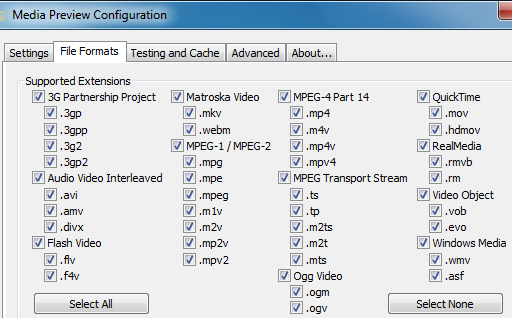
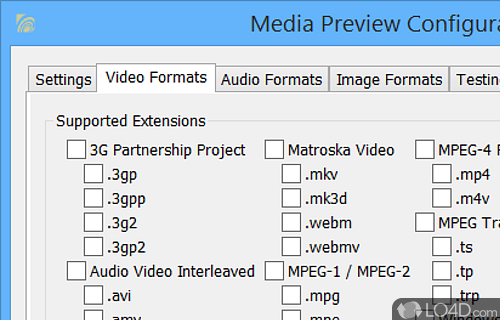
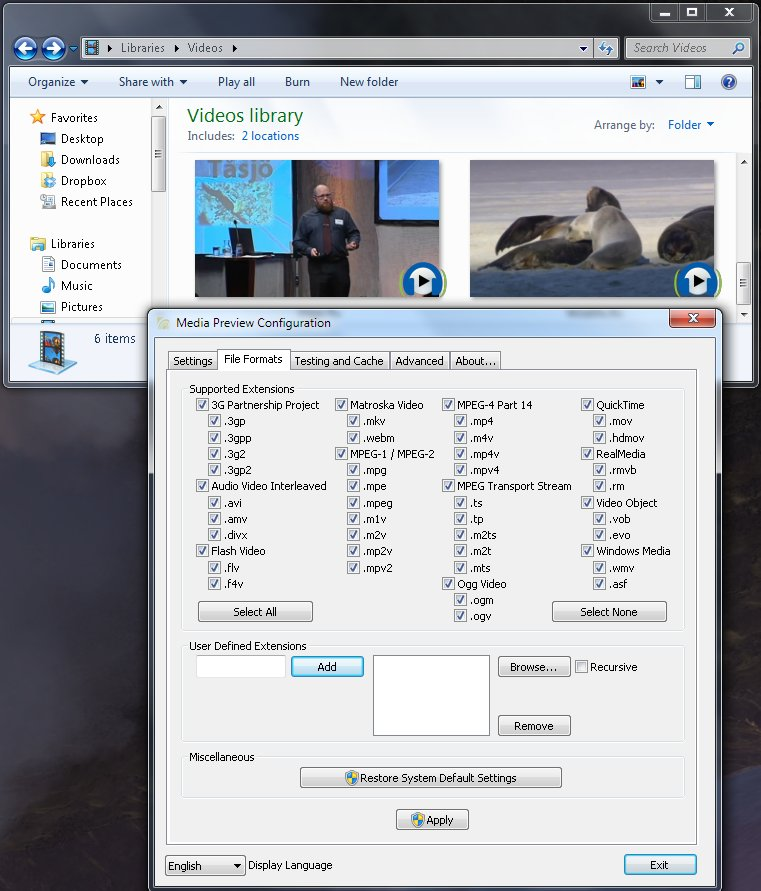
Media Preview directly addresses this problem. Once installed, it gives you the ability to select specific file types for which you want thumbnails generated. This selective process prevents unnecessary system indexing and helps keep your PC’s performance stable. The software generates thumbnails for your files without needing to install any third-party codec packs or media players, which can often cause system conflicts and crashes .
Key Features and Benefits
Extensive Format Support
The software shines because it supports a wide array of video file formats. It is especially useful for MKV, FLV, RMVB, and other formats not natively supported by Windows Explorer . This means you can get visual previews for virtually any video file in your collection, regardless of how it was encoded.
No Codec Packs Required
One of Media Preview’s greatest advantages is that it works without requiring external codec packs. This is a major benefit because codec packs can often create more problems than they solve, leading to system instabilities, conflicts with other programs, and even crashes .
Selective Thumbnails
You’re not forced to generate thumbnails for every file type. The software allows you to pick and choose which specific formats you want to be enabled. This selective functionality is excellent for maintaining system performance .
Real-Time Preview
The program includes a real-time preview function. This allows you to see exactly how the thumbnails will look before you apply any changes to your system, giving you full control over the final result .
Lightweight and Efficient
It runs with minimal system resources, so you won’t even know it’s there. It remains stable and compatible with recent Windows versions, including Windows 10 and Windows 11, despite its age.
Who Should Use Media Preview?
Media Preview is ideal for:
- Video Collectors: Anyone with a large library of movies, TV shows, or home videos will find it invaluable for browsing and organizing their files.
- Users of Uncommon Formats: If you work with video formats like MKV or FLV, this tool is essential.
- Non-Technical Users: The simple interface and lack of complex system tweaks make it accessible to everyone.
How to Use Media Preview
Using Media Preview is simple and straightforward. After downloading and installing the application, it runs quietly in the background. The main interface allows you to:
- Select the video file types you want thumbnails for from a list.
- Use the real-time preview to see the results.
- Apply the changes with a single click.
Your Windows Explorer will then begin displaying thumbnails for the selected file types.
Frequently Asked Questions (FAQs)
1. What is Media Preview?
Media Preview is a free Windows utility designed to restore thumbnail previews for unsupported or broken video file types in Windows Explorer. It allows users to see image previews of video files that would otherwise show only default icons .
2. Does Media Preview work with all video formats?
It supports a wide range of video formats, especially those not natively supported by Windows, such as MKV, FLV, and RMVB, making it an ideal tool for managing diverse media libraries.
3. Is Media Preview safe to use?
Yes, it is safe. It is a trusted utility that works without modifying system codecs or requiring potentially unstable codec packs. However, it is important to download it from a reliable source.
4. Does Media Preview work on Windows 10 and 11?
Yes, despite its age, it remains compatible with many Windows versions, including Windows 10 and Windows 11 .
5. Can Media Preview generate thumbnails for image files?
No, it is specifically designed for video files. It is not suitable for generating thumbnails for image files, for which other tools like SageThumbs are recommended.
Conclusion
Media Preview is a simple, effective, and free solution to a common annoyance: the missing thumbnail icon. By bringing visual thumbnails to a huge range of video formats without the need for complex or risky system tweaks, it dramatically improves the experience of managing a media library in Windows. If you want to see your videos at a glance, this lightweight utility is a must-have.



