
2007 Office System Driver- Data Connectivity
In the modern world, data is everywhere, and the ability to connect and manage it effectively is crucial. The 2007 Office System Driver: Data Connectivity Components is a free tool from Microsoft designed to bridge the gap between Microsoft Office 2007 applications and a wide variety of external data sources. This guide provides a comprehensive look at what this driver is, what it does, and who it’s for.
What is the 2007 Office System Driver?
The 2007 Office System Driver: Data Connectivity Components is a free software package that provides essential data connectivity features for users and developers working with Microsoft Office 2007. Essentially, it’s a set of drivers that allows Office applications like Excel and Access to “talk” to other databases and file formats. It was released to boost the functionality of Office 2007, allowing for smooth interactions with different data systems.
This driver package can be used even if you don’t have the full Microsoft Office suite installed. It is perfect for developers or users who only need to connect to and manage data from various sources without running the full applications.
Key Features and Benefits
Connecting Office to the World of Data
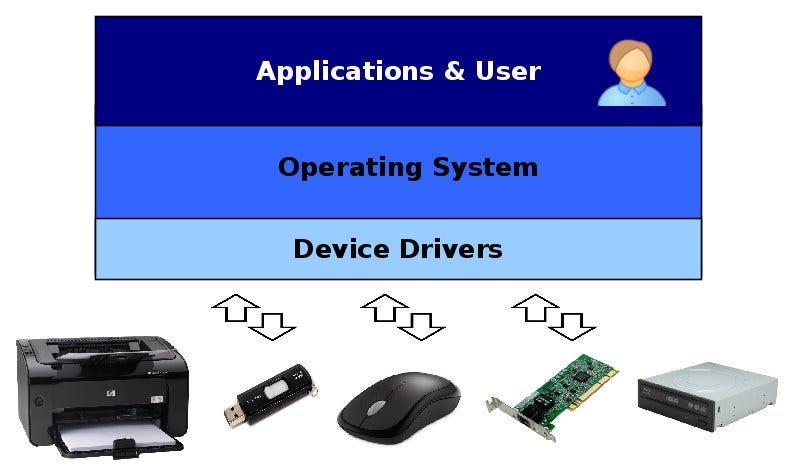
The driver’s primary role is to act as a bridge for data. Its key features include:
- Database Connectivity with OLE DB and ODBC: It provides the necessary drivers for OLE DB and ODBC, which are industry-standard methods for connecting applications to databases. This allows Excel to import data directly from a SQL Server database, or Access to link to an external data source.
- Support for Multiple File Formats: The package is designed to be compatible with both the newer Office file formats (.xlsx, .xlsx, .accdb, etc.) and the older legacy formats (.xls, .mdb, etc.). This ensures you can work with data no matter how it was saved.
- Streamlined Data Movement: It ensures data flows smoothly and intuitively between Office applications and other data repositories. This makes moving data between Excel, Access, and other data sources easier.
- Standalone Functionality: A notable feature is that you can install and use the driver even if you don’t have Microsoft Office installed. This makes it a valuable tool for server environments or for developers who need to connect to Office files programmatically.
Who is it for?
The driver is primarily designed for two types of users:
- Developers: This tool is invaluable for developers who are building applications that need to read from or write to Office files, or connect to data sources using Office-compatible drivers.
- Advanced Users: Business analysts and power users who frequently need to import or export data between Office and external databases will find this tool greatly simplifies their workflow.
How it Works and Why You Need It
The driver doesn’t have a user interface; it works silently in the background to enable data connectivity features within your applications . When you try to connect to a database from within Excel or Access, the program calls upon these drivers to facilitate the connection.
For users, this means the ability to:
- Import Data: Bring data from an external database into an Excel spreadsheet for analysis.
- Export Data: Take data from an Access database and export it to an Excel file or another database.
- Connect and Link: Create a live connection between an Office application and an external data source, ensuring your data is always up to date.
Free and Accessible
One of the most compelling aspects of the 2007 Office System Driver is its price: it’s completely free. Microsoft made it freely available to ensure that everyone could access the data connectivity features needed to make the most of their Office applications.
Frequently Asked Questions (FAQs)
1. What is the 2007 Office System Driver?
It is a free set of data connectivity components from Microsoft that enables Office 2007 applications to connect to various databases and data sources using drivers like OLE DB and ODBC.
2. Who should use this driver package?
The package is essential for developers and power users who need to connect Microsoft Office 2007 applications to external data sources for importing, exporting, or linking data.
3. Can I use the driver if I don’t have Microsoft Office installed?
Yes, the driver can be installed and used without having the full Microsoft Office suite installed. This is useful for server-side or development environments.
4. What file formats does it support?
It supports both the newer Office file formats like .xlsx and .accdb, as well as the older legacy formats like .xls and .mdb, ensuring wide compatibility.
5. Does this driver have a user interface?
No, the driver operates in the background. It provides the underlying data connectivity functionality for Office applications, enhancing their ability to work with external data.

Conclusion
The 2007 Office System Driver: Data Connectivity Components is a powerful, free, and essential tool for anyone who needs to connect Microsoft Office 2007 to the wider world of data. By providing the necessary drivers and compatibility features, it streamlines workflows for both developers and power users. While it may be an older tool, its functionality remains a cornerstone for many data-driven tasks. Whether you are a seasoned developer or an advanced user, this driver pack can help you unlock the full data potential of your Office applications.



