
Microsoft Visual Studio 2010 F# Runtime – The F# Redistributable Package
Introduction
In the rich ecosystem of .NET development, F# stands as a unique and powerful programming language that combines functional, object-oriented, and imperative programming paradigms. When Microsoft introduced F# as a first-class member of the .NET family in Visual Studio 2010, it marked a significant milestone in the evolution of the .NET platform . However, to run applications built with F# on computers without Visual Studio installed, developers needed a way to distribute the essential components.
Enter the Microsoft Visual Studio 2010 F# Runtime, also known as the F# redistributable package. This essential component enables F# applications to run on any Windows computer, whether it’s a modern system running Windows 10 or a legacy machine with Windows XP . The runtime package ensures that the core F# library (FSharp.Core.dll) and supporting files are available on the target system, allowing applications built with F# to execute properly.
This article explores the F# Runtime in depth, covering what it is, why it’s needed, how it works, and its place in the broader context of F# development. Whether you’re a developer looking to distribute F# applications or simply curious about the technology behind this functional-first language, this guide provides a comprehensive overview.
What Is F# and Why Does It Need a Runtime?
Understanding F# as a Programming Language
F# is an open-source, cross-platform programming language that makes it easy to write succinct, performant, robust, and practical code . As a first-class member of the .NET family of languages, F# retains a strong resemblance to the ML family of functional languages while leveraging the full power of the .NET framework .
The language was primarily developed by Microsoft Research and the Visual Studio team, incorporating feedback from the F# community and key users . F# supports multiple programming paradigms, including functional, object-oriented, and imperative programming . This flexibility allows developers to choose the patterns and practices that best solve their problems rather than being constrained to a single approach.
Key Features of F
F# includes a rich set of features that set it apart from other .NET languages :
- Lightweight syntax: F# allows developers to write low-ceremony code, focusing on core application logic rather than boilerplate.
- Type inference and automatic generalization: The compiler infers data types without requiring explicit definitions, reducing code verbosity.
- Immutability by default: Data remains unchanged throughout program execution, making code simpler to reason about and test.
- Powerful data types: Tuples, records, and discriminated unions enable complex domain modeling.
- Pattern matching: The compiler enforces correctness in application behavior.
- Asynchronous programming: Built-in support for asynchronous workflows simplifies concurrent code writing.
The F# Core Library contains functions that support the core language, including commonly used utilities such as collection classes (lists, arrays, maps, sets, sequences), control constructs for asynchronous and event-driven programming, message passing, formatted I/O, native pointers, and language quotations .
Why a Runtime Is Necessary
When developers build applications in F#, the compiler produces executable files that reference the F# Core Library (FSharp.Core.dll) and other supporting files. Unlike the .NET Framework, which is included with Windows or installed separately, the F# Core Library is not part of the standard .NET Framework installation.
Therefore, for an F# application to run on a computer that doesn’t have Visual Studio or the F# tools installed, these essential components must be distributed separately. The F# Runtime package, also called the F# redistributable package, provides exactly these components .
The Microsoft Visual Studio 2010 F# Runtime: An Overview
What the Runtime Package Contains
The F# redistributable package contains the components necessary to run F# programs on any computer. This includes the FSharp.Core assembly (the core F# library) and supporting files . The package is available as:
- A stand-alone installer executable file called FSharpRedist2.0.exe
- A package that can be selected in deployment projects when configuring application deployment in Visual Studio
The installer is small—only about 1.1 MB in size—making it easy to distribute alongside applications or include in installation packages . The runtime is available for free and can be redistributed with F# applications .
Supported Operating Systems and System Requirements
The Visual Studio 2010 F# Runtime supports a wide range of Windows operating systems, including :
- Windows 7 (32-bit and 64-bit)
- Windows Vista (32-bit and 64-bit)
- Windows XP (64-bit)
- Windows Server 2008
- Windows Server 2003
The system requirements for running F# applications include :
- A computer with a 1.6GHz or faster processor
- 1 GB RAM for x86 systems; 2 GB RAM for x64 systems
- An additional 512 MB RAM if running in a virtual machine
- 3 GB of available hard disk space
- 5400 RPM hard disk drive
- DirectX 9-capable video card with 1024 x 768 or higher display resolution
Installation Behavior
When the F# runtime is installed, the version that gets installed depends on the versions of the .NET Framework present on the target computer at installation time :
- If .NET Framework 2.0, 3.0, or 3.5 is installed, the F# runtime that targets .NET Framework 2.0 is installed.
- If .NET Framework 4 is installed, the F# runtime that targets .NET Framework 4 is installed.
- If both .NET Framework 4 and one or more of the previous .NET Framework versions (2.0, 3.0, 3.5) are present, both versions of the F# runtime are installed.
This intelligent installation behavior ensures compatibility across different system configurations, making it easier for developers to distribute their applications to a diverse user base.
Files Installed by the Runtime
The F# runtime installs the FSharp.Core assemblies and other files to the following path :
Program Files path\Reference Assemblies\Microsoft\FSharp\2.0\Runtime\version
Where:
- version is
v2.0for the version targeting .NET Framework 2.0, 3.0, and 3.5 - version is
v4.0for the version targeting .NET Framework 4
On 64-bit operating systems, Program Files path becomes Program Files (x86) .
The FSharp.Core assemblies are also installed to the global assembly cache (GAC), making them available to all applications on the system .
The Two Versions of the F# Runtime
F# Runtime for .NET Framework 2.0
This version is required on client computers where .NET Framework 2.0, 3.0, or 3.5 is installed . The core library (FSharp.Core.dll) included in this redistributable package contains APIs in the System namespaces that are identical to .NET Framework 4 APIs required for F# development.
This version provides compatibility for applications built to target older versions of the .NET Framework, allowing developers to support a broader range of systems.
F# Runtime for .NET Framework 4
This version is required on client computers where .NET Framework 4 is installed . It includes the F# Core Library that corresponds to the .NET Framework 4 version.
F# Runtime for Silverlight
An additional version exists for F# Silverlight applications, which runs on Silverlight 2.0 and Silverlight 3.0 . This version is not installed by running fsharp_redist.exe. Instead, it is a separate package available in Visual Studio when setting up deployment for Silverlight applications .
F# and the .NET Ecosystem
Integration with Visual Studio 2010
When Visual Studio 2010 was released, F# was integrated as a core language, receiving the full benefits of the Visual Studio development environment . This integration provided:
- IntelliSense support for code completion and suggestions
- Integrated interactive window for exploratory development
- Project templates for building F# applications and components
- Debugging support for F# code
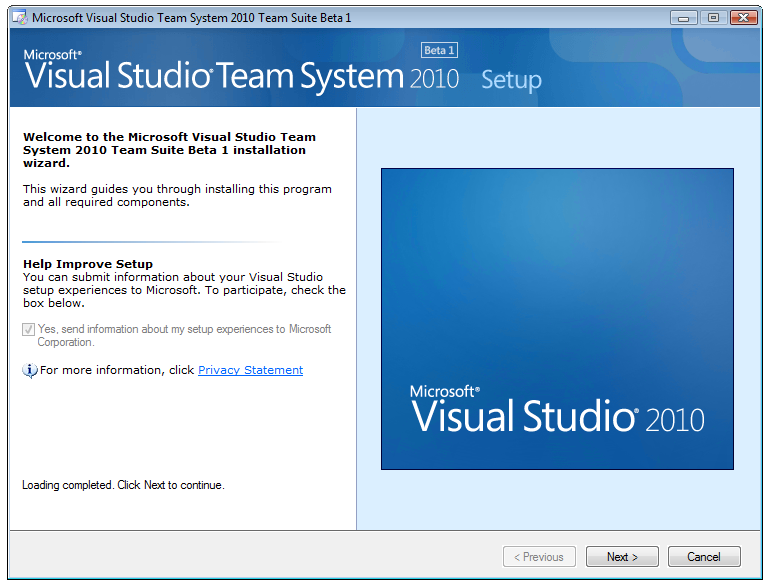
F# in Visual Studio 2010 could be used for developing applications and components targeting .NET Framework versions 2.0 through 4.0, as well as Silverlight . The F# compiler and tools were open-sourced under the Microsoft Public License (Ms-PL), one of the most permissive Microsoft licenses .
F# and Other .NET Languages
F# is designed to work seamlessly with other .NET languages, particularly C# and Visual Basic .NET . Some .NET Framework 4 core components were actually written in F#, demonstrating the language’s capability for production use.
In the Visual Studio 2010 release, Microsoft encouraged developers to use F# for building application cores while using C# and Visual Basic for presentation layers, leveraging their strengths in rich UI development and designer support . This interoperability allows organizations to adopt F# incrementally while continuing to use their existing C# and VB.NET codebases.
F# Beyond Visual Studio 2010
The Visual Studio 2010 F# Runtime represents a specific point in the evolution of F#. Today, F# has evolved into an open-source, cross-platform language that runs anywhere .NET runs . Modern F# can be used to build:
- Web APIs
- Single-page applications (SPA)
- WebAssembly applications
- Desktop applications
- Mobile applications
- Big data solutions
- Data science and machine learning applications
- Internet of Things (IoT) applications
- Gaming applications
F# can also run in JavaScript environments through libraries that convert F# code to JavaScript , and it can be used on Linux and macOS via Mono or .NET Core/.NET 5+ .
How the F# Runtime Enables Application Distribution
Redistribution and Deployment
For developers building applications with Visual Studio 2010, the F# Runtime package serves as a critical distribution component. When deploying an F# application to end-user systems, developers can include the F# redistributable package in their installation process.
The runtime can be distributed as:
- A stand-alone installer (
FSharpRedist2.0.exe) that end users can run separately - A merge module that can be included in Windows Installer (MSI) packages
- A deployment project component in Visual Studio
Dependencies and Compatibility Considerations
When distributing F# applications, developers should be aware of the relationship between the F# runtime version and the .NET Framework version on the target system. Because the runtime installer intelligently selects the appropriate version based on installed .NET Framework versions, it provides a smooth user experience.
However, there are some considerations:
- If the target computer has no .NET Framework installed, the F# runtime alone won’t be sufficient—the appropriate .NET Framework version must also be installed.
- The runtime installer requires elevated privileges to install assemblies to the global assembly cache.
- When using the Silverlight version of the runtime, special deployment considerations apply for Silverlight applications.
Testing and Validation
Before distributing F# applications, developers should test installation on various target configurations, including different combinations of Windows and .NET Framework versions. This ensures that:
- The F# runtime installs correctly
- The application launches and runs properly
- All F# features used by the application function as expected
The Role of FSharp.Core.dll
What FSharp.Core Provides
The FSharp.Core.dll is the heart of the F# runtime. It contains the core library functions and types that F# applications rely on. These include :
- Collection classes: Lists, arrays, maps, sets, and sequences
- Control constructs: Support for asynchronous programming and event-driven programming
- Message passing: Communication mechanisms between parallel workflows
- Formatted I/O: Input and output formatting capabilities
- Native pointers: Support for interoperation with native code
- Language quotations: Representing F# code as data
Versioning Considerations
The FSharp.Core.dll version must be compatible with the F# compiler version used to build the application. When distributing applications built with Visual Studio 2010’s F# compiler, the corresponding version of FSharp.Core.dll must be deployed.
Performance and Reliability
F# is designed to be performant, leveraging the capabilities of the .NET runtime to efficiently handle large workloads across a wide range of deployment targets . The F# runtime is optimized for:
- Parallelism and concurrency: Built-in language features like async expressions simplify writing concurrent code to make the most of compute resources
- Predictable execution: Immutability by default means data processing is predictable and reproducible
- Error handling: Language constructs help make code robust and fault-tolerant
Frequently Asked Questions
1. What is the Microsoft Visual Studio 2010 F# Runtime?
Answer: The Microsoft Visual Studio 2010 F# Runtime, also called the F# redistributable package, is a free software package that contains the components necessary to run F# programs on computers without Visual Studio installed . It includes the FSharp.Core assembly (the core F# library) and supporting files. The package is available as a stand-alone installer (FSharpRedist2.0.exe) or as a deployment component in Visual Studio .
2. What operating systems does the Visual Studio 2010 F# Runtime support?
Answer: The Visual Studio 2010 F# Runtime supports Windows 7 (32-bit and 64-bit), Windows Vista (32-bit and 64-bit), Windows XP (64-bit), Windows Server 2008, and Windows Server 2003 . It requires a computer with a 1.6GHz or faster processor, 1-2 GB RAM depending on architecture, 3 GB of available hard disk space, and DirectX 9-capable video hardware .
3. How does the F# Runtime installer determine which version to install?
Answer: The F# Runtime installer intelligently selects the appropriate version based on the .NET Framework versions present on the target computer . If .NET Framework 2.0, 3.0, or 3.5 is installed, the runtime targeting .NET Framework 2.0 is installed. If .NET Framework 4 is installed, the runtime targeting .NET Framework 4 is installed. If both are present, both versions are installed .
4. Why do I need the F# Runtime to run F# applications?
Answer: The F# Runtime is necessary because the F# Core Library (FSharp.Core.dll) is not included as part of the standard .NET Framework installation . When F# applications are compiled, they reference this library. Without the F# Runtime installed on the target computer, the application won’t be able to locate the required F# assemblies and will fail to run .
5. Where does the F# Runtime install files on my computer?
Answer: The F# Runtime installs the FSharp.Core assemblies and other files to Program Files path\Reference Assemblies\Microsoft\FSharp\2.0\Runtime\version, where version is either v2.0 or v4.0 depending on the .NET Framework target . On 64-bit systems, Program Files path becomes Program Files (x86). The FSharp.Core assemblies are also installed to the global assembly cache (GAC) .
Conclusion
The Microsoft Visual Studio 2010 F# Runtime represents an essential component in the F# development ecosystem, enabling the distribution and execution of F# applications across a wide range of Windows systems. By providing the F# Core Library and supporting files as a redistributable package, Microsoft made it possible for developers to build applications in this powerful functional-first language and deploy them to end-user computers without requiring Visual Studio or the F# development tools.
The runtime’s intelligent installation behavior, which detects the .NET Framework version on the target system and installs the appropriate F# library version, ensures compatibility and simplifies the deployment process. Its support for Windows versions from XP through 7, as well as Windows Server editions, made F# accessible to a broad audience.
While the Visual Studio 2010 F# Runtime represents a specific point in F# history, the language has evolved significantly since then. Modern F# is open-source, cross-platform, and capable of running anywhere .NET runs—including Linux, macOS, and even JavaScript environments. The F# runtime concept continues to live on in the form of the FSharp.Core NuGet package and the .NET SDK’s built-in support for F#.
Understanding the F# Runtime is valuable not only for developers who need to deploy F# applications but also for anyone interested in the .NET ecosystem and the evolution of functional programming on the Microsoft platform. As F# continues to grow in popularity for applications ranging from data science to web development, the lessons learned from its early runtime distribution model inform how the language is used and distributed today.
For developers working with F# applications built on Visual Studio 2010, the F# Runtime remains a critical component for successful application deployment. Its small size, free license, and straightforward installation make it an effective solution for distributing F# applications to end users.



