HDR-Data Harddisk Data Recovery Admin Package – To Professional Data Recovery
In the digital age, data loss is a catastrophic event that can disrupt businesses, erase years of personal memories, and cause significant financial damage. Whether it’s due to accidental formatting, a virus attack, or a corrupted Master Boot Record (MBR), losing access to critical files is a stressful experience. For IT professionals and system administrators tasked with recovering data from damaged drives, having a robust and reliable tool is essential. The HDR-Data Harddisk Data Recovery Admin Package is one such specialized utility designed to tackle complex data recovery challenges on Windows systems. This article provides a deep dive into its features, capabilities, and ideal use cases, as well as its limitations.
Understanding the Data Recovery Landscape
Before exploring the specific tool, it’s crucial to understand the common scenarios that necessitate professional data recovery.
Common Causes of Data Loss
Data loss can occur through a variety of incidents, but some of the most frequent causes include:
- Accidental Formatting: A user may inadvertently format a hard drive partition, wiping out all the data stored on it. This is a common mistake, especially when reinstalling operating systems or partitioning new drives.
- Virus Damage: Malware and viruses can corrupt file systems, destroy data, or render partitions inaccessible. Some sophisticated ransomware even encrypts files, demanding payment for their release.
- MBR Corruption: The Master Boot Record (MBR) is a critical sector on a hard drive that tells the computer how to load the operating system. If the MBR becomes corrupted due to a software error, power failure, or virus, the drive may become unbootable and its data inaccessible.
- File System Corruption: Issues with file systems like FAT, FAT32, or NTFS can make a drive appear empty or cause the operating system to treat it as a raw, unformatted drive.
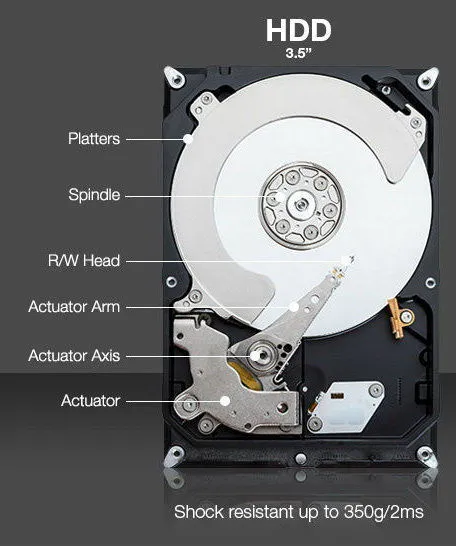
- Hardware Failure: Physical damage to the hard drive, such as a failed read/write head or motor, can also lead to data loss. However, software-based recovery tools like HDR-Data are best suited for logical issues rather than physical hardware failures.
The Administrator’s Challenge
For system administrators, data recovery is often not about a single user’s lost file. It’s about recovering entire file servers, company financial records, or critical databases. They need tools that can handle large volumes of data, work on drives with severe corruption, and do so safely without further compromising the original data.
What is the HDR-Data Harddisk Data Recovery Admin Package?
The HDR-Data Harddisk Data Recovery Admin Package is a professional software utility designed to address severe data loss scenarios. It was created by HDR-Data, a company specializing in data recovery solutions. As its name suggests, the “Admin Package” is intended for advanced users and IT professionals.
Core Functionality
The primary purpose of this tool is to recover data from hard drives that have been logically damaged. It excels in situations where standard file recovery utilities fail, such as:
- Recovery after a drive has been formatted or had its partitions deleted (fdisked).
- Recovery from virus attacks that have corrupted data.
- Recovery from a corrupted Master Boot Record (MBR).
Key Operational Principles
1. Non-Destructive, Read-Only Operation
One of the most critical features of any professional data recovery tool is that it operates in a non-destructive, read-only mode. This means the software will not write any data to the damaged drive. It only reads the existing data from the sectors, which prevents any further damage. The recovery process is performed on a copy of the data in memory, keeping the original drive intact.
2. In-Memory File Table Rebuilding
When a file system is corrupted, the tables that keep track of where files are stored (like the File Allocation Table or Master File Table) are often damaged. HDR-Data rebuilds these file tables in memory, allowing it to construct a virtual map of the drive’s file structure without altering the physical disk.
3. Pattern Recognition and Data Reconstruction
To recover files from a formatted or damaged drive, the software likely uses pattern recognition algorithms to identify file signatures. These are unique headers and footers that different file types (like JPEG images, DOCX documents, or ZIP archives) have. By scanning the raw disk sectors for these signatures, the tool can identify and reconstruct lost files.
Key Features and Capabilities
The HDR-Data Admin Package offers several features that make it a powerful recovery tool for specific scenarios.
File System Support
A defining characteristic of this tool is its support for legacy file systems. It is designed to work with:
- FAT
- FAT32
- NTFS
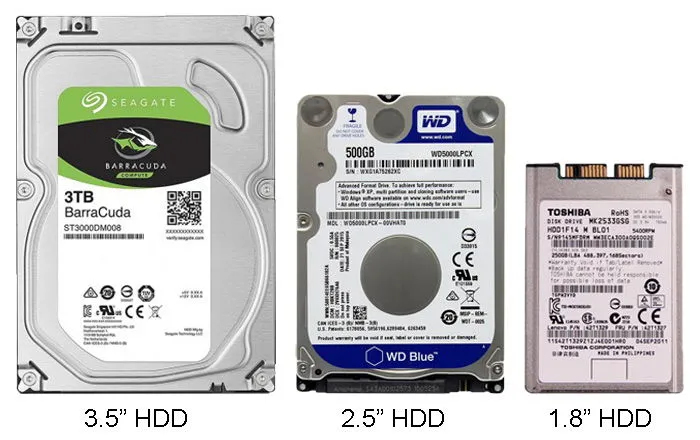
These are the most common file systems used on Windows-based hard drives (and other media like USB flash drives and memory cards). However, its focus is somewhat limited to these, and it does not support more modern or specialized file systems like exFAT or ReFS.
Broad Operating System Compatibility
The utility supports an exceptionally wide range of Windows operating systems, highlighting its longevity and value in legacy environments. The specifications list compatibility from Windows 3 and Windows 95 up to Windows 10, NT, and 2000. This means it can be used on very old systems where data recovery is often still a challenge.
The Recovery Process
Based on user feedback and the software’s description, the typical recovery process is initiated through a DOS or Windows interface. The software likely scans the drive for lost partitions and file structures and then presents a list of recoverable files. Administrators can then select which files to restore.
User Feedback and Real-World Use
User reviews provide some important context:
- Positive Feedback: One user reported successfully recovering data from hard drives with bad sectors and lost partitions, stating, “I have recovered data from bad sectored, lost partitions harddisk drives.” This confirms the tool’s utility in complex recovery situations.
- Criticism and Limitations: Other users were less satisfied. One review noted, “This product is only useful if the drive you need to recover is 7 years old or older. It is not useful for FAT32 nor NTFS partitions.” This suggests that while the software may support FAT32 and NTFS on paper, its actual performance on modern drives might be limited. Another user stated, “This tool is DOS based and good for FAT16 only.” This indicates that the tool might perform best in a DOS environment, and its most reliable use is for the older FAT16 file system.
Practical Applications for IT Professionals
Given its strengths and limitations, the HDR-Data Admin Package is best suited for specific types of data recovery scenarios.
Recovering Data from Legacy Systems
The tool’s compatibility with Windows 95, 98, and DOS makes it an invaluable resource for recovering data from very old computers. This is relevant for businesses that might have legacy records stored on old systems or for recovering data from vintage PCs.
When Other Recovery Tools Fail
In cases where a drive’s partition table is severely corrupted and modern recovery tools are unable to interpret the file system, a tool that can scan for raw file signatures (like HDR-Data) can often find and reconstruct files. This is especially useful when the MBR is damaged.
Selective File Recovery
HDR-Data appears to be useful for file-based recovery. It is less about recovering an entire operating system and more about salvaging specific documents, photos, or other important files from a damaged or formatted drive.
Recovery from Drives with Bad Sectors
One user specifically mentioned using the tool to recover data from drives with bad sectors. This suggests the software has mechanisms to handle read errors and recover as much data as possible from a failing drive.
Comparison with Modern Alternatives
It is important to position this tool in the context of the broader data recovery software market.
Modern Software Advantages
Modern data recovery tools (like Recuva, EaseUS Data Recovery Wizard, or Stellar Data Recovery) offer several advantages over a tool like HDR-Data:
- Modern File System Support: They fully support NTFS, exFAT, and ReFS on modern Windows systems.
- User-Friendly Interfaces: They feature graphical, Windows-based interfaces that are much easier to use than DOS-based tools.
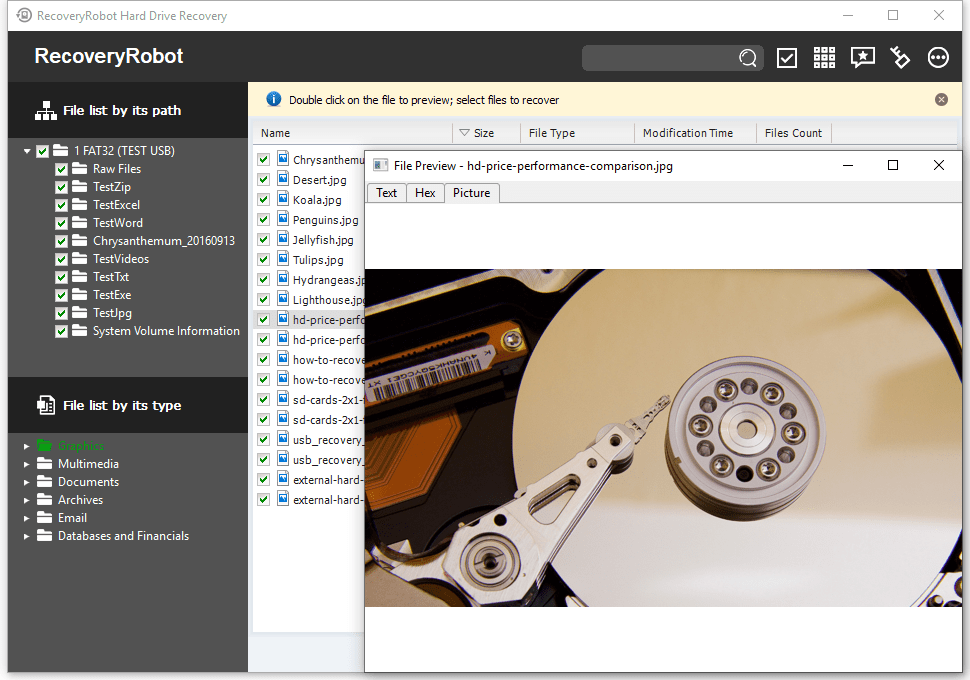
- File Type Recognition: They often have more advanced file type recognition capabilities and can preview recoverable files before the user commits to the recovery.
- Cloud Integration: Some offer integration with cloud storage for backing up recovered data.
The Continuing Value of Legacy Tools
Despite the existence of more modern tools, a utility like HDR-Data maintains its value for a specific reason: specialization. It was built for a time when data recovery often meant working in DOS to repair FAT tables. For users dealing with legacy hardware, a tool that has been battle-tested on those specific systems can be more reliable than a modern tool that may not properly recognize an old file system or hardware configuration.
Furthermore, the “Admin Package” designation suggests it may include features for batch processing or scripting that are not available in consumer-grade tools, making it suitable for an administrator managing multiple machines.
Frequently Asked Questions (FAQs)
1. What is the HDR-Data Harddisk Data Recovery Admin Package used for?
This is a professional data recovery utility designed to recover data from hard drives that have been formatted, had their partitions deleted, or have suffered from MBR corruption or virus damage. It is a non-destructive, read-only tool that rebuilds file tables in memory to retrieve files.
2. What file systems does this software support?
The tool supports FAT, FAT32, and NTFS file systems. User feedback suggests its most reliable performance is with the older FAT16 system, and its support for NTFS and FAT32 in modern environments might be limited.
3. Is the HDR-Data Admin Package easy to use?
The tool is designed for IT professionals and advanced users. Some user feedback indicates it is DOS-based, which requires familiarity with command-line interfaces. This is not a typical, user-friendly Windows application like many modern data recovery tools.
4. What are the main limitations of this tool?
The primary limitations are its reliance on DOS, its focus on older file systems, and the fact that newer user reviews suggest it may not be effective for recovering data from modern, large NTFS drives. It is best suited for legacy systems and FAT16 drives.
5. Is HDR-Data still a relevant tool today?
While it may no longer be the first choice for recovering data from a modern Windows 10 or 11 computer, it remains a potentially valuable tool for IT professionals who need to recover data from legacy systems running older versions of Windows (95, 98, ME) or where a DOS-based recovery tool is required.
Conclusion
The HDR-Data Harddisk Data Recovery Admin Package is a specialized utility that fills a specific niche in the data recovery landscape. While modern software offers easier-to-use interfaces and broader support for contemporary file systems, this tool remains a testament to the foundational techniques of data recovery. Its power lies in its non-destructive operation and its ability to handle severe logical damage on drives, particularly those using the FAT file system.
For system administrators managing a fleet of computers, especially those that might include older hardware or legacy operating systems, this tool offers a time-tested solution. Its best use case is when other recovery methods have failed and you are working with drives from the era of Windows 95/98 or using FAT16. While it may not be the most versatile tool for everyday data recovery, it is a powerful specialist that can be a lifesaver in the right circumstances. The key to using it successfully is understanding its capabilities and applying it to the appropriate data recovery challenges.



