Any Flash Screensaver Maker – To Custom Flash Screensavers
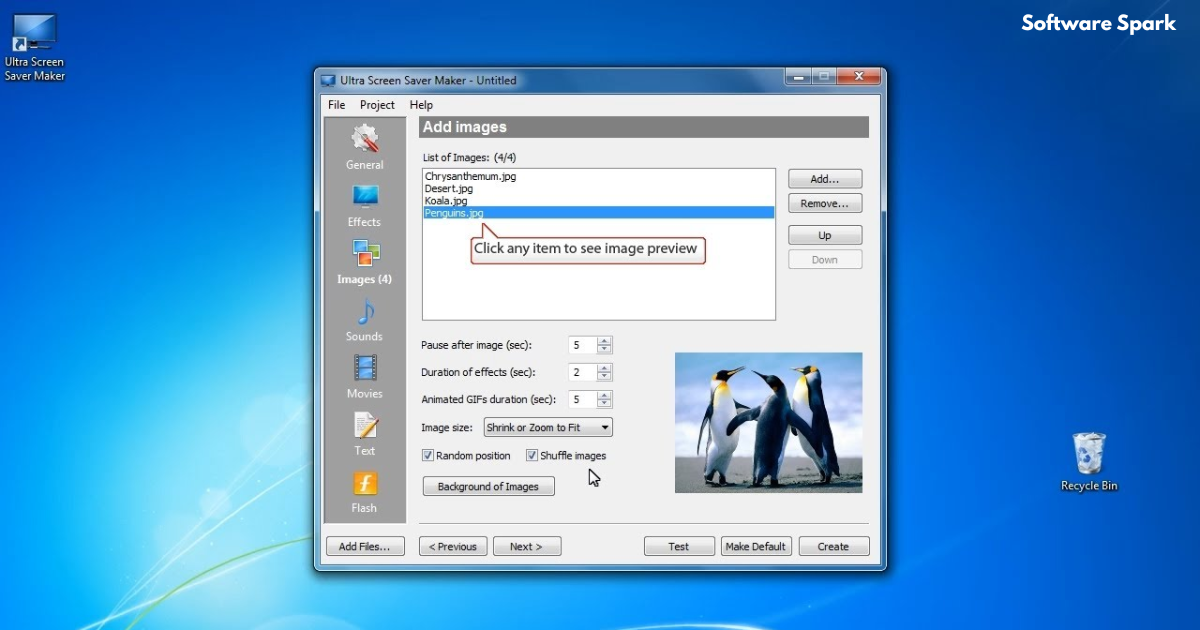
In the early days of personal computing, screensavers were not just a utility to prevent screen burn-in on CRT monitors; they were a form of personal expression. From the iconic “flying windows” to intricate 3D mazes, users loved to customize their computers with visuals that reflected their personality. Among the most creative and flexible formats for screensavers were Macromedia Flash animations. The Any Flash Screensaver Maker was a tool that empowered users to transform their favorite Flash content into fully functional Windows screensavers. This article explores the world of Flash screensavers, the capabilities of this unique software, and its lasting legacy in the world of digital creativity.
The Nostalgic Era of Screensavers
To understand the appeal of a tool like Any Flash Screensaver Maker, it’s helpful to appreciate the cultural context of screensavers.
The Original Purpose of Screensavers
Screensavers were originally developed to prevent phosphor burn-in on cathode-ray tube (CRT) monitors. When a static image was displayed on a CRT for extended periods, it could leave a permanent “ghost” image etched onto the screen. Screensavers kicked in after a period of inactivity, displaying a moving image to prevent this damage. While modern LCD and LED monitors are not susceptible to burn-in in the same way, screensavers have persisted as a form of entertainment, security (by requiring a password to exit), and personalization.
The Rise of the Flash Platform
Macromedia Flash (now Adobe Flash) was a revolutionary multimedia platform that allowed creators to build rich, interactive animations, games, and applications. Flash content was lightweight, vector-based, and could be played on almost any computer with a browser plugin. Its widespread use across the web from the late 1990s through the 2010s made it a natural choice for creative projects, including the development of visually engaging screensavers.
The Appeal of a Custom Screensaver
Creating a custom screensaver using Flash offered a unique blend of personalization and technical creativity. Users could:
- Showcase personal animations or projects.
- Create a branded display for their business or organization.
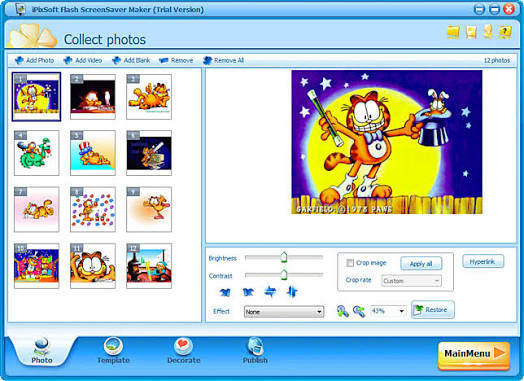
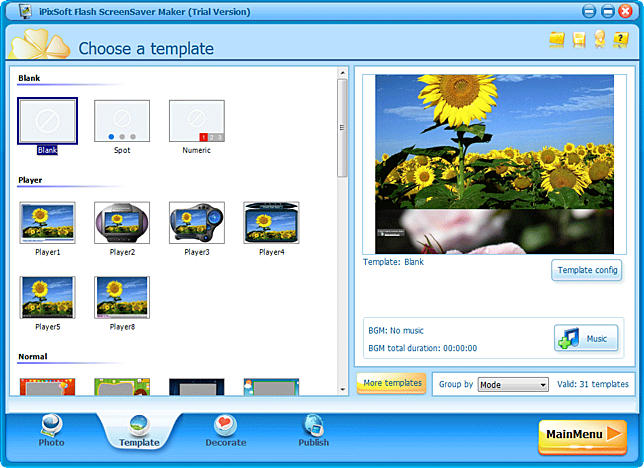
- Display a slideshow of photos and music.
- Enjoy interactive visuals that were far more engaging than the default Windows options.
What is Any Flash Screensaver Maker?
Any Flash Screensaver Maker is a dedicated software utility for Windows that was designed to simplify the process of creating custom screensavers from Flash content. It was developed by a third-party company, not by Adobe or Microsoft, and offered a straightforward, user-friendly solution for a process that was otherwise quite technical.
The Core Functionality
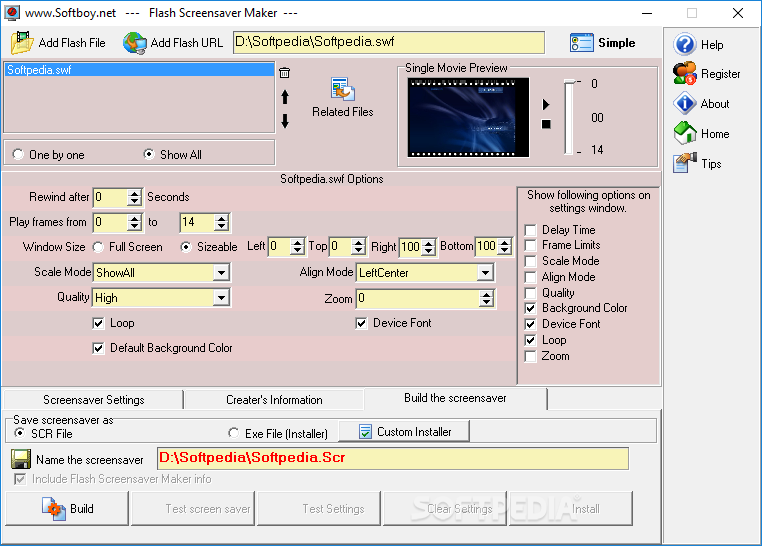
The primary function of the Any Flash Screensaver Maker was to convert a Macromedia Flash .SWF (Small Web Format) file into a Windows screensaver .SCR file. A screensaver file is essentially an executable program that Windows loads when the system is idle. The tool essentially wrapped the Flash animation in a shell that the Windows operating system could recognize and launch as a screensaver.
The “Any” in Its Name
The name “Any Flash Screensaver Maker” emphasizes its versatility. It was designed to work with “any” Flash file, including:
- A simple single-scene animation.
- Complex, multi-scene interactive projects.
- Slideshow-style Flash files.
- Flash files embedded with audio.
Beyond Screensaver Creation
Interestingly, the tool also served as a simple Flash file converter. According to its developer description, it could convert an .SWF file into an executable .EXE file (a standalone Flash projector). This meant you could share your Flash content as a self-running application that didn’t require a Flash player to be installed. Conversely, it could also perform the reverse operation, converting an .EXE file (projector) back into an .SWF file, which could be useful for extracting or re-using content.
Key Features and Capabilities
Any Flash Screensaver Maker was praised for its ease of use and a set of features that gave users control over the final product.
1. Import Flash Files
The software provided a straightforward interface for importing a user’s .SWF files. You could simply browse your computer and select the Flash file you wanted to convert.
2. Adjustable Settings
Once the Flash file was imported, the user could adjust several settings to customize the screensaver experience:
- Background Music: The option to add background music to the screensaver. This allowed users to create a multimedia experience, pairing audio with the visual animation. While you could add your own music file, the Flash file itself could also contain audio.
- Display Settings: Options to adjust display settings. This often included the ability to set the screensaver to run full-screen or in a window, and to configure how the animation should fit on different screen resolutions.
- Include/Exclude Elements: Users had the choice to include or exclude specific elements from the screensaver. This likely referred to the ability to choose which scenes or components of a multi-scene Flash file to display.
3. Preview Before Finalizing
A crucial feature for any creative tool is the ability to preview the results. The software included a built-in preview function that allowed users to see exactly what their screensaver would look like before they saved the final .SCR file. This saved time and effort by allowing users to fine-tune their settings without having to install and test the screensaver repeatedly.
4. Ease of Use
The entire interface was designed to be user-friendly. This lowered the barrier to entry, allowing even those with limited technical knowledge to create a professional-looking custom screensaver.
The Mechanics of Making a Flash Screensaver
The process of creating a screensaver with this tool was designed to be simple and intuitive.
The Input: Your .SWF File
The starting point for the process was a Flash .SWF file. These files are the standard output of the Adobe Flash (formerly Macromedia Flash) authoring environment. They contain all the animation, vector graphics, code, and audio that make up a Flash project.
The Conversion Process
The software performed the essential task of creating a Windows screensaver. Windows screensaver files have the .SCR extension. They are essentially .EXE files renamed and placed in the correct system folder (typically C:\Windows\System32 for 32-bit systems or C:\Windows\SysWOW64 for 64-bit). Any Flash Screensaver Maker took the .SWF file and packaged it into a .SCR wrapper that included the necessary code to launch and display the Flash content when Windows called for it.
The Output: A .SCR File
The final output was a .SCR file that could be easily installed. Users would typically copy this file to the Windows system folder. After that, the screensaver would appear in the Windows Display Properties or Personalization settings, ready to be selected and used just like any other built-in screensaver.
The .EXE Conversion Option
The additional .SWF to .EXE conversion was another useful feature. This created a “Flash projector” file. These files are self-contained and can run on any Windows system without a Flash Player plugin, which became increasingly important as browser support for Flash was phased out.
Practical Applications and Use Cases
The ability to create custom Flash screensavers had numerous practical applications beyond simple personalization.
For Personal Use
- Digital Photo Frames: Users could create a screensaver from a Flash slideshow of family photos, complete with transitions and background music.
- Personal Art Display: Digital artists could showcase their own Flash animations or artwork on their desktop.
- Themed Screensavers: Fans could create custom screensavers based on their favorite movies, games, or TV shows using fan-made Flash content.
For Businesses and Organizations
- Branding: Companies could create a screensaver that served as a powerful branding tool, displaying logos, product images, and key messages when computers were idle.
- Internal Communications: Screensavers could be used to display company announcements, safety messages, or training reminders on employee computers.
- Marketing at Events: For trade shows or kiosks, businesses could create self-running presentations as screensavers or standalone
.EXEfiles to showcase their products or services.
For Educators and Students
- Learning Tool: Teachers and students could use Flash to create educational animations and then display them as screensavers for learning reinforcement.
- Project Presentation: Students could present their work as a self-contained slideshow that could be distributed and run on any computer.
The End of an Era and the Legacy of the Tool
The story of the Any Flash Screensaver Maker is intertwined with the story of Flash itself.
The Decline of Flash
For many years, Flash was a cornerstone of web content. However, in 2017, Adobe announced it would end support for Flash Player at the end of 2020. This decision was driven by the rise of more open, secure, and efficient web technologies like HTML5, CSS3, and JavaScript, as well as significant security concerns with the Flash plugin. By the end of 2020, Flash Player was effectively dead.
The Impact on Flash Screensavers
With the demise of Flash Player, the value of a tool like Any Flash Screensaver Maker has diminished. Modern Windows operating systems (Windows 10, 11) do not natively support Flash content. While you could potentially still use an old Flash screensaver on a legacy Windows XP or 7 system, it would not work on modern machines without significant effort or third-party “hacks.”
The Legacy of Creativity
Despite its obsolescence, Any Flash Screensaver Maker remains a fascinating artifact of a bygone era of digital creativity. It highlights a time when users had more direct control over the multimedia content on their computers and could easily repurpose creative work from one format to another. The tool was a testament to the power of Flash as a platform and the ingenuity of developers who built utilities around it.
Modern Alternatives
Today, if users want to create a custom screensaver on Windows, they have other options. Modern tools allow you to:
- Create Slideshow Screensavers: Using built-in Windows features or third-party tools to display a folder of images.
- Use HTML Screensavers: Some modern screensavers use a browser engine to display web-based content.
- Use Video Files: Tools exist to turn video files into screensavers.
- Create Custom Programming: For developers, creating a modern screensaver using a language like C# is a viable option.
Frequently Asked Questions (FAQs)
1. What does Any Flash Screensaver Maker do?
Any Flash Screensaver Maker is a software tool that lets you convert a Macromedia Flash file (.SWF) into a Windows screensaver (.SCR). It creates a custom screensaver from your favorite Flash animations. It also has the ability to convert .SWF files to standalone .EXE applications and vice versa.
2. How do I install the screensaver once it’s created?
After the software creates the .SCR file, you typically need to copy it to the Windows system folder (e.g., C:\Windows\System32). Then, the screensaver will appear in the Windows Display Settings (Personalization) menu under “Screen saver,” where you can select it.
3. What are the main features of this tool?
Key features include: the ability to import any .SWF file, add background music, adjust display settings, choose to include or exclude certain elements, preview the screensaver before finalizing, and a user-friendly interface.
4. Is Any Flash Screensaver Maker still usable on Windows 10 or 11?
The tool itself may still install and run, but the screensavers it creates are dependent on Flash Player. Since Adobe Flash Player was officially discontinued at the end of 2020, the resulting screensavers will not function on modern versions of Windows. They are best suited for legacy systems like Windows XP or Windows 7.
5. What were the common uses for this software?
It was used to create personalized screensavers from Flash animations. People used it to make digital photo slideshows, display personal artwork, create branded screensavers for businesses, or simply to run their favorite Flash content as a screensaver for entertainment.
Conclusion
Any Flash Screensaver Maker was a powerful and accessible tool that captured the spirit of personal computing in the 2000s. It allowed anyone to transform a simple Flash animation into a fully functional Windows screensaver, opening up a world of creative possibilities. Its user-friendly interface, combined with features like background music and a preview function, made it a favorite among enthusiasts and professionals alike. While the tool and the Flash platform itself are now part of computing history, the legacy of Any Flash Screensaver Maker lives on as a symbol of a time when users had a unique level of control over their digital environment. It reminds us that technology is not just about functionality but also about the joy of creation and personal expression. Although modern users have moved on to newer technologies, the desire to personalize our devices remains, and the tools we use simply evolve with the times.



