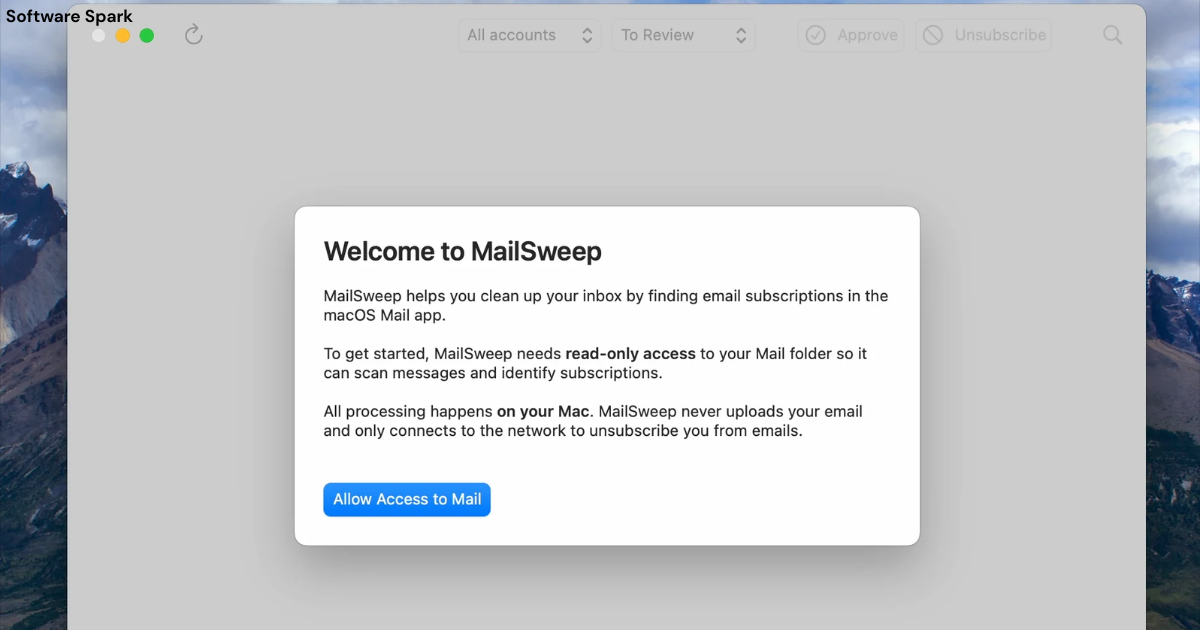
MailSweep for Windows – The Server-Side Email Management Tool
Introduction
In today’s digital landscape, email remains a cornerstone of professional and personal communication. However, the sheer volume of messages, combined with security threats and spam, can make email management a daunting challenge. This is where specialized tools like MailSweep for Windows come into play. MailSweep offers a solution designed to help users manage their email more efficiently by providing server-level control. This comprehensive article reviews the features, benefits, and limitations of MailSweep for Windows, helping you determine if it’s the right email management tool for your needs.
What is MailSweep for Windows?
MailSweep for Windows is a server-side email management application that offers users the ability to preview and manage emails directly on the mail server before downloading them to their local machine. Unlike traditional email clients that automatically download all messages to your device, MailSweep provides a web-based or client-based interface where you can view essential message details and decide which emails to keep, delete, or download.
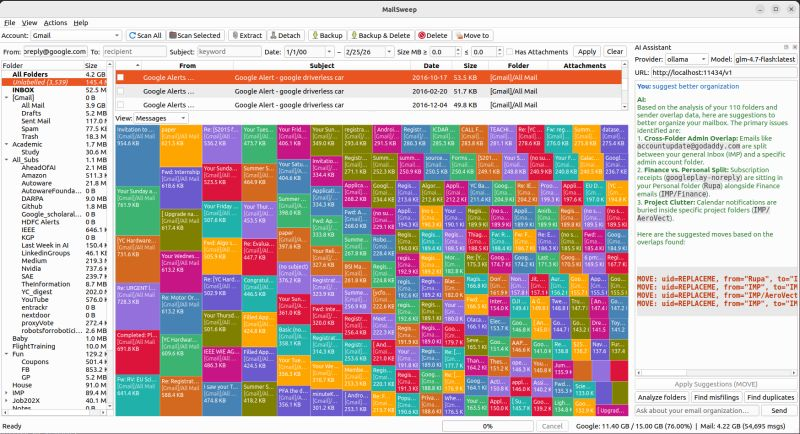
This approach is particularly useful for individuals and organizations dealing with large volumes of email, limited storage space, or security concerns. By allowing users to filter and delete unwanted messages directly from the server, MailSweep helps maintain a clean and manageable inbox while potentially reducing the risk of downloading malicious content.
The latest version of MailSweep, as of this review, is version 3.7, indicating a mature product with years of development behind it. While its total downloads (5,498) and weekly download numbers (12) suggest it serves a niche audience, those who use it likely appreciate its specific utility.
Key Features and Capabilities
Comprehensive Email Preview
One of MailSweep’s core features is its ability to display detailed information about each email stored on the server. Users can view the following attributes before deciding to download any message:
- Sender information: See who the message is from to help identify legitimate communications and potential spam.
- Subject line: Quickly scan message topics to prioritize which emails need immediate attention.
- Message size: Determine how much server storage space each email consumes, which is especially helpful for managing limited mailbox quotas.
- Priority level: Understand the urgency of messages, allowing you to focus on high-priority communications first.
This preview capability functions similarly to a web-based email interface but operates at the server level, compatible with multiple email accounts and configurations .
Selective Message Deletion
Perhaps the most powerful feature is the ability to delete selected messages directly from the mail server. Instead of downloading all emails to your computer and then deleting unwanted ones, MailSweep empowers you to remove messages that are spam, irrelevant, or unwanted before they ever reach your local storage.
This selective deletion offers several advantages:
- Bandwidth conservation: Avoid downloading large files or attachments you don’t need.
- Storage management: Keep your local storage free of unnecessary clutter.
- Improved performance: Reduce the time spent downloading emails.
- Better organization: Start with a clean, relevant inbox.
Offline Browsing Capabilities
MailSweep allows users to save the message list for offline browsing. This feature is invaluable for users who need to review their email options without maintaining a constant internet connection. You can:
- Download the message header information once
- Review emails at your convenience
- Make deletion decisions without being online
- Save bandwidth by only connecting when ready to process messages
Multiple Email Account Support
For users managing multiple email accounts, MailSweep supports multiple accounts within a single interface. This consolidation simplifies email management across different providers or organizational accounts, allowing users to:
- View messages from all accounts in one place
- Apply the same filtering and deletion rules across multiple accounts
- Save time by avoiding account switching
Security Features: Virus and Worm Filtering
MailSweep incorporates virus and worm filtering capabilities to protect your system from email-borne threats. By scanning messages at the server level, the tool can identify and block potentially harmful emails before they reach your local computer. While specific details about the scanning engine or update mechanism aren’t provided, this feature aligns with best practices for email security.
Technical Specifications and Requirements
Operating System Compatibility
MailSweep version 3.7 supports a wide range of Windows operating systems, making it accessible to users with older and newer hardware alike:
- Windows 10
- Windows 7
- Windows Vista
- Windows XP
- Windows 2000
- Windows 98
- Windows ME
- Windows NT
- Windows 2003
- Windows Server
This broad compatibility is particularly beneficial for organizations still using legacy systems where newer applications might not run effectively.
Platform and Requirements
The software runs on the Windows platform and has no additional requirements beyond a compatible operating system. This simplicity makes it easy to install and deploy.
Popularity Metrics
With 5,498 total downloads and 12 downloads in the past week, MailSweep serves a focused user base. While not among the most popular email management tools, its dedicated users likely appreciate its specific functionality.
Understanding Similar Tools
To provide context, it’s helpful to understand how MailSweep relates to other email management solutions available in the market. Several categories of tools exist:
Email Preview Tools
MailWasher is a similar tool that allows users to preview, mark for deletion, and bounce emails directly from the server. It’s known for its effective spam filtering capabilities and ease of use. Users appreciate MailWasher’s ability to learn from interactions to improve spam detection over time, though some users report occasional crashes and limitations in reporting features .
AI-Powered Email Cleaners
Tools like MailSweeper offer AI-driven email sorting and cleanup for Gmail users. These modern tools analyze emails to identify and remove clutter based on user preferences, but require some trust in AI accuracy to avoid misclassifying important emails .
Enterprise Email Security Solutions
Clearswift MAILsweeper (different product name, note the spelling) represents a different category of enterprise-grade email security solutions that protect organizations from spam, viruses, and inappropriate content. These enterprise solutions offer comprehensive policy enforcement, integration with LDAP directories, and quarantine management for blocked messages. The enterprise version can run on multiple platforms and integrate with various anti-virus products .
Email Clients with Built-in Management
Modern email clients often include spam filtering and management features. For example, eM Client offers robust features across Windows, Mac, and mobile platforms, with options to use external spam filtering tools like SpamSieve .
Advantages of Using MailSweep
Granular Control Over Email Download
The ability to see sender, subject, size, and priority before downloading offers users unprecedented control over their email workflow. Instead of automatically downloading all messages, users can curate what enters their local system.
Server-Side Management
Managing emails at the server level has significant advantages:
- Reduced system load: Your local computer doesn’t need to process spam or large files.
- Better bandwidth usage: Only download emails you actually want.
- Storage efficiency: Keep your hard drive free of unnecessary emails.
Multiple Account Integration
Supporting multiple email accounts in one interface makes MailSweep a convenient tool for users who manage multiple roles or organizations. This consolidation reduces the complexity of switching between accounts.
Offline Review Capability
The ability to save the message list for offline browsing is a unique feature that accommodates users with limited connectivity or those who prefer to review emails before connecting.
Potential Limitations and Considerations
Limited Information on Attachment Handling
While MailSweep provides detailed information about messages, the specification does not mention how attachments are handled. Users may want to know if they can:
- Preview attachments before downloading
- Delete attachments without deleting the message
- Filter emails based on attachment types
Protocol Support Details
The specification doesn’t explicitly state whether MailSweep supports POP3 or IMAP protocols. Users with IMAP accounts might want to ensure compatibility, as IMAP typically requires different handling than POP3 .
No Native Mobile Application
Unlike many modern email management solutions that offer mobile apps for Android and iOS, MailSweep appears to be focused on the Windows platform. This limitation may affect users who primarily work from mobile devices.
Pricing and Support Transparency
The source doesn’t provide information about:
- Whether MailSweep is free, freemium, or paid
- What support options are available (email, phone, knowledge base)
- Update frequency and policies
- Enterprise licensing terms
For prospective users, understanding these aspects is crucial before adoption.
Use Cases for MailSweep
Small Business Owners
Small businesses without dedicated IT staff can benefit from MailSweep’s simplified email management. The tool helps business owners:
- Manage multiple email accounts efficiently
- Reduce spam and clutter
- Save time by avoiding unnecessary downloads
- Maintain better server storage management
Individuals with Limited Storage
Users with limited email storage or slow internet connections can use MailSweep to:
- Avoid downloading large attachments
- Delete unwanted emails before they consume space
- Maintain a cleaner inbox
Organizations with Legacy Systems
Given its broad Windows compatibility (down to Windows 98 and NT), MailSweep serves organizations that still rely on older systems where modern applications may not run effectively.
Security-Conscious Users
The virus and worm filtering capabilities make MailSweep attractive for users concerned about email security, especially those who may not have robust security software.
Comparison with Email Clients
Automatic Download vs. Selective Download
Traditional email clients like Outlook, Thunderbird, or Windows Mail automatically download emails to your local machine. While they offer filtering and sorting features, the download happens before you can review content. MailSweep reverses this process, allowing review before download.
Integrated vs. Standalone
MailSweep is a standalone tool, whereas many email clients include built-in spam filtering. The trade-off is that dedicated tools may offer more robust preview capabilities but require an extra application to manage.
Offline vs. Online Functionality
MailSweep’s offline preview capability is unique, while most email clients require an internet connection to download and view messages.
Security and Privacy Considerations
Virus and Worm Filtering
MailSweep’s ability to filter harmful email worms and viruses is a critical security feature. However, the current description lacks specific details about:
- What security engines are used
- How often virus definitions are updated
- Whether the filtering occurs at the server or client level
For users concerned about email security, these details matter significantly.
Server-Level Management Benefits
Managing emails at the server level means that malicious emails may be blocked before they reach your local machine. This provides an additional layer of security compared to client-side filtering, which only catches threats after download.
Privacy Implications
When using any email management tool, consider:
- Where your data is processed (server vs. client)
- Whether metadata is collected or transmitted
- How the tool handles your email credentials
Recommended Best Practices
Regular Server Mailbox Maintenance
Users should regularly use MailSweep to review and delete unwanted messages, preventing mailbox overload and improving performance.
First-Time Setup Considerations
When setting up MailSweep for the first time:
- Add all email accounts to ensure comprehensive coverage.
- Configure any available filtering options to match your preferences.
- Test with a small number of messages before processing all emails.
- Enable security features if available.
Security Updates
Given the prevalence of email-based threats, users should ensure that MailSweep’s security features (if any) are kept up to date through regular updates.
Frequently Asked Questions
1. What information can I see about my emails before downloading them with MailSweep?
MailSweep allows you to view the sender, subject, message size, and priority of each email directly on the server. This preview capability helps you decide which messages are worth downloading and which can be deleted to save time and storage space.
2. Can MailSweep protect my computer from email viruses and worms?
Yes, MailSweep includes filtering capabilities to detect and block harmful email worms and viruses. While the specific security engines and update mechanisms aren’t detailed in the available information, this feature provides an additional layer of protection against email-borne threats.
3. Does MailSweep support multiple email accounts?
Yes, MailSweep supports multiple email accounts within a single interface. This consolidation allows users to manage emails from different providers or organizational accounts more efficiently without switching between applications.
4. Can I use MailSweep offline?
MailSweep offers the ability to save your message list for offline browsing. This feature allows you to review email information without an active internet connection, making it convenient for users with limited connectivity or those who prefer to preview emails before connecting.
5. What Windows operating systems does MailSweep support?
MailSweep version 3.7 supports a wide range of Windows operating systems, including Windows 10, Windows 7, Windows Vista, Windows XP, Windows 2000, Windows 98, Windows ME, Windows NT, Windows 2003, and Windows Server. This broad compatibility makes it accessible to users with both modern and legacy systems.
Conclusion
MailSweep for Windows offers a practical solution for users seeking greater control over their email management. Its ability to preview messages, delete unwanted emails directly from the server, and support multiple accounts provides significant advantages over traditional email clients that automatically download all messages.
The tool is particularly well-suited for users with limited storage, slow internet connections, multiple email accounts, or legacy systems. Its security features, including virus and worm filtering, add an extra layer of protection for security-conscious users.
However, the current information suggests areas for improvement. More clarity on attachment handling, specific protocol support (POP3 vs. IMAP), pricing, and support options would help potential users make informed decisions. Additionally, the lack of mobile native applications may be a limitation for users who primarily work from mobile devices.
Despite these gaps, MailSweep fills an important niche in the email management landscape. Its focus on server-level control distinguishes it from other tools that either download emails automatically or manage them locally. For users who value control, bandwidth conservation, and storage efficiency, MailSweep represents a worthwhile consideration.
As with any software, users should evaluate MailSweep’s specific features against their unique needs and consider complementary tools like email clients (eM Client provides a good alternative) or other email management solutions to build a comprehensive email workflow.
Ultimately, the decision to adopt MailSweep should weigh its core strengths—server-side preview and deletion—against potential limitations and the availability of features in other tools. For the right use case, MailSweep can significantly streamline email management and improve digital productivity.



