iGoogle- A Nostalgic Look Back at the Personalized Homepage Pioneer
Introduction
In the mid-2000s, before the era of smartphone apps and AI-driven news feeds, the internet had a different rhythm. Your digital day often began at a single, personalized web page. For millions of users worldwide, that page was iGoogle. Launched by Google in 2005, iGoogle wasn’t just a search engine homepage; it was a customizable dashboard that brought together your most important web services, news, and tools into one convenient location.
Though it was officially retired in 2013, iGoogle left a lasting mark on how we think about personalizing our online experience. It was a pioneer in the widget-based interface, anticipating the modern “app” model and setting the stage for the highly personalized digital ecosystems we use today. This article explores the history, features, cultural impact, and lasting legacy of iGoogle.
What Was iGoogle?
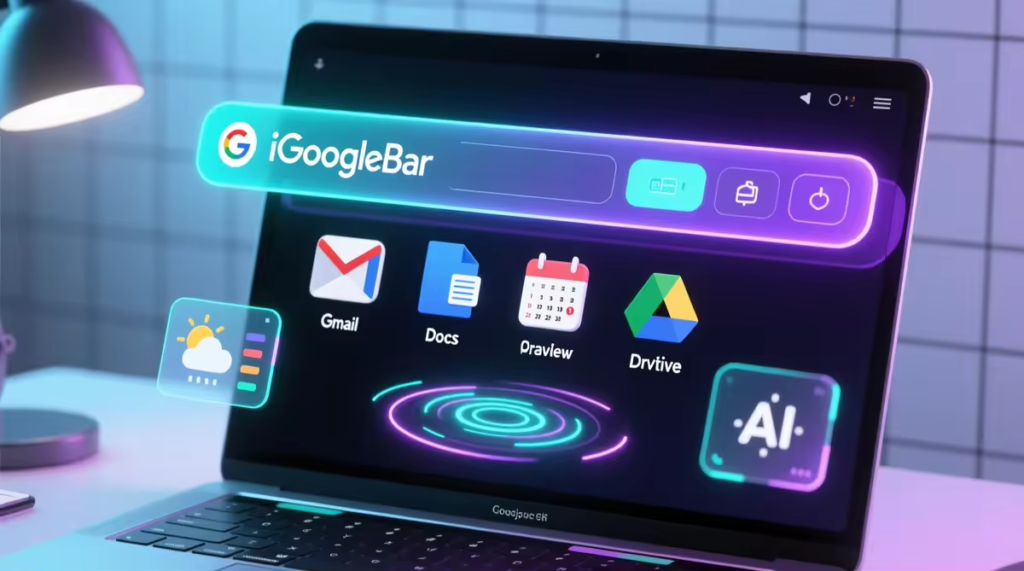
iGoogle was a personalized homepage service offered by Google. It was essentially a customizable portal that allowed users to create a unique start page tailored to their interests and daily needs. Instead of a simple search bar, users were greeted by a page filled with “gadgets” – small, modular applications that displayed various types of information.
The service was built on the idea of the “Ajax” (Asynchronous JavaScript and XML) interface, which allowed for dynamic content updates without requiring full page reloads. This created a fluid, app-like experience directly in the browser. At its peak, iGoogle was one of the most popular personalized homepages on the internet.
Key Features That Defined iGoogle
The power of iGoogle lay in its extensive customization options, making it a genuinely personal and useful tool.
Customizable Gadgets: The core of iGoogle was its gadget ecosystem. Users could add and arrange mini-applications from a vast directory. These gadgets pulled in information from various sources. Examples included:
- Email and Communication: A Gmail gadget to read and compose emails.
- News and Information: Feeds from top news outlets, weather forecasts, and stock tickers.
- Entertainment and Fun: Games, puzzles, and jokes.
- Productivity: To-do lists, sticky notes, calendars, and unit converters.
- Social: Gadgets to display status updates from social media platforms.
Personalized Themes: Users could change the look and feel of their homepage with a library of themes. These ranged from simple color schemes to dynamic backgrounds that changed with the time of day or weather in the user’s location. This visual customization made iGoogle feel like a personal digital space.
Google-Integrated Services: Naturally, iGoogle was deeply integrated with other Google products. A simple search bar was always present, and gadgets allowed seamless access to Gmail, Google Calendar, Google Docs, and Google Reader, creating a unified Google-centric workspace.
Content Selection: Beyond gadgets, users could select and arrange content feeds. You could easily add RSS feeds from your favorite blogs, news sites, and forums, creating a centralized feed reader that brought all your important updates into one place.
The Rise of the Personalized Web
iGoogle emerged during a time when people were becoming overwhelmed by the sheer volume of information available online. It was a direct response to this information overload, promising a solution through consolidation and personalization.
How iGoogle Worked
The user experience was simple and intuitive. When you visited the iGoogle URL and logged into your Google account, you were presented with your personalized page. Initially, it came with default gadgets, but the real power came from exploring.
- Adding Content: A prominent link or button labeled “Add stuff” would open the Google Gadget Directory. Here, users could browse or search for gadgets by category.
- Arranging the Page: Once a gadget was added, it appeared on the page. Users could drag and drop gadgets anywhere on the page to create a custom layout. They could also choose between different column layouts (e.g., two columns, three columns) to further structure their information.
- Configuration: Most gadgets were configurable. For instance, a weather gadget could be set to a specific city, and a stock gadget could be set to a list of the user’s chosen ticker symbols.
- Saved Preferences: All these customizations were saved to the user’s Google account. This meant that if you logged in from a different computer, your personalized iGoogle page would appear exactly as you left it.
This process of selection, arrangement, and configuration gave users a sense of ownership and control over their online space, making their internet start page genuinely useful and personal.
The Decline and Shutdown
Despite its immense popularity, several factors led to the gradual decline and eventual shutdown of iGoogle in November 2013.
The Mobile Revolution
The most significant factor was the shift from desktop to mobile computing. With the rise of smartphones and tablets, users began to access the internet through dedicated apps rather than a desktop browser. The iGoogle interface, optimized for a wide desktop screen, did not translate well to the small touchscreens of mobile devices.
Evolution of Google’s Strategy
Google’s leadership, particularly Larry Page, began to favor a more focused and streamlined product strategy. The idea of a “one-size-fits-all” platform like iGoogle began to conflict with the new, minimalist design philosophy. Moreover, the increasing use of Google Now (now part of the Google app) and the Android home screen offered a more contextual and mobile-friendly way to deliver personalized information.
Competition and Changing User Habits
The concept of the personalized homepage was being challenged by more dynamic and social news aggregators. Services like Flipboard and Pulse offered a magazine-like visual experience that was more engaging on tablets and smartphones. Furthermore, the rise of social media newsfeeds on Facebook and Twitter meant that users were getting their real-time updates directly through those platforms, reducing the need for a separate dashboard like iGoogle.
By 2012, Google had begun to phase out key iGoogle components, and the official announcement of its upcoming retirement confirmed the end of an era. Users were given several months to find alternatives.
The Enduring Legacy of iGoogle
Even a decade after its closure, the influence of iGoogle is still evident in the way we interact with the web today.
Pioneering Personalization: iGoogle was arguably the first mainstream service to demonstrate the power of a truly personalized web interface. It proved that users valued the ability to control their digital environment and curated content from multiple sources.
The Widget Concept: The iGoogle gadget was a direct precursor to the modern app. The concept of small, single-purpose applications that can be arranged and used on a single interface is the foundation of the modern smartphone and even desktop operating systems like Windows 10.
Influence on Google Products: The lessons learned from iGoogle can be seen in later Google products. Google News, for instance, allows for a high degree of personalization. Google’s homepage itself gained customizable background images as a nod to iGoogle’s theming features.
A Template for Dashboards: The layout and functionality of iGoogle became a template for many other online dashboards and intranet portals used in businesses and educational institutions today. The idea of a configurable page of widgets is now a standard design pattern.
What Filled the Void After iGoogle?
When iGoogle was retired, its users had many alternatives to choose from. This was a testament to the lasting popularity of its core concept.
- Netvibes: Emerged as one of the most popular replacements. Netvibes offered similar widget-based customizability with a modern interface and strong support for RSS feeds.
- My Yahoo!: Yahoo’s own personalized homepage was a direct competitor to iGoogle and continued to be a viable option for many.
- Protopage: Known for its user-friendly interface and extensive widget library, Protopage became a favorite for those seeking a clean and simple dashboard.
- Feedly: For those whose primary use of iGoogle was as an RSS feed reader, Feedly provided a robust and modern alternative with a beautiful interface.
- Browser Extensions: Services like Pocket and Pocket (for reading lists) and various new tab page extensions for Chrome and Firefox offered lightweight ways to personalize the new tab page.
Conclusion
iGoogle was more than just a customizable homepage; it was a vision of what the personalized web could be. It allowed users to cut through the noise of the internet and build a digital space that was uniquely theirs. Its success demonstrated the deep-seated human desire for control and curation in an increasingly chaotic digital world.
While iGoogle may be gone, its spirit lives on. It laid the groundwork for the personalization features we now take for granted in smartphones, apps, and web services. For many, it remains a cherished memory of a simpler, more customizable time on the internet, reminding us that the power of the web lies not just in the information it provides, but in how we make it our own.
Frequently Asked Questions (FAQs)
What was the main purpose of iGoogle?
The main purpose of iGoogle was to serve as a customizable, personalized homepage. It allowed users to gather their most frequently used web services (like email, news, weather, and calendars) and information feeds into a single, centralized dashboard for easy access, eliminating the need to visit multiple websites individually.
Why did Google shut down iGoogle?
Google shut down iGoogle primarily due to the shift towards mobile computing. The service was desktop-centric and didn’t translate well to the mobile experience offered by smartphones and apps. Additionally, Google’s own strategic direction evolved to focus on more streamlined, minimalist products like Google Now, which offered contextual information in a more modern way.
Can I still use iGoogle today?
No, iGoogle was officially discontinued and shut down on November 1, 2013. Visiting the old iGoogle URL will redirect to the standard Google search homepage. However, many alternative services that offer similar personalized dashboard functionality are still available.
How was iGoogle different from the Google search homepage?
The standard Google homepage is minimal and almost entirely focused on a search bar. In contrast, iGoogle was a full-page, multi-column dashboard filled with “gadgets.” These provided at-a-glance information, links, and interactive content, making the page a functional start point for your day, not just a search tool.
What types of gadgets were available on iGoogle?

The Google Gadget Directory was vast and diverse. Popular categories included news and weather feeds, Gmail and calendar integration, to-do lists and sticky notes, games and puzzles, stock tickers, language translators, and even gadgets to display photos from Flickr. The ecosystem was designed to be open, so developers could create their own gadgets, leading to a wide variety of options.



