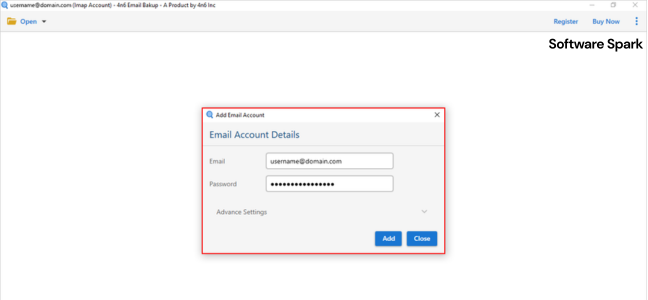
4n6 Office 365 Backup Tool- Protecting Your Cloud Data
As businesses increasingly rely on Microsoft 365 for their daily operations, the importance of securing this critical data cannot be overstated. The 4n6 Office 365 Backup Tool is a specialized software solution designed to provide a robust and reliable backup for your entire Office 365 environment. Whether you are an IT administrator, a small business owner, or a forensic expert, this tool offers the functionality needed to safeguard your emails, contacts, calendars, and more from data loss.
What is the 4n6 Office 365 Backup Tool?
The 4n6 Office 365 Backup Tool is a powerful Windows application built to back up and restore data from Microsoft 365 accounts . Unlike the basic retention policies built into Office 365, which can be limited and may permanently delete data after a set period, this tool provides a safety net by creating an offline, point-in-time copy of your entire mailbox .
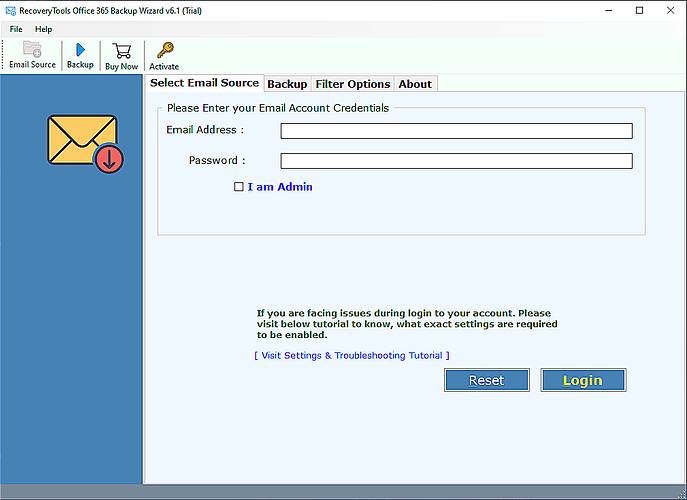
The software is designed with a user-friendly interface, making it accessible to both technical and non-technical users . It offers the flexibility to back up a wide array of data types, including emails, attachments, contacts, calendars, tasks, and notes from primary mailboxes, shared mailboxes, and in-place archives . This comprehensive coverage ensures that your organization’s critical information is always protected and recoverable.

Key Features and Benefits
The 4n6 Office 365 Backup Tool is packed with features that make it an essential utility for any Office 365 user. It stands out by addressing critical gaps in Microsoft’s native data protection.
Why Office 365 Needs a Third-Party Backup
It’s a common misconception that Microsoft 365 backs up your data. In reality, Microsoft’s native tools are designed for retention and disaster recovery of the platform itself, not for protecting your specific data from user error, malicious deletion, or cyberattacks . They often offer only short-term recovery options, leaving your organization vulnerable . Third-party tools like the 4n6 Office 365 Backup Tool fill this critical gap by providing:
- Protection Against Tragedies: Data loss can happen to anyone. Whether from a cyberattack like ransomware, a server outage like the one experienced by Rackspace, or accidental deletion, having a backup ensures you can recover your data .
- Overcoming Storage Limits: Office 365 mailboxes have storage limitations (e.g., 50 GB for a primary mailbox). Instead of deleting important emails to free up space, users can back them up locally, clearing cloud storage while preserving data .
- Data Sovereignty and Independence: As companies grow, they may need to migrate data between different cloud providers or maintain data in their own infrastructure. A third-party backup provides this flexibility, allowing you to move data away from Microsoft’s servers if needed .
Comprehensive Backup & Restoration Options
The tool allows you to back up your Office 365 data into a wide range of formats for maximum flexibility.
- Multiple File Formats: You can export mailbox items to industry-standard formats like PST, MBOX, EML, and PDF . This allows you to access your data without needing an Office 365 subscription and is crucial for data migration or compliance.
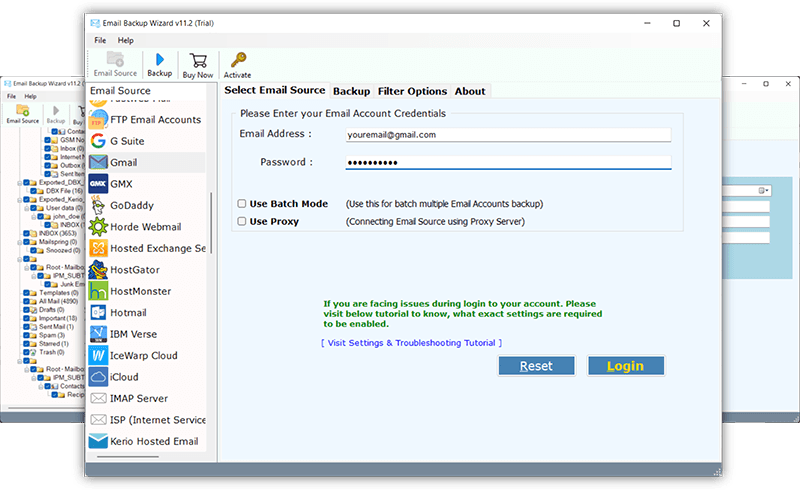
- Direct Migration to Other Services: The software can directly migrate an Office 365 mailbox to another IMAP account, such as Gmail, Zoho Mail, or another Microsoft 365 instance . This is invaluable during mergers, acquisitions, or when changing email providers.
- Granular Recovery: You can restore specific items, folders, or entire mailboxes, giving you fine-grained control over the recovery process .
Additional Features for Advanced Users
- Advanced Search and Filtering: You can apply powerful filters based on date range, subject, sender, and recipient to back up only the data you need, saving time and storage space .
- Multiple Account and Admin Support: The tool supports backing up multiple Office 365 accounts in one go. It also works with an admin account, allowing an administrator to back up all mailboxes within their organization .
- Data Preview Before Backup: Before committing to a backup, you can preview emails and their attributes to ensure you are selecting the correct data .
Pricing and Availability
The 4n6 Office 365 Backup Tool is a Shareware application. This means a free demo version is available for evaluation. According to the developer’s website, the free version allows users to back up 10 items per folder . This is a great way to test the software’s functionality and interface before purchasing.
For full, unrestricted use, a license key must be purchased. The application is priced at $49 and is compatible with Windows 7, 8, 10, and 11 . Once purchased, a single license key can be used for unlimited backups .
Frequently Asked Questions (FAQs)
1. Is the 4n6 Office 365 Backup Tool really free?
The software is available as a Shareware title. It offers a free demo version that is limited to backing up only 10 items from each mailbox folder. A paid license is required for unrestricted, full-scale backups .
2. What data from Office 365 can be backed up?
The tool supports backing up a comprehensive range of data, including emails, attachments, contacts, calendars, notes, tasks, and information from both shared mailboxes and in-place archives .
3. What is the primary reason to use this tool instead of relying on Microsoft?
Microsoft 365 does not provide a full backup solution. Its policies are for disaster recovery and have limited recovery windows. This tool protects against data loss from accidental deletion, cyberattacks, and user error, and provides a portable copy of your data independent of Microsoft’s servers .
4. Can I use the tool to migrate data to another email provider?
Yes, one of the tool’s key features is the ability to export Office 365 data directly to an IMAP account. This allows for a direct, seamless migration to another platform like Gmail or Zoho Mail .
5. What file formats can I export my Office 365 data to?
The software provides a versatile selection of output formats. You can save your data as PST, MBOX, EML, PDF, HTML, CSV, and more . This ensures your data is accessible for a wide range of needs, from legal discovery to personal archiving.
Conclusion
The 4n6 Office 365 Backup Tool is a robust, user-friendly, and cost-effective solution for anyone looking to take control of their Office 365 data protection. By offering comprehensive backup, flexible export options, and the ability to migrate data between services, it provides a level of security and freedom that Microsoft’s native tools cannot match. While the free version offers a taste of its capabilities, the full version is an invaluable investment for any business or individual who prioritizes the safety and accessibility of their critical cloud data.
