EMU8086 Microprocessor Emulator-
Read our comprehensive review of EMU8086, the Intel 8086 microprocessor emulator. Learn about its features for writing and debugging assembly code.
Introduction: Stepping Back into 16-Bit Computing
The Intel 8086 processor is a landmark in computer history, laying the foundation for the x86 architecture that still powers modern PCs. For computer science students, embedded systems developers, and retro-computing enthusiasts, understanding this classic processor is essential. EMU8086 is a free tool that makes this possible by providing a software-based emulator for the 8086. This review explores its features, functionality, and who it’s best suited for.
What is EMU8086?
EMU8086 – Microprocessor Emulator is a software tool that simulates the Intel 8086 processor. It allows you to write, compile, and run 16-bit assembly code for this classic chip without needing physical hardware. The software creates a virtual representation of the 8086’s internal architecture, including its registers, instruction set, and segmented memory model. This enables developers and students to learn, experiment, and test code targeting this architecture in a safe, controlled environment.
The tool is primarily used for educational purposes, allowing students to visualize how low-level code interacts with the processor. It is also used by embedded systems developers for prototyping and testing.
Key Features of EMU8086
Integrated Development Environment (IDE)
EMU8086 provides a complete IDE for writing and testing assembly code.
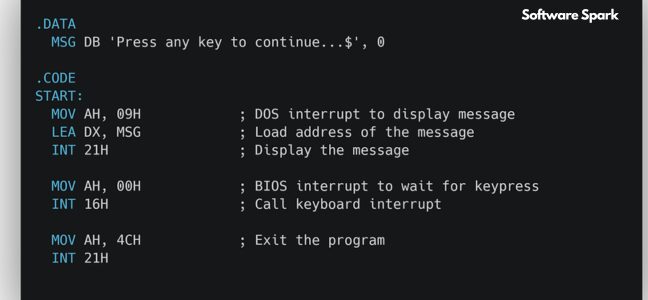
- Built-in Code Editor: You can write custom 16-bit assembly code using Intel syntax directly within the application.
- Integrated Assembler and Compiler: The software includes an assembler that converts your code into machine-readable format.
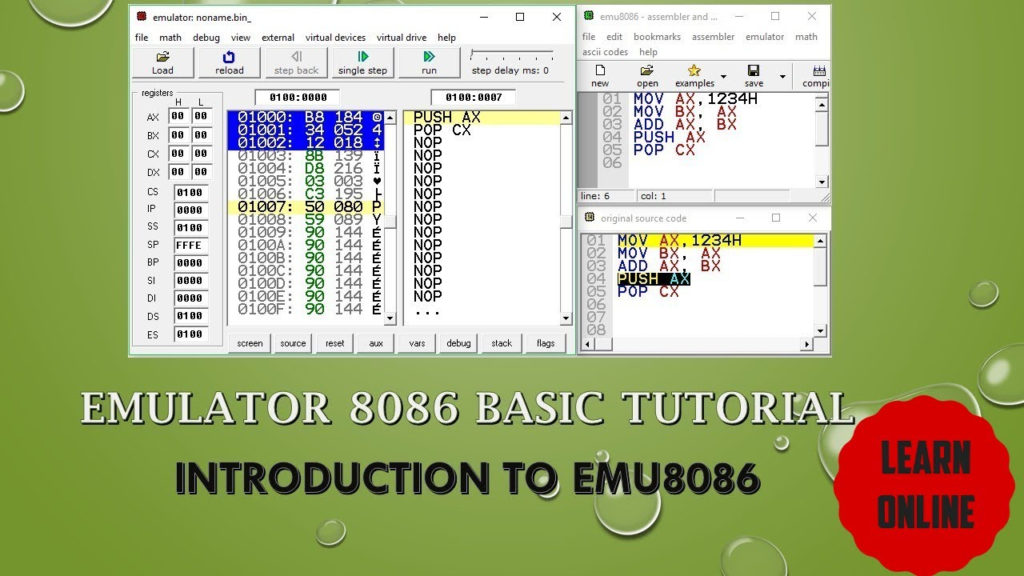
- Debugger: A central feature is its debugger, which allows you to step through your code line by line, set breakpoints, and observe the emulator’s internal state in real-time.
Processor Emulation
The core of the tool is its accurate emulation of the 8086 CPU.
- Instruction Set: It faithfully simulates the 8086’s entire instruction set, including all flags and register behavior.
- Registers and Segmented Memory: The emulator accurately models the 8086’s register array and segmented memory model.
- Interrupt Simulation: It supports common interrupts, such as INT 21h, allowing you to emulate DOS-like functions for basic I/O operations.
Visualization and Debugging
A major advantage is the ability to see what’s happening inside the processor.
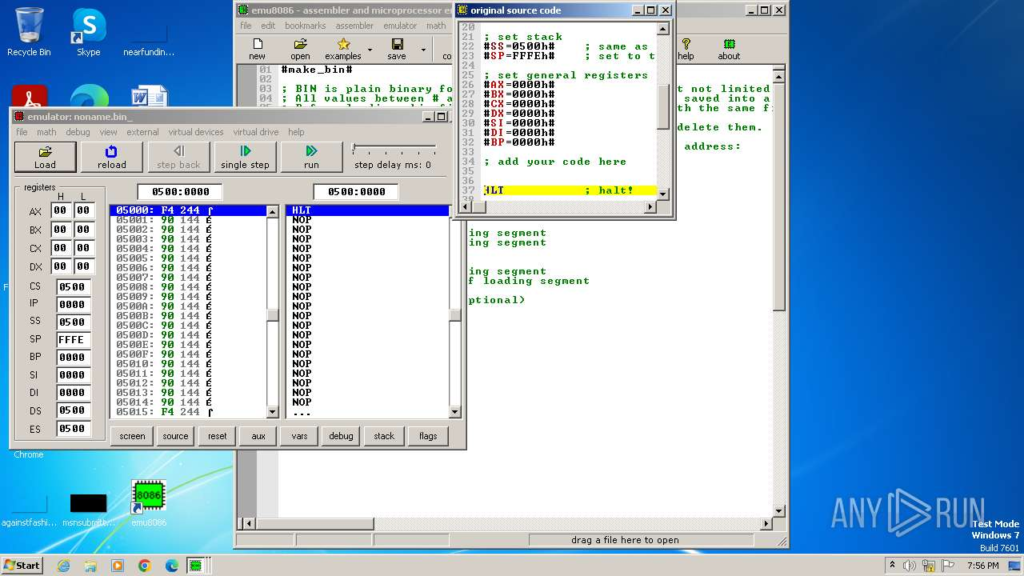
- Real-Time Register and Memory Viewing: You can dynamically view the contents of registers, memory locations, and the stack as your code executes.
- Step-by-Step Execution: You can execute your code instruction by instruction, watching how each line affects the processor state.
- Comprehensive Feedback: This visual feedback is invaluable for understanding how low-level code works.
Limitations: A Processor Emulator, Not a System Emulator
A critical distinction to understand is that EMU8086 is a processor emulator, not a full system emulator.
- No Peripheral Emulation: It only simulates the CPU. It does not emulate the complete PC architecture, including graphics cards, sound devices, or other peripheral controllers.
- Minimal Graphics and Audio: Programs that rely on hardware-specific behaviors, such as advanced graphics or sound, may not function as intended. Its focus is strictly on the core operation of the 8086 chip.
Who Is EMU8086 For?
EMU8086 is a niche tool designed for a specific audience:
- Computer Science Students: It is an excellent educational tool for learning assembly language and understanding how a CPU works at a low level.
- Embedded Systems Developers: For testing code and understanding processor behavior without needing the physical chip.
- Retro-Computing Enthusiasts: For anyone interested in the inner workings of classic processors and the early days of PC computing.
Frequently Asked Questions (FAQs)
1. Is EMU8086 free to use?
EMU8086 offers a free trial version, which is often sufficient for educational purposes and basic testing.
2. What is the difference between a processor emulator and a system emulator?
A processor emulator simulates the CPU’s internal operations, allowing you to run code written for that processor. A system emulator simulates the entire computer, including the CPU, memory, I/O devices, and peripherals.
3. Can EMU8086 run games or modern software?
No, EMU8086 is designed for 16-bit assembly code and cannot run modern software or most DOS games, as it does not emulate the full system.
4. What is the INT 21h interrupt in EMU8086?
INT 21h is a common DOS interrupt used for basic input and output. EMU8086 simulates this interrupt, allowing you to write code that performs simple I/O operations.
5. Is EMU8086 suitable for learning assembly language?
Yes, its integrated development environment and real-time visualization features make it an excellent tool for learning 16-bit assembly language.
Conclusion: An Essential Tool for Low-Level Learning
EMU8086 – Microprocessor Emulator is a focused and practical tool that fills a specific need. It provides an accessible environment for writing, debugging, and understanding 16-bit Intel assembly code. While it does not simulate a full computer system, its accurate emulation of the 8086 processor, combined with its powerful debugger and visual feedback, makes it an invaluable resource for students, educators, and developers working with this classic architecture.



