Aryson SharePoint Server Recovery – To Restoring SharePoint Databases
Introduction
In the modern enterprise, SharePoint has become the backbone of document management, collaboration, and workflow automation. Organizations rely on it to store critical business documents, manage complex processes, and facilitate team collaboration across departments and geographies. The loss of SharePoint data can be catastrophic, leading to productivity disruptions, compliance violations, and potentially significant financial impacts. When disaster strikes, having the right recovery tools is not just important—it’s essential.
Aryson SharePoint Server Recovery is a specialized software tool designed to repair corrupt SharePoint databases and restore valuable data and documents. It addresses one of the most critical challenges faced by SharePoint administrators: the recovery of data from damaged or inaccessible MDF files . The tool offers a practical solution when regular backups are either unavailable or insufficient to fully restore operations after a SharePoint disaster.
This article explores the features, functionality, and use cases of the Aryson SharePoint Server Recovery tool. We will examine how it works, when to use it, its limitations, and how it compares to other SharePoint recovery approaches. Whether you are an IT professional managing a SharePoint environment or a business owner looking to understand your data recovery options, this guide provides a comprehensive overview of this important recovery tool.
Understanding the SharePoint Database Challenge
The Critical Role of SharePoint MDF Files
SharePoint Server stores all its content—documents, lists, libraries, permissions, and site structures—in SQL Server databases. These databases have an .mdf extension and are the heart of any SharePoint farm. When an MDF file becomes corrupted, the SharePoint site may become inaccessible, leading to a situation where users cannot retrieve crucial business documents.
Database corruption can occur for various reasons. Hardware failures, software bugs, improper shutdowns, disk errors, and even security incidents can compromise the integrity of an MDF file. The challenge is compounded by the complexity of SharePoint’s database structure, which is built on Microsoft SQL Server and includes multiple interconnected databases, including content databases, configuration databases, and service application databases.
The Backup Dilemma
The ideal solution to database corruption is simple: restore from a recent, valid backup. For content databases specifically, SharePoint provides robust backup and recovery methods using Central Administration, PowerShell, or SQL Server tools . Microsoft’s Restore-SPFarm PowerShell cmdlet is a standard tool for this purpose, offering flexible options for full farm restores or granular item-level recovery .
However, many organizations face a backup dilemma. Backups can become corrupted themselves, fail to complete, or be scheduled infrequently. In other cases, the corruption may go unnoticed for an extended period, and the organization may only discover the issue long after the corruption occurred, leaving the existing backup outdated or invalid. When a valid, recent backup is unavailable, specialized recovery tools become necessary to salvage what remains.
When Disaster Strikes
When a SharePoint database becomes corrupted and a valid backup is not available, administrators face a difficult situation. They cannot simply restore the database, and manual recovery from an MDF file is an extremely complex and time-consuming process that requires deep expertise in SQL Server internals and SharePoint database schemas. This is where a purpose-built tool like Aryson SharePoint Server Recovery becomes invaluable. It is designed to perform a “complete SharePoint database recovery after SharePoint Server disaster” .
Aryson SharePoint Server Recovery: Features and Functionality
Core Purpose: MDF File Recovery
The Aryson SharePoint Server Recovery tool is a Windows-based utility specifically designed to repair corrupted SharePoint databases and recover data and documents . It works directly with the MDF file, scanning its contents, extracting recoverable data, and allowing the user to save it in a usable format.
The tool focuses on restoring the integrity of data, including:
- Documents and files stored in the database.
- Critical server objects like lists, triggers, and functions .
- Deleted records from the SharePoint database .mdf file .
Dual Recovery Modes
One of the key features of the tool is its ability to perform two types of recovery:
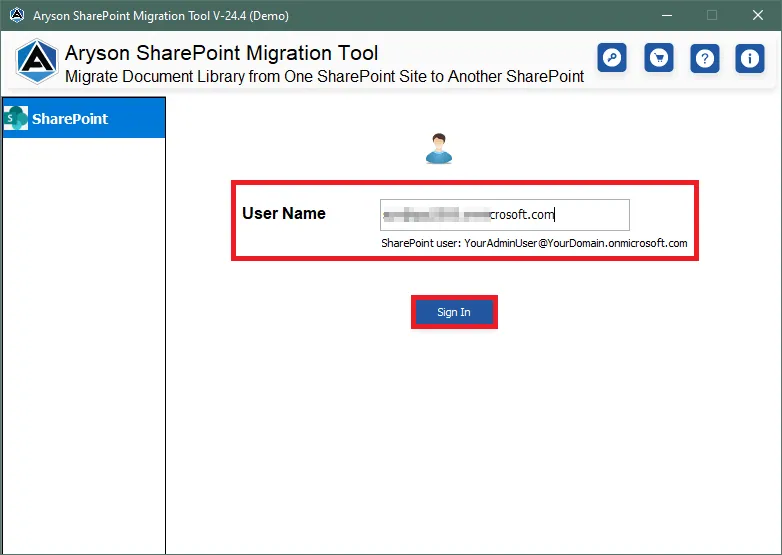
- Complete SharePoint Database Recovery: This mode aims to repair the entire database, preserving the relationships between its various components. It is the comprehensive approach when the primary goal is to rebuild a fully functional database.
- SharePoint Documents Recovery: For situations where documents are the primary concern, this mode allows you to focus specifically on recovering files without the need to restore the entire database structure. This can be a faster and more targeted approach if the document integrity is the most critical need.
Preview Before Saving
A significant advantage of Aryson’s tool is the ability to preview recoverable data before committing to the save action . This feature allows administrators to verify that the correct data is recoverable and to assess the extent of the recovery. This is crucial for managing expectations and deciding on the best course of action.
Export to SQL Server
Once the recovery is complete, the software provides multiple options for saving the recovered data . Users can export the recovered database directly to a healthy SQL Server instance or save it as an SQL Server-compatible script file. This flexibility allows for integration into a new or existing SharePoint environment.
Creating a Log File
The tool also creates a log file during the recovery process . This log is beneficial for several reasons. It provides a record of the process, which can be used for auditing or troubleshooting. Furthermore, the tool supports pausing and resuming the recovery process, allowing the administrator to manage long-running tasks efficiently .
Intuitive GUI
The software is designed with a robust, modern GUI to make it accessible for both technical and non-technical users . A well-designed interface simplifies the complex process of database recovery, reducing the chance of errors.
When to Use Aryson SharePoint Server Recovery
Scenario 1: After a SharePoint Server Disaster
The primary use case for this tool is in the aftermath of a “SharePoint Server disaster” . This could include a hardware failure, a severe software corruption, a ransomware attack, or any situation where the SharePoint environment has become non-functional and no viable backup exists.
Scenario 2: To View Corrupted Database Content
Sometimes, a database may be corrupted to the point where it is inaccessible through standard SharePoint interfaces. The tool allows an administrator to view the documents and data records within the corrupt MDF file, providing insights into the state of the data and confirming the content is recoverable before undertaking a full restoration effort.
Scenario 3: To Recover Deleted Records
SharePoint’s native tools may not always be sufficient to recover documents and records that have been deleted from the database. The Aryson tool can recover these deleted records, provided they still exist in the MDF file and have not been overwritten.
Scenario 4: When Only Documents Are Needed
If a full database restoration is not required—for instance, if only a specific set of documents from a corrupted site are needed—the “SharePoint Document Recovery” mode provides a targeted and efficient approach to salvage those critical files.
Technical Specifications and System Requirements
Supported Operating Systems
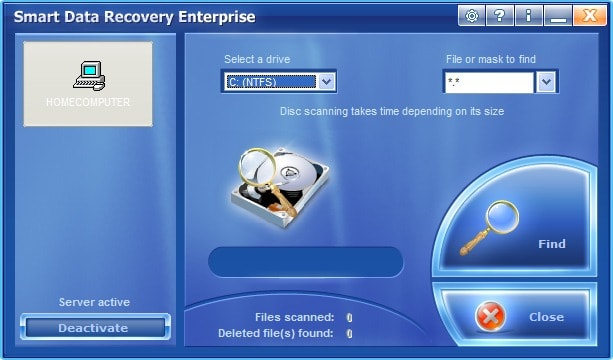
The tool boasts broad compatibility with Windows operating systems, listing support for versions ranging from Windows 98, NT, 2000, XP, and Vista, through to Windows 7, 8, and 10 [citation:URL]. It also supports Windows Server versions. This broad compatibility makes it a viable option for organizations still running legacy hardware.
Supported Platforms
- SharePoint Server: The tool supports recovery from MDF files associated with SharePoint Server 2016, 2010, and 2007 .
- SQL Server: It supports MDF files from SQL Server 2014, 2012, 2008 R2/2008/2005 .
System Requirements
- Hard Disk Space: 500 MB of free hard disk space is required .
- RAM: 4 GB of RAM is recommended for optimal performance .
- Processor: An Intel Core 2 Duo CPU E4600 @ 2.40GHz 2.39GHz or equivalent is recommended .
Prerequisites
- For Windows 11, 8, 7, and 10, the software should be launched with Administrator privileges.
- It is recommended to temporarily turn off the Windows Firewall and disable Antivirus programs during installation to avoid conflicts .
Free Demo vs. Full Version
The software is available as a free demo version, which allows users to evaluate its capabilities. The primary limitation of the demo version is that it only allows previewing recoverable objects; it does not permit saving or exporting the data . To save the recovered SharePoint data, users must purchase the licensed version. The full version costs $119 (as per the website ).
Download Size
The software download is relatively compact, with a size of approximately 1.86 MB .
Is Aryson SharePoint Server Recovery Truly Free?
Based on the source information, the software is available as a free demo, but it is not a fully free tool. The demo version permits users to preview all recoverable objects . However, to save the recovered data or export it to SQL Server, a licensed version of the software must be purchased . The full version price is $119 .
Users on software review platforms have also noted that Aryson offers a “good product for database recovery,” reinforcing that it is a commercial solution . Therefore, while you can evaluate the tool for free, you must pay to fully recover your data.
Alternatives to Aryson SharePoint Server Recovery
While Aryson SharePoint Server Recovery is a dedicated tool for this specific task, the market offers other solutions and approaches for recovering SharePoint data.
Built-in Microsoft Tools
For many recovery scenarios, native Microsoft tools are the first line of defense. As described in the Microsoft documentation , SharePoint administrators can use:
- PowerShell: The
Restore-SPFarmcmdlet provides a powerful command-line interface for restoring farms, databases, and site collections . - Central Administration: The SharePoint Central Administration website offers a step-by-step wizard for restoring from backups.
- SQL Server Tools: For a more technical approach, SQL Server Management Studio (SSMS) can be used to restore a content database directly, although this should only be attempted by SQL Server experts.
Third-Party Backup and Recovery Suites
Larger enterprise organizations often invest in full-scale backup and recovery suites, such as:
- Commvault: Offers a comprehensive SharePoint Server Agent that provides application-aware backups, support for Always On Availability Groups, and granular recovery of individual documents . This is a full-featured enterprise backup solution, not just a recovery tool.
- AvePoint: Provides complete protection for SharePoint, supporting platform-level backups, granular recovery, and flexible backup scheduling . AvePoint is widely recognized for its Microsoft 365 and SharePoint protection suite.
- SEP sesam: This is another enterprise backup solution that offers a SharePoint extension for full/COPY backups, and also includes a “SharePoint Recovery Pro” plugin (Ontrack PowerControls) for granular restore .
Other Specialized Recovery Tools
- Ontrack PowerControls: This is a well-known software tool that allows granular search and recovery of items directly from SharePoint backups . It is a forensically sound solution for restoring individual documents and sites without restoring the entire database .
Frequently Asked Questions
1. Is Aryson SharePoint Server Recovery really free?
Answer: The software is available as a free demo version, which allows you to preview all recoverable objects. However, to save or export the recovered data, you must purchase the full licensed version . The full version price is $119 .
2. What SharePoint and SQL Server versions does the tool support?
Answer: The tool supports SharePoint Server 2016, 2010, and 2007, and works with SQL Server 2014, 2012, 2008 R2, 2008, and 2005 .
3. What are the main features of the Aryson SharePoint Server Recovery tool?
Answer: Key features include the ability to perform Complete SharePoint Database Recovery and SharePoint Document Recovery, preview documents before saving, export recovered data to SQL Server, recover deleted records, and automatically generate a log file of the recovery process .
4. When should I use Aryson SharePoint Server Recovery instead of a standard backup restore?
Answer: You should use this tool when a valid, recent backup is not available, or when the backup itself is corrupted. It is also valuable for recovering specific documents without performing a full database restore, and for recovering deleted records that are not available through standard SharePoint interfaces .
5. What are the system requirements for running the software?
Answer: The software requires a Windows operating system, 500 MB of free hard disk space, 4 GB of RAM (recommended), and an Intel Core 2 Duo processor or equivalent . It is recommended to run the tool as an administrator and temporarily disable firewall/antivirus software during installation .
Conclusion
Aryson SharePoint Server Recovery offers a specialized and practical solution for a critical problem: recovering data from a corrupted SharePoint database when standard backups are not an option. Its ability to work directly with MDF files, preview recoverable content, and target either complete databases or specific documents makes it a versatile tool for SharePoint administrators.
The tool’s strength lies in its focused functionality and ease of use. The free demo version allows for thorough evaluation, ensuring that the tool can access and preview the data before a purchase is made. This reduces the risk for organizations that are considering the investment. At $119, it is relatively affordable compared to the cost of data loss or the expense of enterprise backup suites.
However, it is crucial to understand the tool’s place in the broader recovery ecosystem. It is not a replacement for a comprehensive backup strategy but rather a targeted weapon in an administrator’s toolkit for disaster recovery scenarios. For organizations with robust, regularly tested backups of their SharePoint farms, native Microsoft tools (PowerShell, Central Administration, SQL Server) are the first and most appropriate line of defense. Aryson’s tool excels when those backups are compromised or do not exist.
In the end, Aryson SharePoint Server Recovery provides a valuable safety net. It offers a fighting chance to recover critical business data when all other options seem to have failed, ensuring business continuity and minimizing the impact of a SharePoint disaster.
2 thoughts on “Aryson SharePoint Server Recovery – To Restoring SharePoint Databases”
Leave a Reply




ktneiegyndujfhmjmiimupxmwujzsh
wkeryvfyhqygwhvweeejkzqxummyqs