Flashpaste Portable- Tool for Effortless Text Expansion
Introduction
In today’s fast-paced digital environment, efficiency is paramount. Whether you are a customer service professional responding to repetitive queries, a developer inserting code snippets, a student taking notes, or a writer crafting content, a significant portion of your day involves typing. The constant repetition of standard phrases, email signatures, addresses, and boilerplate text not only consumes valuable time but also increases the risk of typos and reduces overall productivity.
This is where text expansion tools come to the rescue, and Flashpaste Portable stands out as a robust and portable solution. This article provides a comprehensive overview of Flashpaste Portable, exploring its features, benefits, and how it can revolutionize your typing workflow. We will delve into its functionality, advantages, and why it remains a go-to tool for professionals seeking to optimize their daily tasks .
What is Flashpaste Portable?
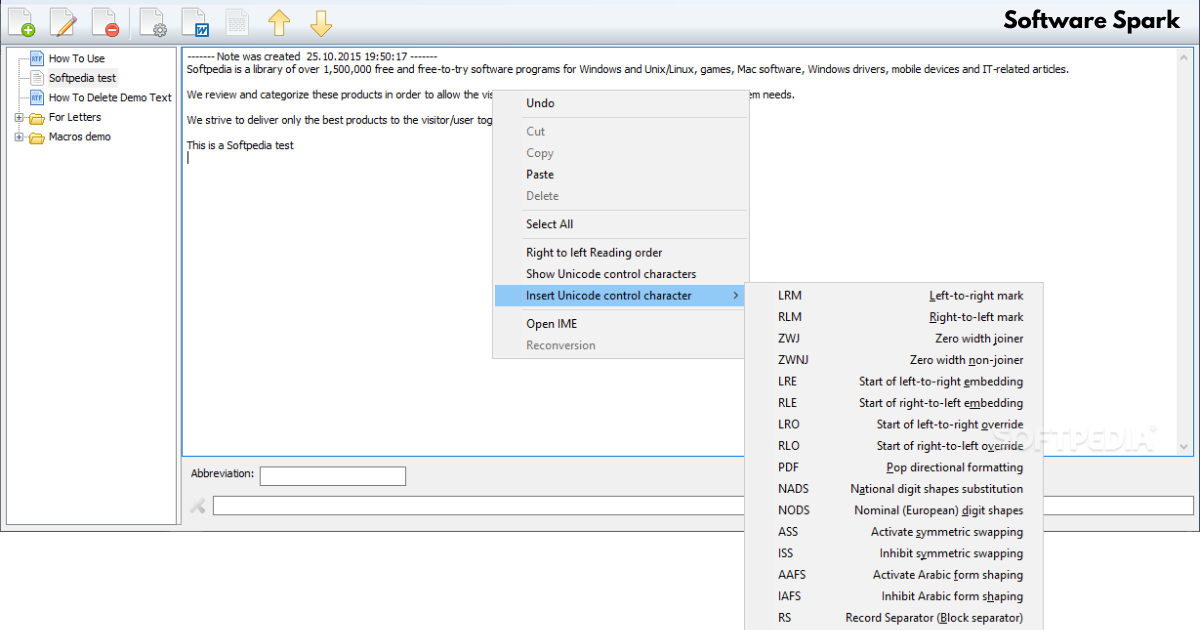
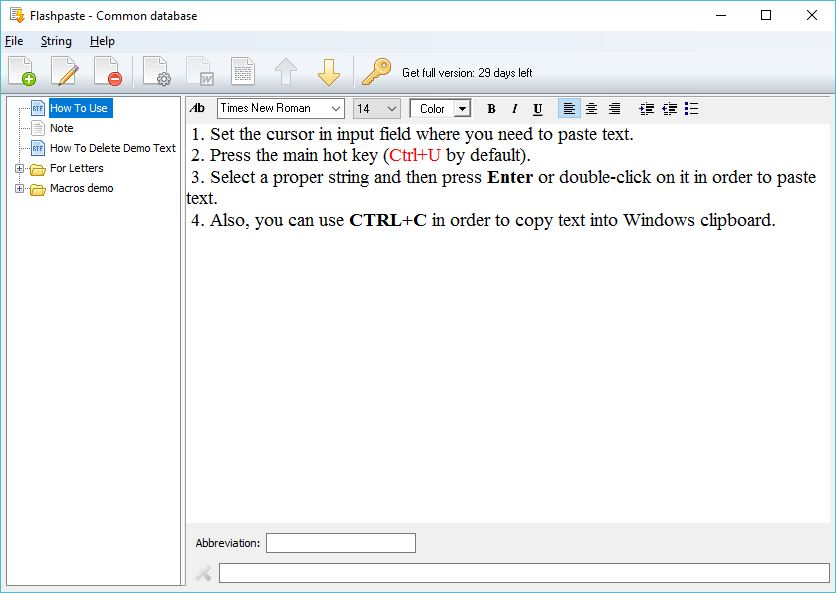
Flashpaste Portable is a sophisticated utility designed to help users “type less and say more.” At its core, it is a text template management and clipboard enhancement tool. It allows you to create a library of frequently used text snippets—ranging from simple greetings and addresses to complex HTML code and formatted paragraphs—and insert them into any application with just a few keystrokes or mouse clicks .
The “Portable” designation is a key feature, meaning the software does not require formal installation on a host computer. It can be stored on and run directly from a USB flash drive, external hard drive, or any other portable storage device. This makes it an incredibly flexible tool for individuals who work across multiple computers, such as IT professionals, consultants, or students, as their entire text repository and personalized settings travel with them .
Core Features and Functionalities
Creating and Managing Text Snippets
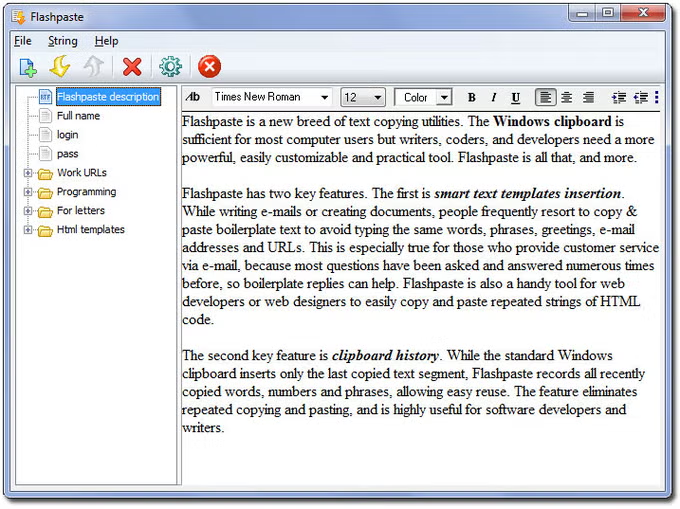
The primary function of Flashpaste Portable is to enable users to create an unlimited number of text templates . These snippets can be organized into a hierarchical structure using folders and nested folders, allowing for meticulous categorization. For instance, a support agent could have folders for “Greetings,” “Technical Solutions,” “Billing Inquiries,” and “Closing Statements,” each containing relevant template texts. This organizational capability ensures that even with a vast library, finding the right template remains quick and intuitive .
The built-in text editor for creating snippets supports rich text formatting (RTF). This means you can style your templates with bold, italic, colors, and bulleted lists, allowing for professional and formatted content insertion directly into compatible applications .
Advanced Pasting and Typing Methods
Flashpaste Portable offers versatile methods for inserting your text, adapting to different user preferences .
- Direct Paste: The most common method involves selecting a template from the main interface or a pop-up menu, which then pastes the text directly into the active window. This method does not alter the current content of your clipboard, ensuring your copied data remains intact for other uses .
- “Type In” Function: This feature emulates keystrokes, typing the text into the active application character by character. This is particularly useful for entering text into fields or applications that might block or interfere with standard clipboard paste operations .
Clipboard History
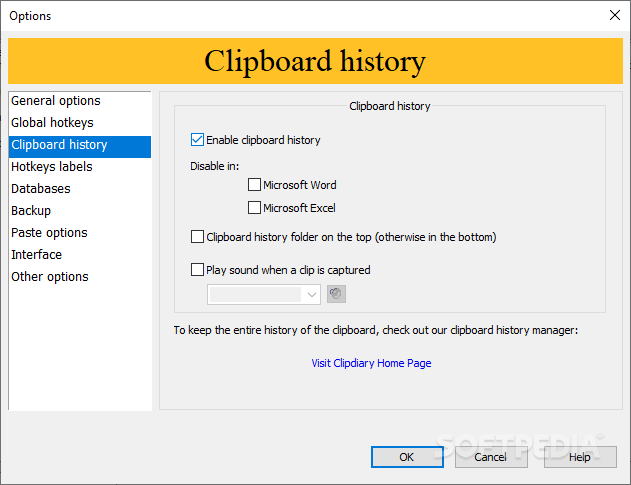
Beyond static templates, Flashpaste Portable includes a powerful clipboard history feature. While the standard Windows clipboard only remembers the last item copied, Flashpaste can track and store the five most recent texts you have copied . This allows for effortless reuse of any recently copied text fragment, eliminating the need to switch back and forth between windows to copy the same piece of information multiple times .
Macro Functionality
One of the most potent features of Flashpaste is its macro support, which allows templates to be dynamic and responsive. Users can incorporate special commands into their text templates that are processed at the moment of pasting .
- Date and Time Macros: Insert the current date and time in any format you desire, and even include time shift adjustments for different time zones .
- Control Key Macros: Program macros to simulate pressing keys like Tab, Enter, or Escape, automating complex navigation or data entry tasks alongside the text insertion .
- Clipboard Content Macro: Use the current content of the clipboard as part of the template text, enabling dynamic construction of messages or documents .
- List Macro (
%List()%): This advanced macro allows you to create a list of options within a template. When pasting, you are presented with a small window to choose the specific line to insert, making a single template flexible enough to handle multiple, related variations .
Portability and Network Capabilities
The portability of Flashpaste Portable ensures that your custom dictionaries, settings, and backup configurations are always with you. Whether you’re at your desk, in a meeting, or working from a public computer, your productivity suite is accessible and ready to use . For teams and organizations, Flashpaste supports a network database mode. This allows multiple users to store and access the same database of standard texts on a local network server, ensuring consistency in communication across an entire office. Individual employees can also maintain their own local databases for personal templates .
Backup and Language Support
Data security is a priority, and Flashpaste Portable includes an automatic backup feature that creates copies of your databases, safeguarding your valuable templates against data loss . Additionally, the application supports Unicode, allowing you to store and paste text in a wide range of languages. The user interface itself is available in over 20 languages, making it accessible to a global audience .
Summary of Advantages
To illustrate the comprehensive utility of Flashpaste Portable, here is a summary of its key advantages as highlighted by users:
| Feature Category | Key Advantage |
|---|---|
| Core Function | Paste template texts, boilerplate answers, frequently used phrases, and addresses. |
| Productivity | Saves time, eliminates repetitive retyping, and helps avoid typos. |
| Data Management | Supports unlimited strings, folders, and nesting levels; includes automatic backup. |
| Advanced Features | Clipboard history, macro commands (date/time, keys, clipboard), and formatted text (RTF). |
| Flexibility | Portable mode for use from a USB drive; network database support for office teams. |
| Accessibility | Unicode support; multi-language interface (20+ languages). |
| Pasting Options | Supports both standard paste and keystroke emulation (“Type in”) for compatibility . |
Conclusion
Flashpaste Portable offers a compelling solution for anyone looking to enhance their typing efficiency and accuracy. By moving beyond the limitations of the standard clipboard and providing a rich suite of features for creating, organizing, and inserting text templates, it proves to be an invaluable tool across a wide range of professions. Its portable nature makes it a perfect companion for the modern, multi-device professional, while advanced features like macros and network databases cater to the needs of power users and teams. While many modern alternatives exist in the form of browser extensions or online tools, the established, offline, and portable nature of Flashpaste Portable ensures it remains a relevant and powerful choice for boosting daily productivity .
Frequently Asked Questions (FAQs)
What is the primary difference between the standard and portable version of Flashpaste?
The standard version is installed on a single computer, while the portable version is designed to run from a USB drive or external storage. The portable version allows you to carry your settings and text templates with you and use them on any computer without leaving traces in the Windows registry .
Can Flashpaste Portable paste formatted text like bold and colors?
Yes, Flashpaste Portable supports rich text formatting (RTF). You can create templates with bold, italic, colored text, and bulleted lists, which will be pasted into compatible applications, preserving the formatting .
Is it possible to use Flashpaste Portable on a local network with colleagues?
Yes, Flashpaste supports a network database mode. You can store the main text database on a network server, allowing multiple users within an organization to access and use the same set of standard text templates, ensuring consistency in communications .
What is the Clipboard History feature and how does it work?
The clipboard history feature goes beyond the standard Windows clipboard. It automatically remembers and stores the last five texts you have copied. You can then easily access and paste any of these recently copied items from within Flashpaste, making it easy to reuse previous selections .
Does the “Type in” function differ from a standard paste?
Yes. The “Type in” function is a keystroke emulation method. Instead of pasting the text via the clipboard, it “types” the text into the active window. This is useful for applications or web forms that may block or interfere with standard paste commands, ensuring your text gets entered correctly .



